
 Need help?
Do you have a question about the Lite-Puter CX-1204 and is the answer not in the manual?
Lists the main features of the CX-1204 DMX console, including DMX control and channel capabilities.
Details the technical specifications such as power supply, connectors, weight, and dimensions.
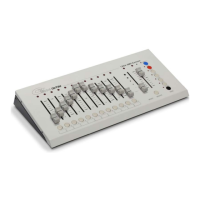
Explains the functions of each control on the CX-1204 front panel with a diagram.
Lists and describes the rear panel connectors and power switch of the CX-1204 unit.
Step-by-step guide to setting and saving control scenes on the CX-1204 console.
Instructions on how to recall saved scenes using dimming or flash methods.
Introduces chase functions, including internal chase (speed chase) and audio input control.
Details how to set up internal chases using CH or SC modes with step-by-step instructions.
Describes how to set up audio chase by adjusting the speed knob to the bottom position.
Instructions for activating fade chase by pressing the SPEED button.
Explains how to use the BLANK button to pause and resume output.
 General
| Brand | Lite-Puter |
|---|---|
| Model | CX-1204 |
| Category | Music Mixer |
| Language | English |

 To Next Page