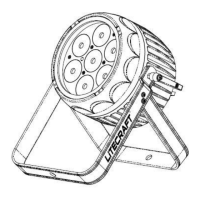
The Litecraft LED MultiPAR 12FC (ILED-MP-12F5-020) is a professional lighting fixture designed for various applications. This user guide provides essential information for safe operation, setup, control, and maintenance of the device.
Function Description:
The Litecraft LED MultiPAR 12FC is an LED-based lighting fixture primarily used for intelligent lighting control. It offers multiple operational modes including DMX512, Master/Slave, Sound Activation, and Manual mode, providing flexibility for different lighting setups. The fixture is capable of producing a wide range of colors due to its 12*10 Quad-color LEDs, and it includes features like dimming, strobe effects, and blackout modes. It is designed to be integrated into larger lighting systems via DMX512 connections, allowing for precise control over its functions. The fixture also supports white balance adjustments and offers various dimmer curves (Optically Linear, Square Law, Inverse Square Law, S-curve) to achieve desired lighting effects.
Important Technical Specifications:
- Model: ILED-MP-12F5-020
- Voltage: AC100V-240V
- LEDs: 12 * 10 Quad-color LED
- Fuse: T 6.3A
- Power Consumption: 156W
- Dimensions: 250 x 327 x 215 mm
- Weight: 6kg
- DMX Channels: Supports 1, 4, 5, 7, and 8 channel modes for DMX512 control.
- Ambient Temperature (TA): 40°C (maximum operating temperature).
Usage Features:
The fixture features a control panel with a display and four buttons: MENU, DOWN, UP, and ENTER.
- Display: Shows various menus and selected functions.
- LED Indicators:
- DMX: On when DMX input is present.
- MASTER: On in Master Mode.
- SLAVE: On in Slave Mode.
SOUND: Flashing during Sound activation.
- Buttons:
- MENU: Selects programming functions.
- DOWN: Moves backward in selected functions.
- UP: Moves forward in selected functions.
- ENTER: Confirms selected functions.
- DMX Connectivity: Equipped with 3-pin XLR DMX input and output for linking multiple units in a daisy chain. It is recommended to use a DMX terminator (120-ohm 1/4W resistor) on the last fixture in the chain to reduce signal errors.
- Mains Output: Connects to supply power for the unit.
- Main Functions (Accessible via Menu):
- Addr (DMX512 Address Setting): Sets the DMX address (0-511).
- Chnd (Channels Mode): Selects DMX channel modes (1, 4, 5, 7, 8 channels).
- SLnd (Master/Slave Mode): Configures the fixture as a master or slave unit.
- Shnd (Show Mode): Accesses pre-programmed shows, including random shows and color fades with adjustable speeds (slow, medium, fast).
- d Ind (Dimmer Mode): Selects dimmer curves (Optically Linear, Square Law, Inverse Square Law, S-curve).
- Soun (Sound Mode): Activates or deactivates sound-activated mode.
- BLnd (Blackout Mode): Enables or disables blackout.
- LEd (LED Display): Turns the LED display on or off.
- d ISP (Display Inverse): Inverts the display.
- bALa (White Balance): Adjusts white balance values (Red, Green, Blue) from 0 to 255.
- MAnu (Manual Mode): Allows manual setting of colors (Red, Green, Blue, White) and strobe effects.
- tESt (Self-Test): Initiates a self-test of the fixture.
- tEnP (Fixture Temperature): Displays the current fixture temperature.
- FhrS (Fixture Hours): Displays the total operating hours of the fixture.
- UPr (Software Version): Displays the software version.
- Installation: The unit should be mounted securely via its screw holes on the bracket, ensuring it can support 10 times its weight. A safety cable (rated for 12 times the unit's weight) must always be used. Installation should be performed by professionals in a location inaccessible to people.
- Control Methods:
- Master/Slave Built-in Preprogram Function: Allows linking up to 16 fixtures, with one master controlling the others for synchronized light shows. Slave 1 operates normally, while Slave 2 offers a 2-light show for contrast.
- DMX Controller: Provides universal DMX control from 1 to 512 channels.
Maintenance Features:
- Troubleshooting Guide: Provides solutions for common issues such as:
- Fixture not working/no light (check power, fuse, mains voltage).
- Not responding to DMX controller (check DMX LED, connectors, cables, address settings, DMX polarity, try another DMX controller, check for interference from high voltage cables).
- No response to sound (ensure no DMX signal, check microphone).
- One channel not working well (check stepper motor, cable to PCB, motor's drive IC).
- Fixture Cleaning: Regular cleaning is essential for optimal light output.
- External Optics: Clean at least every 20 days with a soft cloth and normal glass cleaning fluid, ensuring parts are dried carefully.
- Internal Optics: Clean at least every 30/60 days.
- Cleaning frequency may need to be increased in damp, smoky, or particularly dirty environments.
- Fuse/Lamp Replacement: Disconnect mains power before replacing fuses or lamps. Only use fuses of the same type.
- Housing/Lenses/UV Filter: Replace if visibly damaged.
- No User Serviceable Parts Inside: Do not open the unit. Repairs should only be carried out by authorized technical assistance centers.
- Storage: Use original packing materials for transport.
- Safety Chain: Always use a safety chain when fixing the unit.

 Need help?
 General

 To Next Page