EN
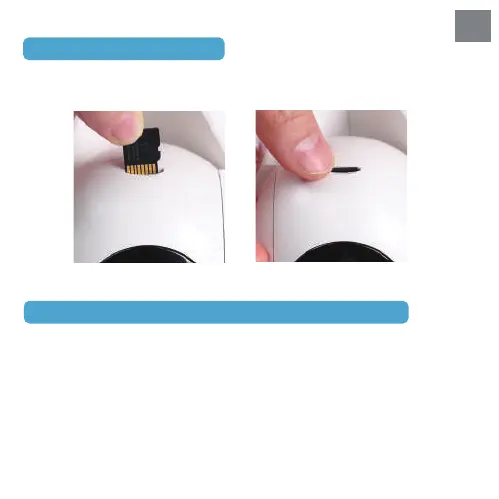
2. Micro SD card storage
5.Frequently Asked Questions
Q1: How do you troubleshoot a security camera?
A: If your camera's red light flashes rapidly during connections, it can usually be
connected normally. However, if the light is in another abnormal state, please follow
these 6 quick tips to fix your security camera troubleshooting:
1. Try using a different cable and plug if the light is not flashing red.
2. Update the software and firmware.
3. Reset the camera to its factory settings.
4. Check whether the router password (WiFi password, but not app account password)
is correct.
Alternatively, you may insert a micro SD card and turn on the Record Button to
save event recordings.


 To Next Page