
 Need help?
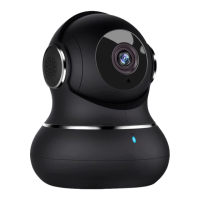
Do you have a question about the Litokam P1 and is the answer not in the manual?
Details on how to use the 24/7 online chat function within the Littlelf Smart APP for support inquiries.
Download the Littlelf Smart APP and register an account via email to begin camera setup.
Power on the camera and ensure your mobile phone is connected to 2.4GHz WiFi.
Add the camera in the Littlelf Smart APP by clicking 'Add Device', selecting 'Cam P1', and confirming status.
Scan the QR code displayed on the phone with the camera lens from 15-20cm distance.
Wait for network configuration to complete and then start using the camera.
Subscribe to a cloud storage package to automatically save camera videos.
Insert a micro SD card and enable the Record Button to save event recordings.
Troubleshooting tips for common security camera issues, including indicator light states.
Instructions on how to set up local recording and choose recording modes on the camera.
Steps to view motion detection videos using Micro SD card or cloud service.
Information on how to contact Litokam customer support via app, phone, and website.
 General
| Two-way Audio | Yes |
|---|---|
| Motion Detection | Yes |
| Weatherproof | IP65 |
| Resolution | 1080P |
| Storage | MicroSD card (up to 128GB), Cloud storage |
| Connectivity | 2.4GHz WiFi |
| Power Source | Battery Powered |

 To Next Page