12 13
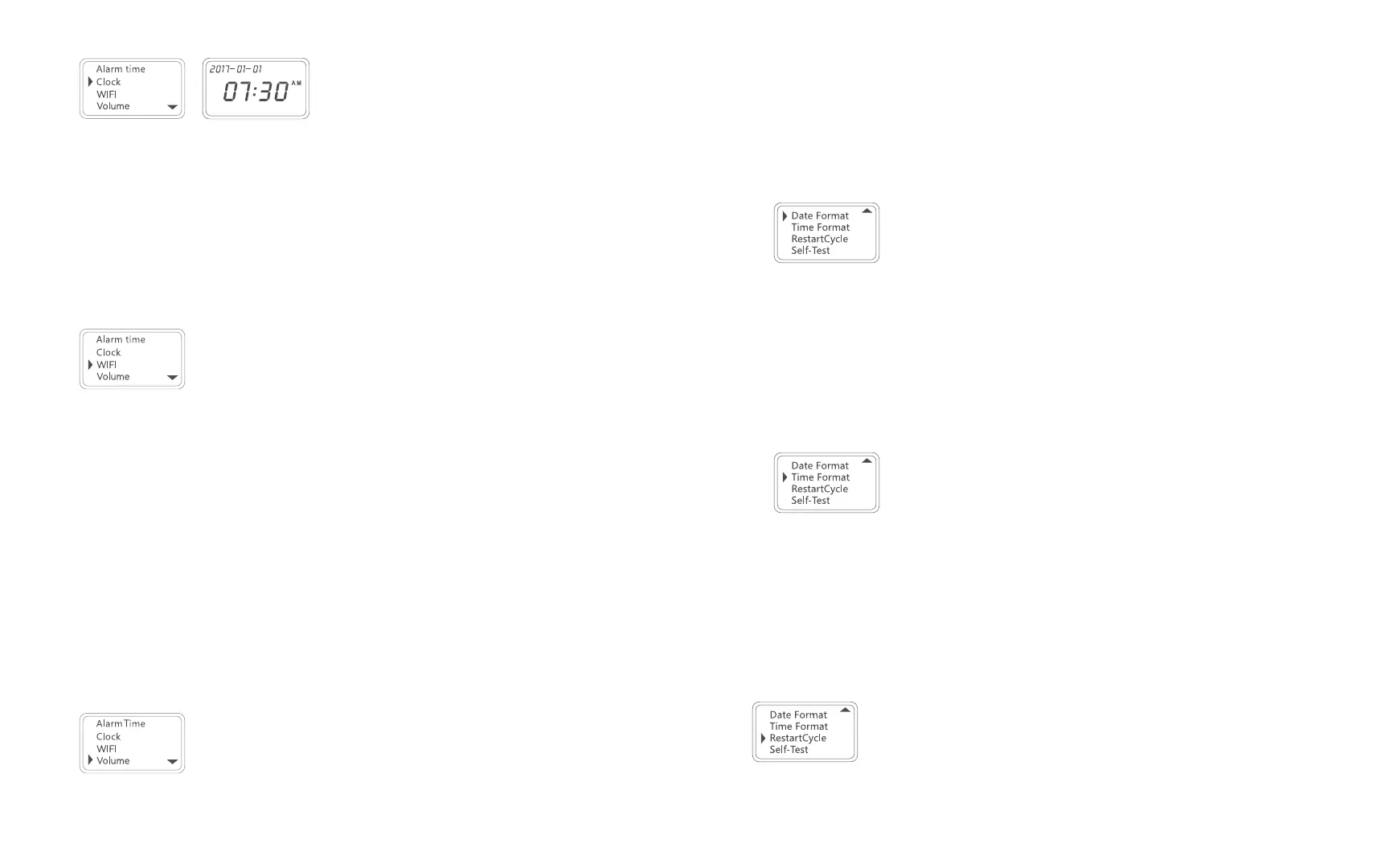
2. Once in the Clock setting, you can set the date and time in this order: year-> month
-> day -> hour -> minute. Use the A and C buttons to adjust each digit. Press the
B button to confirm each selection.
3. Press the B button to save your setting and exit back to the Main Menu.
Setting Up the Wi-Fi Connection
1. Press the B button to enter the Main Menu. Use the A and C buttons to scroll
through the menu and press the B button again to select “WIFI” for Wi-Fi
®
settings.
2. Press the B button again to select “AP mode”.
NOTE: You can press and hold the A button for three (3) seconds while on the main
screen to activate AP mode immediately.
3. Follow the instructions in the “Wi-Fi
®
Setup” section to connect the pill dispenser to
your phone.
NOTE: The pill dispenser must always stay connected to Wi-Fi
®
to operate it from
your mobile device.
Adjusting the Volume
1. Press the B button to enter the Main Menu. Use the A and C buttons to scroll
through the menu and press the B button again to select “Volume” for volume
adjustment.
2. Use the A and C buttons to scroll through the selections. Then, press the B button to
confirm your selection and exit back to the Main Menu.
Setting the Date Format
1. Press the B button to enter the Main Menu. Use the A and C buttons to scroll
through the menu and press the B button again to select “Date Format” for the date
format setting.
2. Use the A and C buttons to scroll through the selections. Then, press the B button to
confirm your selection and exit back to the Main Menu.
Selecting the Time Format
1. Press the B button to enter the Main Menu. Use the A and C buttons to scroll
through the menu and press the B button again to select “Time Format” for the time
format setting.
2. Use the A and C buttons to scroll through the selections. Then, press the B button to
confirm your selection and exit back to the Main Menu.
Restarting the Cycle
Press the B button to enter the Main Menu. Use the A and C buttons to scroll through
the menu and press the B button again to select “Restart Cycle” for a cycle reset. The
dispenser will automatically rotate the tray back to the starting position.
NOTE: The pill dispenser will alert you when the cycle reset is complete if the dispenser


 To Next Page