10 11
Setup Instructions
Installing the Battery/Connecting the Power Cable
1. Turn the dispenser upside-down. Slide the battery cover latch to release the battery
cover.
2. Remove the battery cover.
3. Insert the lithium battery, making sure to match the polarities.
4. Replace the battery cover. Then, slide the battery cover latch until it clicks in place.
5. Connect the pill dispenser to a power source using the included power cable. Make
sure that the pill dispenser stays plugged in at all times.
NOTE: If the low battery symbol appears on the screen, then the dispenser is low on
power. Make sure the rechargeable battery in the dispenser is properly installed and
the power cable is plugged in.
IMPORTANT! Power cable must always be plugged in when using the pill
dispenser.
Locking and Unlocking the Cover
The cover lock helps to prevent accidental spills and prevents unwanted access to your
medication dispenser. This can also help with patients who are confused and may try to
take medication at the wrong times.
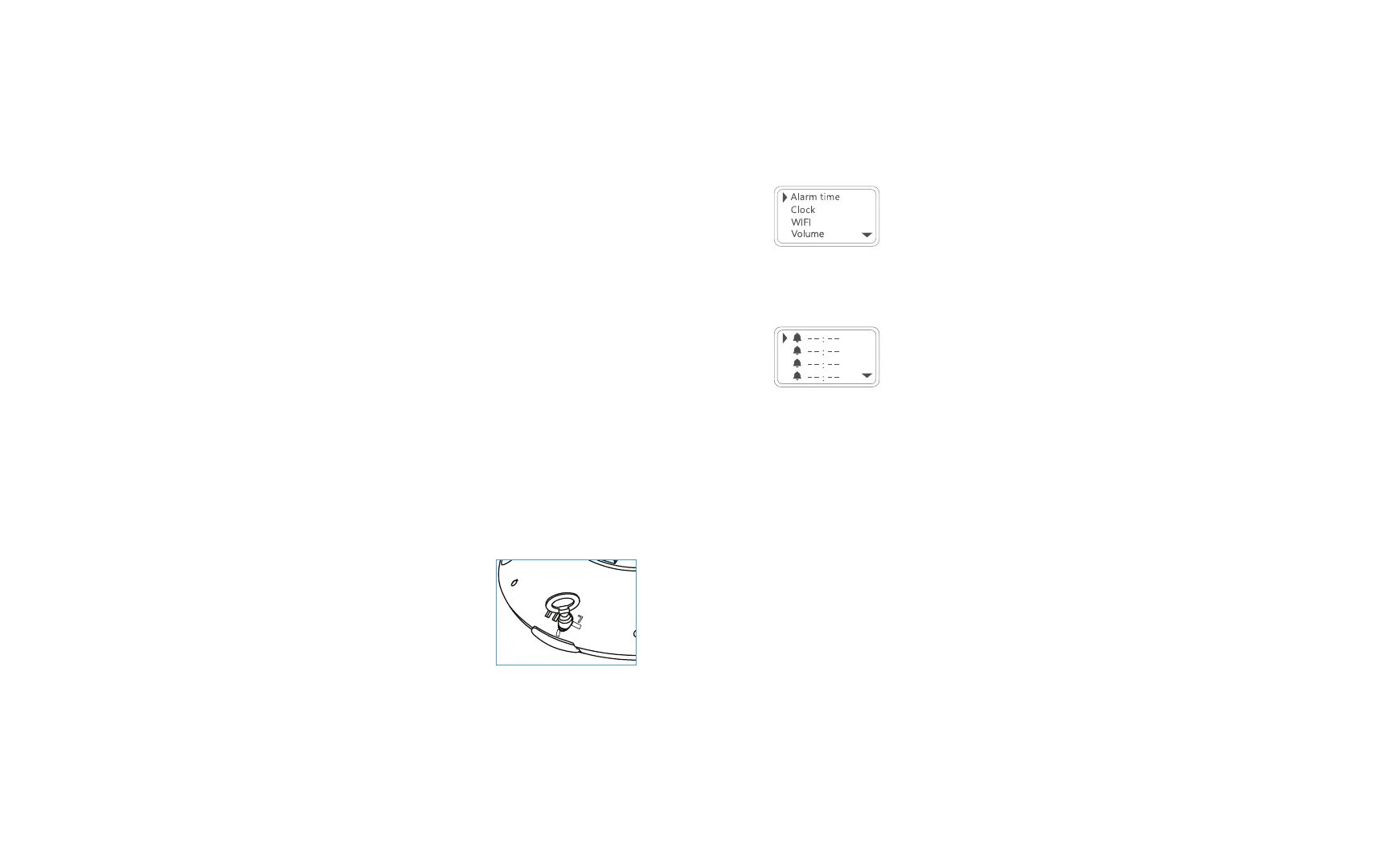
1. Take the locking key and line it up with the hole on the cover
lock (located on the bottom of the dispenser as shown.)
2. Press down on the cover latch and turn the key
counterclockwise to lock the cover.
3. Turn the key clockwise to unlock the cover.
4. Lift the cover open using the cover latch.
Operating Instructions
Setting the Alarm
1. Press the B button to enter the Main Menu. Press the B button again to select
“Alarm Time” for alarm settings.
2. Use the A and C buttons to scroll up and down respectively between the alarm time
slots. Then, select a slot with the B button.
3. Once an alarm time slot has been selected, the hour selection will flash. Use the A
and C buttons to adjust the hour. Then, press the B button to continue.
NOTE: Pressing and holding the A or C button will cause the hour or minute digits to
move faster. And the digits on display will flash to indicate which digits are currently
being changed.
4. Use the A and C buttons to adjust the minute. Then, press the B button to save your
setting.
5. Next, you can set another alarm time in a slot or go back to the Main Menu by
scrolling down and selecting “Back”.
NOTE: The same alarm time cannot be set repeatedly.
Setting the Time
1. Press the B button to enter the Main Menu. Use the A and C buttons to scroll
through the menu and press the B button again to select “Clock” for clock settings.


 To Next Page