Need help?
Do you have a question about the LM Technologies LM540 and is the answer not in the manual?
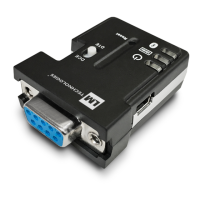
The LM540 Class 1 Bluetooth USB Adapter is a device designed to add Bluetooth functionality to a personal computer, enabling wireless communication with other Bluetooth-enabled devices. This adapter facilitates the establishment of Bluetooth connections, allowing users to interact with a wide range of peripherals and services without the need for physical cables.
The primary function of the LM540 adapter is to provide a Bluetooth interface for a PC. Once plugged into a USB port, it integrates with the computer's operating system, typically through the BlueSoleil software, to enable Bluetooth capabilities. This allows the PC to discover, connect to, and communicate with various Bluetooth devices such as headsets, keyboards, mice, smartphones, and other computers. The adapter supports the establishment of different types of Bluetooth services, including serial port connections, which are crucial for many data transfer applications. The "Class 1" designation indicates that it offers a longer range of operation compared to lower-class Bluetooth devices, making it suitable for environments where the connected devices might not be in close proximity.
The BlueSoleil software, which is integral to the LM540's operation, manages the Bluetooth connections. It provides a user-friendly interface to search for nearby Bluetooth devices, identify the services they offer, and initiate connections. The software also handles the authentication process, such as requiring a passkey for secure pairing, ensuring that connections are established securely. Once a connection is made, the software provides visual feedback, such as changes in the Bluetooth icon's color in the system tray, to indicate the status of the connection. For instance, a blue icon typically signifies that Bluetooth hardware is found and ready, while a green icon indicates an active connection.
The LM540 Class 1 Bluetooth USB Adapter is designed for straightforward installation and use. The setup process begins with inserting the installation CD (if provided) or downloading the driver software from the manufacturer's website. The BlueSoleil installation wizard guides the user through the necessary steps, including language selection and accepting terms and conditions. A key aspect of the installation is the recommendation to uninstall any previous versions of BlueSoleil to prevent conflicts, ensuring a clean and stable setup. The adapter can be plugged into the USB port either before or after the software installation, offering flexibility.
Once BlueSoleil is installed and the adapter is plugged in, the software automatically detects the LM540 hardware. A notification message in the system tray confirms that "Bluetooth hardware is found," and the system tray Bluetooth icon turns blue, indicating readiness. To begin interacting with other Bluetooth devices, users can access the "Bluetooth Places" interface, either by double-clicking an icon on the desktop or by right-clicking the system tray icon.
Searching for remote Bluetooth devices is initiated by clicking the "Search Devices" icon within the BlueSoleil interface. For successful discovery, the target Bluetooth devices must be set to "discoverable" mode. Once devices are found, their icons appear in the window. To explore the services offered by a specific device, users can double-click its icon, which reveals the supported services. If services do not appear automatically, a "Search Services" refresh option is available.
Establishing a connection is as simple as double-clicking a service icon. During this process, a passkey might be required for authentication, especially for secure connections. The BlueSoleil software prompts the user to enter this passkey, which must match the one on the remote device or be a specific one provided by the device manufacturer. This ensures a secure and authorized connection. Upon successful pairing and connection, a notification message confirms the establishment of the connection (e.g., "A Bluetooth Serial Port Outgoing connection is established on COM9"), and the system tray Bluetooth icon changes to green, visually indicating an active link.
Terminating a connection is equally intuitive. Users can right-click the connected remote service icon and select "Disconnect." This action breaks the active Bluetooth link, and the system tray Bluetooth icon reverts to blue, signifying that no active connection is present.
The LM540 adapter also benefits from a license key for BlueSoleil that is programmed directly into its hardware. This means that when the software starts, the license key is automatically detected, simplifying the activation process for the user. Each adapter has a unique license key corresponding to its Bluetooth Device Address.
From a maintenance perspective, the LM540 Class 1 Bluetooth USB Adapter and its accompanying BlueSoleil software are designed for ease of management. The primary maintenance task involves software updates and uninstallation.
Uninstalling BlueSoleil is a straightforward process, managed through the computer's Control Panel. Users can navigate to "Add or Remove Programs" (or similar depending on the operating system), select BlueSoleil from the list, and initiate the uninstall process. This ensures that the software can be cleanly removed if no longer needed or if a different Bluetooth solution is preferred. The manual explicitly refers users back to the "Before installing" section for detailed uninstallation instructions, reinforcing the importance of a proper removal process.
The manual also highlights the importance of restarting the computer after BlueSoleil installation. This step is crucial for the configuration changes to take effect and for all software functions to be available and operate normally. Failure to restart might lead to certain features being unavailable or the software working abnormally, which could be perceived as a maintenance issue if not addressed.
For troubleshooting and support, the manual directs users to external resources. If issues arise with the BlueSoleil software, users are advised to check the FAQ section on the BlueSoleil website. For problems specifically related to the LM540 adapter's operation, the troubleshooting section of the LM Technologies support page is recommended. This approach leverages online resources for up-to-date information and solutions, reducing the need for direct technical support for common issues.
The device is also designed with environmental considerations in mind. The manual includes a section on "Environmently Friendly Disposal," encouraging users to respect local regulations and hand in non-working electrical equipment to appropriate waste disposal centers. This promotes responsible end-of-life management for the device, aligning with broader environmental protection efforts.
In summary, the LM540 Class 1 Bluetooth USB Adapter offers a robust and user-friendly solution for adding Bluetooth capabilities to a PC. Its design focuses on ease of installation, intuitive operation, and clear guidance for managing the software and device, making it accessible for a wide range of users.
 General
| Model | LM540 |
|---|---|
| Category | Adapter |
| Wireless Standard | Bluetooth |
| Frequency Band | 2.4 GHz |
| Maximum Data Rate | 3 Mbps |
| Interface | USB |
| USB Version | 2.0 |
| Bluetooth Version | 4.0 |
| Input Voltage | 5V |
| Connector Type | USB Type-A |
| Type | Bluetooth Adapter |
| Operating System Support | Windows, macOS, Linux |
| Operating Temperature | 0°C to 40°C |


 To Next Page