Catalogue
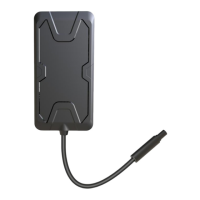
JM-C41 GPS Tracker ........................................................................................................................................... 1
(4G Version) .......................................................................................................................................................... 1
Tracking Platform: Lncoon .............................................................................................................................. 1
Part I - Product Introduction .......................................................................................................................... 3
1.1 Product Schematic .................................................................................................................................... 3
(1) Power Status (Red) ............................................................................................................................... 4
(2) GNNS Status (Blue) ................................................................................................................................5
(3) Celluar Status (Green) ......................................................................................................................... 5
Part II - Specification & Features ................................................................................................................. 6
Part III - Product Installation ....................................................................................................................... 11
3.1 Device Installation ...................................................................................................................................11
(1) Check Device ...................................................................................................................................... 11
Confirm whether the appearance of the equipment is good and whether the relevant
accessories are complete. .....................................................................................................................11
3.2 Install Sim Card .........................................................................................................................................11
(1) Prepare the Right Size of Sim Card ................................................................................................ 11
(2) Insert the Sim Card into Device ...................................................................................................... 11
3.3 Wiring Diagram ......................................................................................................................................... 12
(4) Product wiring diagram .................................................................................................................... 18
3.5 Motorcycle Installation Position .........................................................................................................21
3.6 Car Installation Position ........................................................................................................................ 21
Part IV - Device Setting ............................................................................................................................ 22
4.1 APN Setting ................................................................................................................................................. 22
(1) Automatically Matched ................................................................................................................... 22
(2) By SMS Command .............................................................................................................................. 23
APN,apnname# ................................................................................................................................................ 23
4.2 Server Configure .......................................................................................................................................23
(1) By SMS Command .............................................................................................................................. 23
Part V - Platform Operation ......................................................................................................................... 24
5.1 Register & Login Into Platform ............................................................................................................ 25
Part VI - Troubleshooting .............................................................................................................................. 29
Part VII - Get The Help ................................................................................................................................... 31
If any problem .................................................................................................................................................... 31


 To Next Page