8
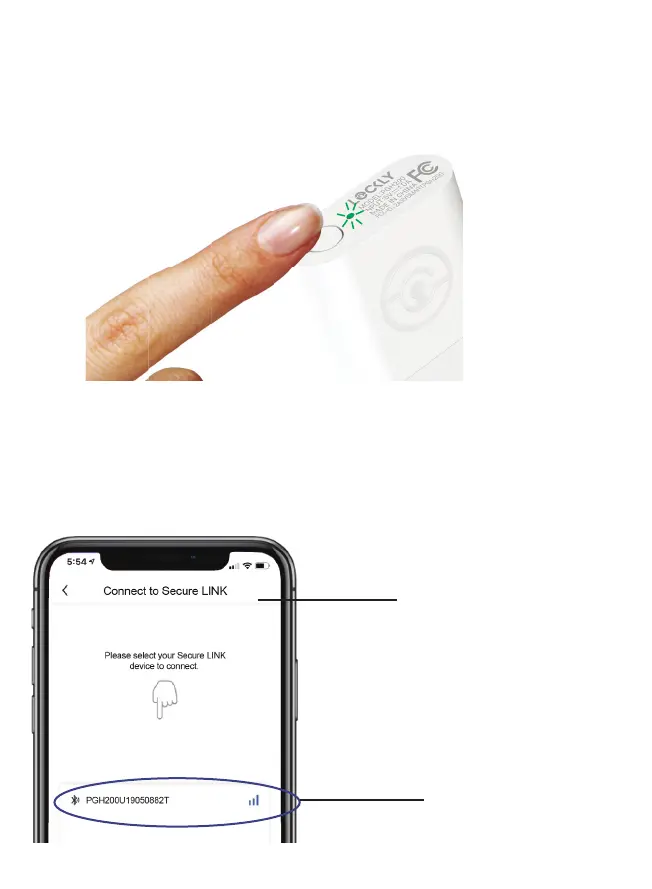
If you have never connected the Secure Link Wi-Fi Hub to your
smart lock, the Secure Link should have a slow flashing RED LED
Indicator. Press and hold the Setup Button located on the top of
the Wi-Fi Hub for 3 seconds until you see the GREEN LED Indicator
start to rapidly flash.
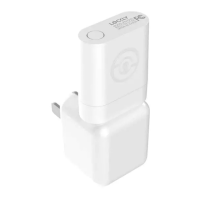
If you don’t see anything appear with a Bluetooth icon and a
name starting with PGH200... simply click the Refresh button on
the upper right to rescan. Make sure your Wi-Fi Hub is showing
a flashing GREEN LED indicator and the Wi-Fi Hub is within the
optimal distance of 30 feet from your lock. Select the desired
Wi-Fi Hub to continue.
Connect to Secure LINK
Minimum 2-3 Bars
Recommended
Press and Hold
3 Seconds


 To Next Page