Need help?
Do you have a question about the Lockly Secure Link+ WIFI-RF and is the answer not in the manual?
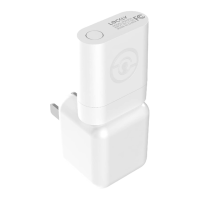
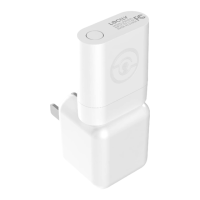
Describes the main Wi-Fi Hub component of the Lockly Guard system.
Details the optional wireless door sensor component for enhanced security monitoring.
Explains the power adapter included for the Secure Link+ Wi-Fi Hub.
Ensures the Lockly Smart Lock is successfully installed and set up prior to Wi-Fi Hub installation.
Guidance on selecting an appropriate location for the Wi-Fi Hub for optimal performance and connectivity.
Specifies the necessity of a 2.4 GHz Wi-Fi network for the Hub to connect to the internet.
Instructions on connecting the Hub to power and interpreting the LED indicator lights during setup.
Provides QR code and URL for downloading the LocklyPro application for setup and control.
A comprehensive list of 8 requirements to ensure successful installation of the Wi-Fi Hub.
Recommends positioning within 30 feet (9 meters) and ensuring Bluetooth/Wi-Fi are enabled on your device.
Highlights the importance of a strong 2.4 GHz wireless signal for the Secure Link+ Hub's performance.
Ensures your smartphone is connected to a 2.4 GHz Wi-Fi network before proceeding with configuration.
Navigating the LocklyPro app to the 'Set up a New Device' option and selecting the Wi-Fi Hub.
Initiating the pairing by pressing the Hub's setup button and observing LED indicators (RED to GREEN).
Instructions to rescan for the Hub if not initially found and select it for connection.
Inputting the Wi-Fi password for the network the Hub will connect to.
Verifying the Hub's LED indicator status (solid or flashing green) before proceeding.
Advice to check the power supply if the Wi-Fi Hub does not show any indicator light.
Indicates the Hub has power but is not connected to any wireless network.
The Hub is in setup mode, which can be re-entered by pressing the button for 2 seconds.
Signifies the Hub is powered on and successfully connected to an active 2.4 GHz wireless network.
Details FCC rules compliance, potential interference, and user guidance for correction.
Statement regarding the Hub's compliance with FCC radiation exposure limits for uncontrolled environments.
Information on Canada's Industry Canada (IC) licensing exemptions and operational conditions.
Warning about potential exposure to chemicals like Lead, known to cause cancer in California.

 To Next Page
 General