SECTION 4.618
ACC20221223
Activation Card
SAV E
Need help? Email: help@Lockly.com | Support: +1(669) 500-8835
4.6 Pairing to a New Mobile Device (Continued)
PAIR LOCKLY TO APP
To pair your Smart Safe to a new mobile phone, download the Lockly app on your new mobile phone
then use the same account to login to your Lockly App on the new mobile device. If you're pairing
your Lockly to a new Lockly app account, follow the steps below:
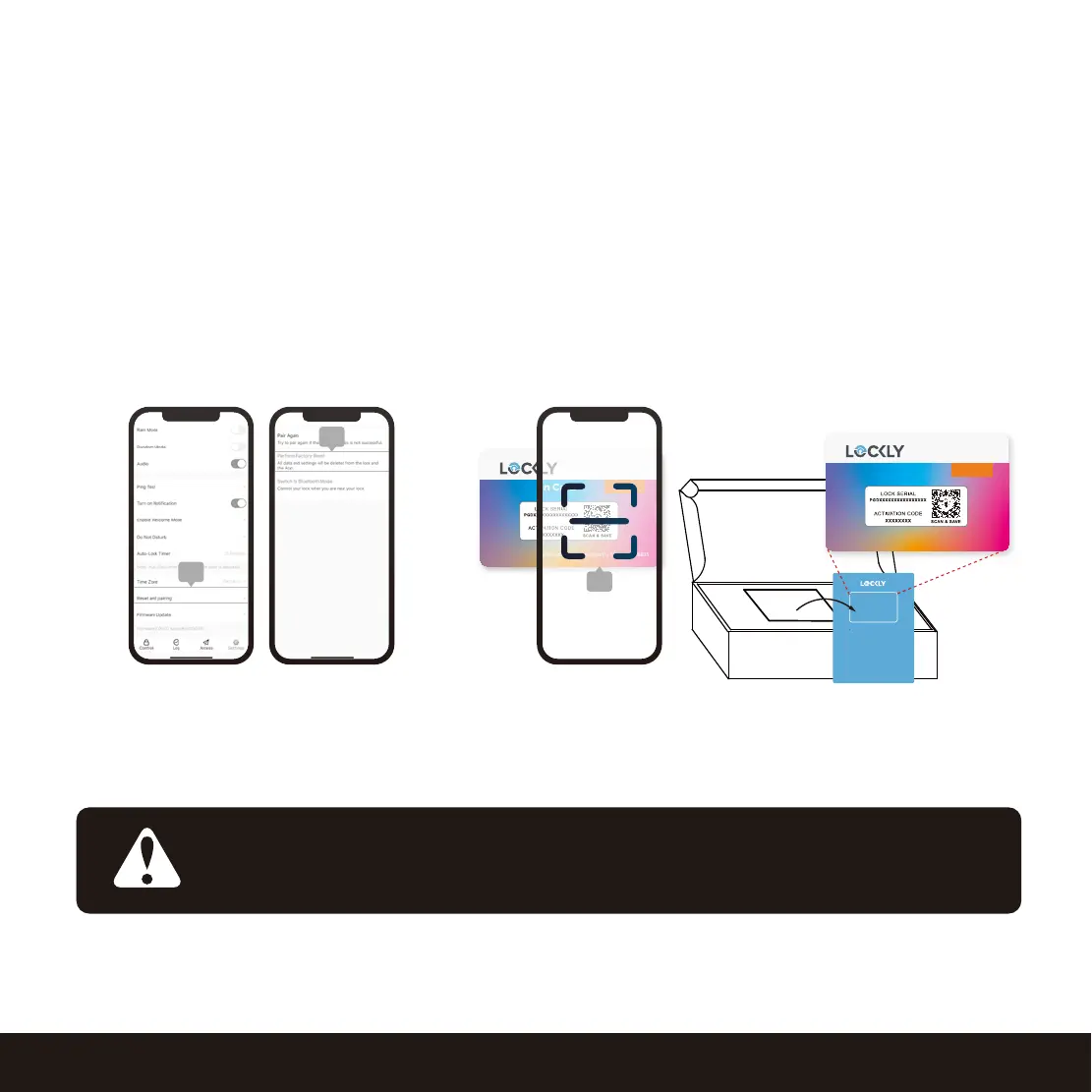
1. On the old Lockly app account, go to Settings > Reset and pairing >Perform Factory Reset.
2. Download, register and log in to the new Lockly app account.
3. You will need to scan the ACTIVATION CODE* that comes with the lock to setup to a new account.
If you cannot remove your Lockly from the old account, please
contact Lockly support (669) 500-8835 or email : help@lockly.com
IMPORTANT
Old Lockly
app account
Scan to new Lockly
app account
3
Welcome Card
ACC20221223
Activation Card
SAV E
Need help? Email: help@Lockly.com | Support: +1(669) 500-8835
ICCPGD82920221223
Need Help? Visit support at www.lockly.com/help
This card has an activation code that
is unique to your smart lock. Do not
lose it. You will need it to set up your
lock, identify ownership and to reset
your lock if necessary.
ACTIVATION CARD
Card missing? Contact us.
Keep in a secure and safe place


 To Next Page
 Loading...