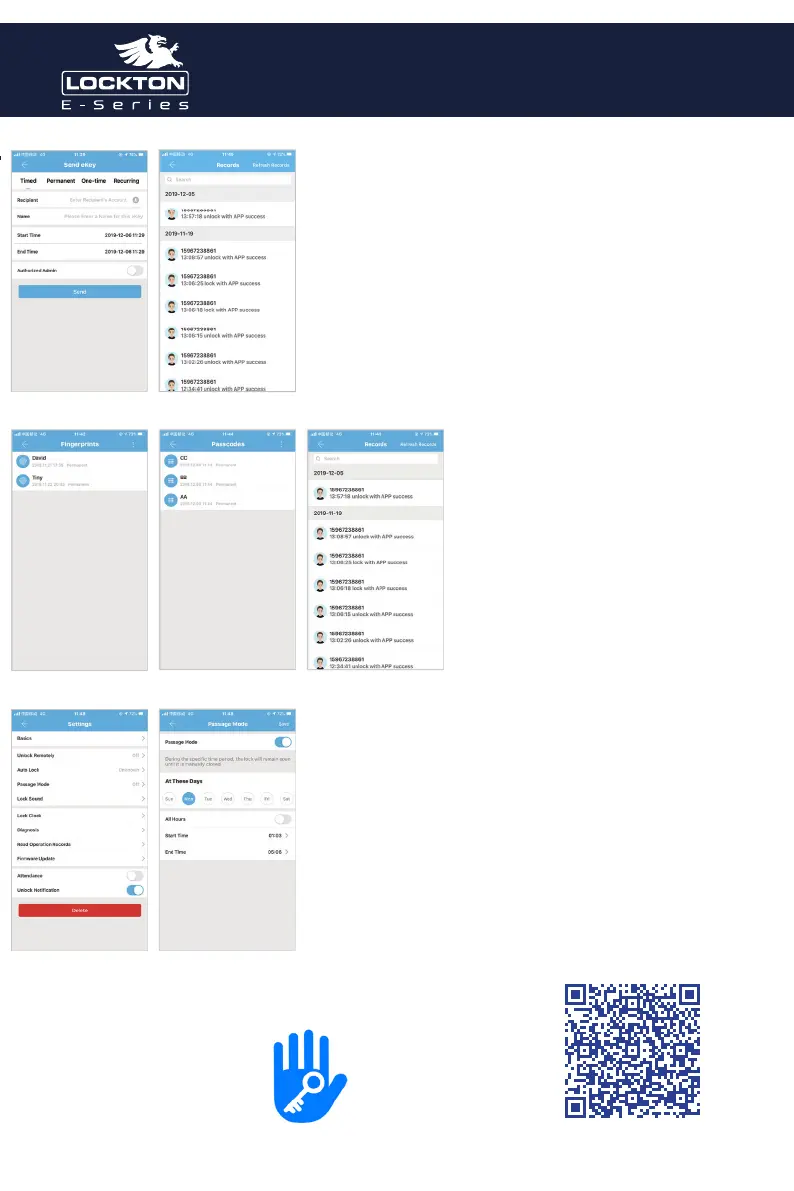
Send Key By App
After adding the lock successfully, the user has the highest
authority of the lock, which is the administrator of the lock. The
user can send the bluetooth key to others with setting the time
limit, and has the right to select the limited time, permanent or
one-time Bluetooth key. The key is sent to recipient’s mobile
phone or email and the recipient will get the key and authority
of the lock in the TTLock App.
Administrators can manage all the keys they send out, including
clearing keys, resetting keys, sending keys, adjusting the time
limit of the keys, and viewing the access records.
Registration and Login
By App
In the main interface of the TTLock App,
select Passcodes or IC Cards, and click on
the upper right to add and passcodes and
IC cards. You can add users for limited time
or permanent access. The access records
can be queried in the main interface. For
example: add passcodes
Passage Mode
In the main interface of the app, select the passage mode in
the settings, and the date of the passage mode can be set, and
the start time and end time of the passage mode can also be
set. After the passage mode is activated, everyone can directly
unlock the door without any access permission. The passage
mode can be turned o by clicking again.
TTLock
Full User Guide
SCAN to
download the
Art. ELEV36
Art. ELEV36 Art. ELEV36



 To Next Page
 Loading...