EasyManua.ls Logo

Loctite 1390322 - User Manual

Loctite 1390322
20 pages
Print Icon
To Next Page IconTo Next Page
Loading...
1
EQUIPMENT
Operation Manual
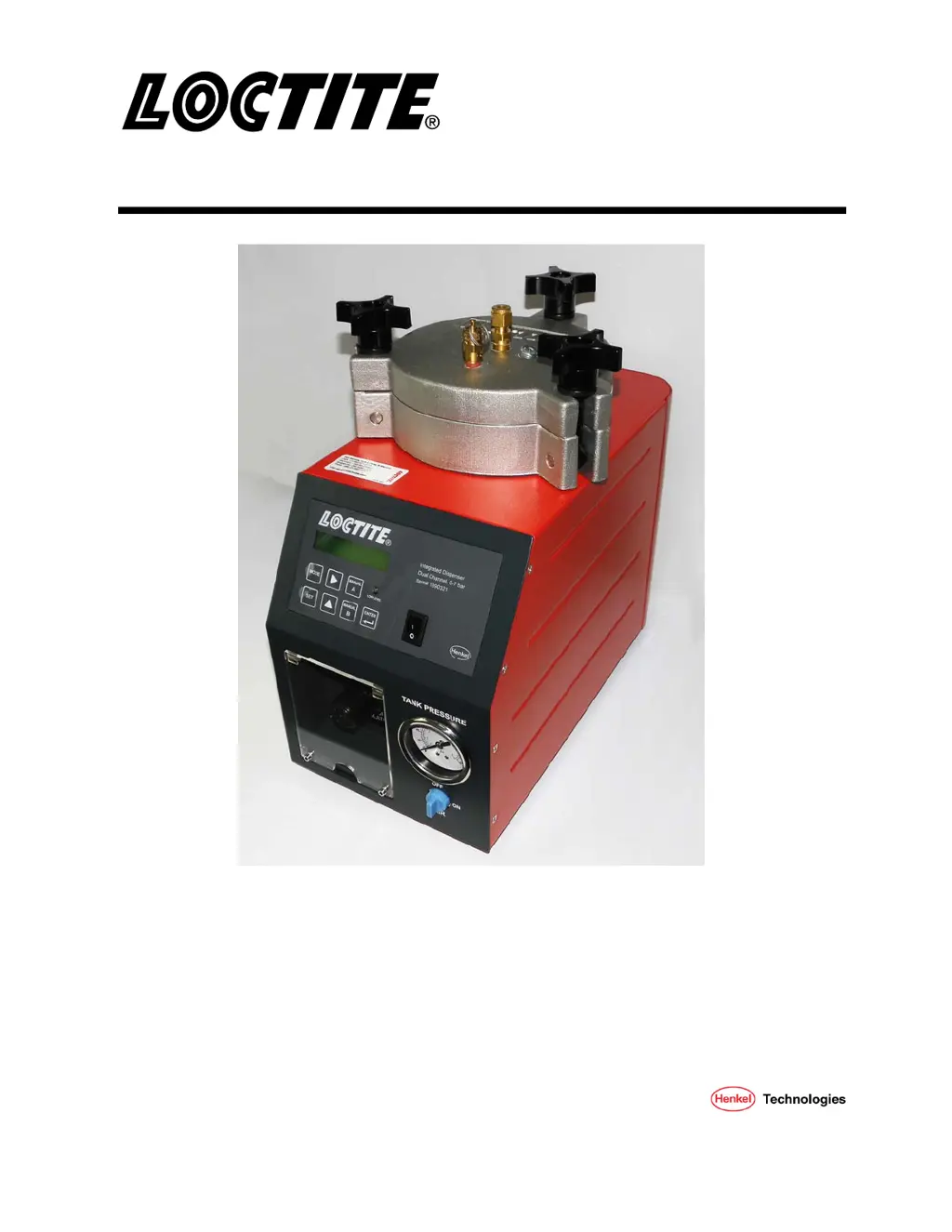
Loctite
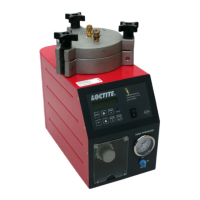
Integrated Semi-Automatic Dispenser
Dual Channel with Low Level Sensor
Part Numbers
1390322, 0 – 1 Bar
1390321, 0 – 7 Bar

Questions and Answers

  • A
    Angel SmithAug 15, 2025
    Why is my Loctite 1390322 not dispensing product correctly?
    • T
      tina43Aug 15, 2025
      If your Loctite Dispenser isn't dispensing product, dispensing too little, or dispensing too much, here's what to check: * Ensure the dispensing pressure is correctly set. * Verify the air pressure hose is properly connected. * Replace the Luer-Lock tip cap with a dispensing needle. * Replace the dispensing needle if it's clogged, too small, or too large. * Check the dispensing valve. * Confirm the product reservoir is switched on and not empty. Refill if necessary.
  • H
    heather60Aug 18, 2025
    Why are there air bubbles in the product from my Loctite 1390322?
    • C
      Catherine RodriguezAug 18, 2025
      If you're experiencing air bubbles in the product from your Loctite Dispenser, it could be due to several reasons: * The product reservoir might be empty, so refill it. * The product hose may not be correctly connected, so ensure it's properly attached. * The dispensing valve could be defective or not correctly connected; inspect it thoroughly. (see instruction manual for dispensing valve) * The product reservoir pressure might be too high; try lowering the pressure and increasing dispensing time.
  • E
    Eileen WaltersAug 21, 2025
    What to do if the desired pressure is not achieved in Loctite 1390322?
    • G
      gonzalezjessicaAug 22, 2025
      If the desired pressure is not being achieved on your Loctite Dispenser, it is likely that the supply pressure is inadequate. Increase the supply pressure to at least 0.5 bar above the reservoir pressure.
  • J
    Joshua CollinsAug 25, 2025
    Why is pressurized air escaping between the reservoir housing and reservoir lid on my Loctite Dispenser?
    • H
      Harold LopezAug 26, 2025
      If pressurized air is escaping between the reservoir housing and reservoir lid of your Loctite Dispenser, it's likely because the reservoir knob isn't tightened or the O-Ring is leaky. Try tightening the reservoir knob first. If the air continues to escape, grease or replace the O-Ring.
  • B
    baxteremilyAug 28, 2025
    Why is pressurized air escaping at the product connection 1 on my Loctite Dispenser?
    • Z
      zjonesAug 28, 2025
      If pressurized air is escaping at the product connection 1 on your Loctite Dispenser, the union nut on the product connection is likely not tightened. Carefully tighten the union nut.
  • M
    Melinda BenderAug 31, 2025
    How to troubleshoot a Loctite 1390322 with a digital display that doesn't light up?
    • K
      Kevin HahnAug 31, 2025
      If the digital display on your Loctite Dispenser does not light up, consider the following: * Check if there is power voltage present. * Ensure the power switch 12 is in the I (ON) position, not O (OFF). * The power adapter with cord may be defective and need replacement. * The control unit may be defective. Call Henkel Service.
  • A
    ashleykingSep 3, 2025
    What causes no needle movement on the pressure gauge in Loctite 1390322?
    • G
      Gina HerreraSep 4, 2025
      If there is no needle movement on the pressure gauge of your Loctite Dispenser, it could be due to the following reasons: * There may be no air pressure present. Check depressurizing valve 14 and pneumatic supply. * The pressure gauge 13 may be defective and need replacement. * The pressure regulator 15 may be defective and need replacement.
  • E
    Eric FitzgeraldSep 7, 2025
    What to do if Loctite Dispenser has no start signal?
    • W
      William McintoshSep 7, 2025
      If your Loctite Dispenser isn't giving a start signal, check these: * Ensure the plug on the XS1 (20 or 21) Start 9 is not loose. Turn the power switch to O (OFF), tighten the screws, and then switch the power back to I (ON). * The footswitch might be defective; consider replacing it.
  • J
    John BrownSep 10, 2025
    Why the LED does not light on Loctite Dispenser?
    • E
      Elizabeth RothSep 10, 2025
      If the LED on your Loctite Dispenser does not light, it could be due to an LED defect. When the controller is operational, the unit can be used until repaired by Henkel Service.

Summary

DESCRIPTION

Control Panel Overview

Details the front and back control panel components and their numbering for reference.

INSTALLATION

OPERATION

Control Panel Functions

Explains the function of each switch and the low level LED on the control panel.

Run: Auto Mode

Describes how to initiate and operate the dispenser in automatic dispensing mode.

Set: Time (Auto) Mode

Guides on setting the dispensing time for both channels in Auto Mode.

Set: Delay (Auto) Mode

Instructions for setting the delay time between dispensing cycles in Auto Mode.

Set: Low Level Mode

Configuration options for the low level sensor output signals.

Set: Lock-Out Mode

How to enable or disable the lock-out feature to prevent setting changes.

Adjust the Level Sensor

Procedure for correctly adjusting the low level sensor for accurate detection.

TROUBLESHOOTING

CARE AND MAINTENANCE

Loctite 1390322 Specifications

General IconGeneral
Model Number1390322
BrandLoctite
TypeManual
MaterialSteel
For Use WithAdhesives
ColorBlue

Related product manuals