EasyManua.ls Logo

Loctite 1390321 - User Manual

Loctite 1390321
20 pages
Print Icon
To Next Page IconTo Next Page
Loading...
1
EQUIPMENT
Operation Manual
Loctite
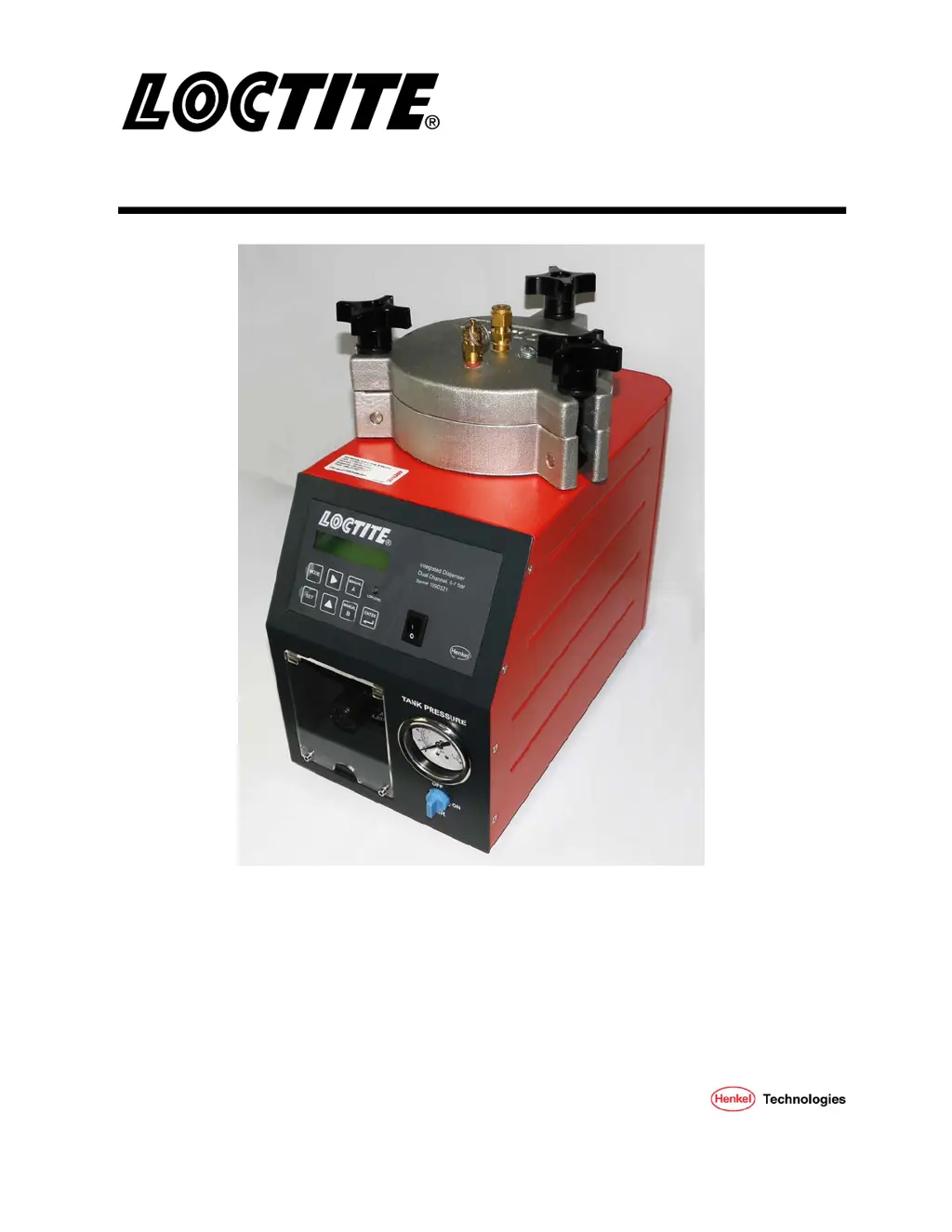
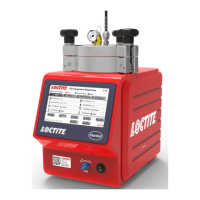
Integrated Semi-Automatic Dispenser
Dual Channel with Low Level Sensor
Part Numbers
1390322, 0 – 1 Bar
1390321, 0 – 7 Bar

Questions and Answers

  • T
    Timothy SaundersAug 14, 2025
    Why is my Loctite 1390321 not dispensing product correctly?
    • C
      Claire WalkerAug 14, 2025
      If your Loctite Dispenser isn't dispensing product, dispensing too little, or dispensing too much, here's what to check: * Ensure the dispensing pressure is correctly set. * Verify the air pressure hose is properly connected. * Replace the Luer-Lock tip cap with a dispensing needle. * Replace the dispensing needle if it's clogged, too small, or too large. * Check the dispensing valve. * Confirm the product reservoir is switched on and not empty. Refill if necessary.
  • M
    Matthew HardyAug 17, 2025
    Why are there air bubbles in the product from my Loctite 1390321?
    • J
      joelstokesAug 17, 2025
      If you're experiencing air bubbles in the product from your Loctite Dispenser, it could be due to several reasons: * The product reservoir might be empty, so refill it. * The product hose may not be correctly connected, so ensure it's properly attached. * The dispensing valve could be defective or not correctly connected; inspect it thoroughly. (see instruction manual for dispensing valve) * The product reservoir pressure might be too high; try lowering the pressure and increasing dispensing time.
  • D
    Daryl DunnAug 21, 2025
    What to do if the desired pressure is not achieved in Loctite 1390321 Dispenser?
    • A
      Andrew LeachAug 21, 2025
      If the desired pressure is not being achieved on your Loctite Dispenser, it is likely that the supply pressure is inadequate. Increase the supply pressure to at least 0.5 bar above the reservoir pressure.
  • M
    monica26Aug 25, 2025
    Why is pressurized air escaping between the reservoir housing and reservoir lid on my Loctite Dispenser?
    • A
      Andrew JonesAug 25, 2025
      If pressurized air is escaping between the reservoir housing and reservoir lid of your Loctite Dispenser, it's likely because the reservoir knob isn't tightened or the O-Ring is leaky. Try tightening the reservoir knob first. If the air continues to escape, grease or replace the O-Ring.
  • G
    Gregory DeanAug 28, 2025
    Why is pressurized air escaping at the product connection 1 on my Loctite Dispenser?
    • S
      Stephanie GonzalezAug 28, 2025
      If pressurized air is escaping at the product connection 1 on your Loctite Dispenser, the union nut on the product connection is likely not tightened. Carefully tighten the union nut.
  • A
    Angela JensenAug 31, 2025
    How to troubleshoot a Loctite 1390321 Dispenser with a digital display that doesn't light up?
    • D
      Dr. Melinda Frederick MDAug 31, 2025
      If the digital display on your Loctite Dispenser does not light up, consider the following: * Check if there is power voltage present. * Ensure the power switch 12 is in the I (ON) position, not O (OFF). * The power adapter with cord may be defective and need replacement. * The control unit may be defective. Call Henkel Service.
  • J
    Jeremy HudsonSep 3, 2025
    What causes no needle movement on the pressure gauge in Loctite Dispenser?
    • R
      Ruth JenkinsSep 3, 2025
      If there is no needle movement on the pressure gauge of your Loctite Dispenser, it could be due to the following reasons: * There may be no air pressure present. Check depressurizing valve 14 and pneumatic supply. * The pressure gauge 13 may be defective and need replacement. * The pressure regulator 15 may be defective and need replacement.
  • V
    vsuttonSep 6, 2025
    What to do if Loctite 1390321 Dispenser has no start signal?
    • M
      muellerbrittanySep 6, 2025
      If your Loctite Dispenser isn't giving a start signal, check these: * Ensure the plug on the XS1 (20 or 21) Start 9 is not loose. Turn the power switch to O (OFF), tighten the screws, and then switch the power back to I (ON). * The footswitch might be defective; consider replacing it.
  • M
    Michelle KingSep 10, 2025
    Why the LED does not light on Loctite Dispenser?
    • M
      mhowardSep 10, 2025
      If the LED on your Loctite Dispenser does not light, it could be due to an LED defect. When the controller is operational, the unit can be used until repaired by Henkel Service.

Summary

Please Observe the Following

Emphasized Sections

Explains safety symbols (Warning, Caution, Notice) and their meanings for user guidance.

Description

Operation Overview

Describes the dispenser as a dual channel system controlling pneumatic outputs for dispensing applications.

Theory of Operation

Explains how the dispenser uses air pressure to dispense product, controlled by time and pressure factors.

Additional Features: Signals

Details EMPTY and READY signal functionalities for low adhesive levels and dispensing cycle status.

Items Supplied

Lists all components included with the Integrated Semi-Automatic Dispenser.

Overall Dimensions

Presents the overall physical dimensions of the Loctite dispenser in both inches and millimeters.

Control Panel Overview

Details all the buttons, switches, display, and indicators on the front and back of the dispenser's control panel.

Technical Data

Specifications

Lists key technical specifications including time range, air input, pressure regulator range, power, dimensions, weight, and operating temperatures.

Installation

Unpacking and Inspection

Guides users on carefully unpacking, inspecting for damage, and reporting any missing or damaged parts.

Environmental and Operating Conditions

Outlines recommended environmental conditions and practices for optimal and safe operation of the dispenser.

Connecting the Unit

Provides instructions on connecting the power adapter and air pressure supply to the dispenser unit.

Operation

Control Panel Functions

Explains the function of each button on the control panel for mode selection, data setting, and navigation.

XS1 Connection Signal

Explains how different footswitch configurations affect system control.

Start Up the System

Provides step-by-step instructions for powering on the system, supplying air pressure, and setting initial pressure.

Run: Auto Mode

Describes how to engage the footswitch to start a dispensing cycle in Auto Mode, which runs until timed out.

Run: Manual Mode

Explains how to use the manual switches (A/B) to purge adhesive without changing settings.

Run: Continuous Mode

Details how to operate the dispenser in Continuous Mode, dispensing while the footswitch is held.

Setting Time (Auto) Mode

Guides on setting the dispensing time for Channel A and B in Auto Mode using the control panel buttons.

Setting Delay (Auto) Mode

Explains how to set the delay time for Channel A and B after engaging the footswitch in Auto Mode.

Setting Output Mode

Describes how to enable or disable the dispense output for each channel on the system.

Setting Low Level Mode

Details how to configure the low level sensor alert modes: OFF, LAMP, or LAMP + STOP.

Setting Lock-Out Mode

Explains how to enable or disable the Lock-Out Mode to prevent accidental changes to system settings.

Adjusting the Level Sensor

Provides detailed steps for adjusting the low level sensor to ensure proper functionality with different bottle types.

Troubleshooting

Common Issues and Solutions

Lists common symptoms, their possible causes, and suggested corrections for troubleshooting the dispenser.

Care and Maintenance

Care

Provides instructions on lubricating the reservoir lid o-ring and cleaning sensor surfaces for proper functioning.

Maintenance

Outlines regular checks for reservoir knobs and feed lines, and the importance of clean, dry, filtered air.

Documentation

Electrical Schematic

Presents the electrical schematic diagram illustrating the internal wiring and component connections of the dispenser.

Pin Connections

Details the pin connections for the XS1 interface, including footswitch and external control signals, with important warnings.

Accessories, Spare Parts & System Components Sold Separately

Parts and Components List

Lists available accessories, spare parts, and system components that can be purchased separately for the dispenser.

Equipment Warranty

Warranty Terms and Conditions

Outlines Henkel's express warranty for products, limitations, disclaimers, and the purchaser's exclusive remedy.

Loctite 1390321 Specifications

General IconGeneral
TypeDispenser
MaterialPlastic
Model Number1390321
BrandLoctite
For Use WithAdhesives
Product TypeDispenser

Related product manuals