EasyManua.ls Logo

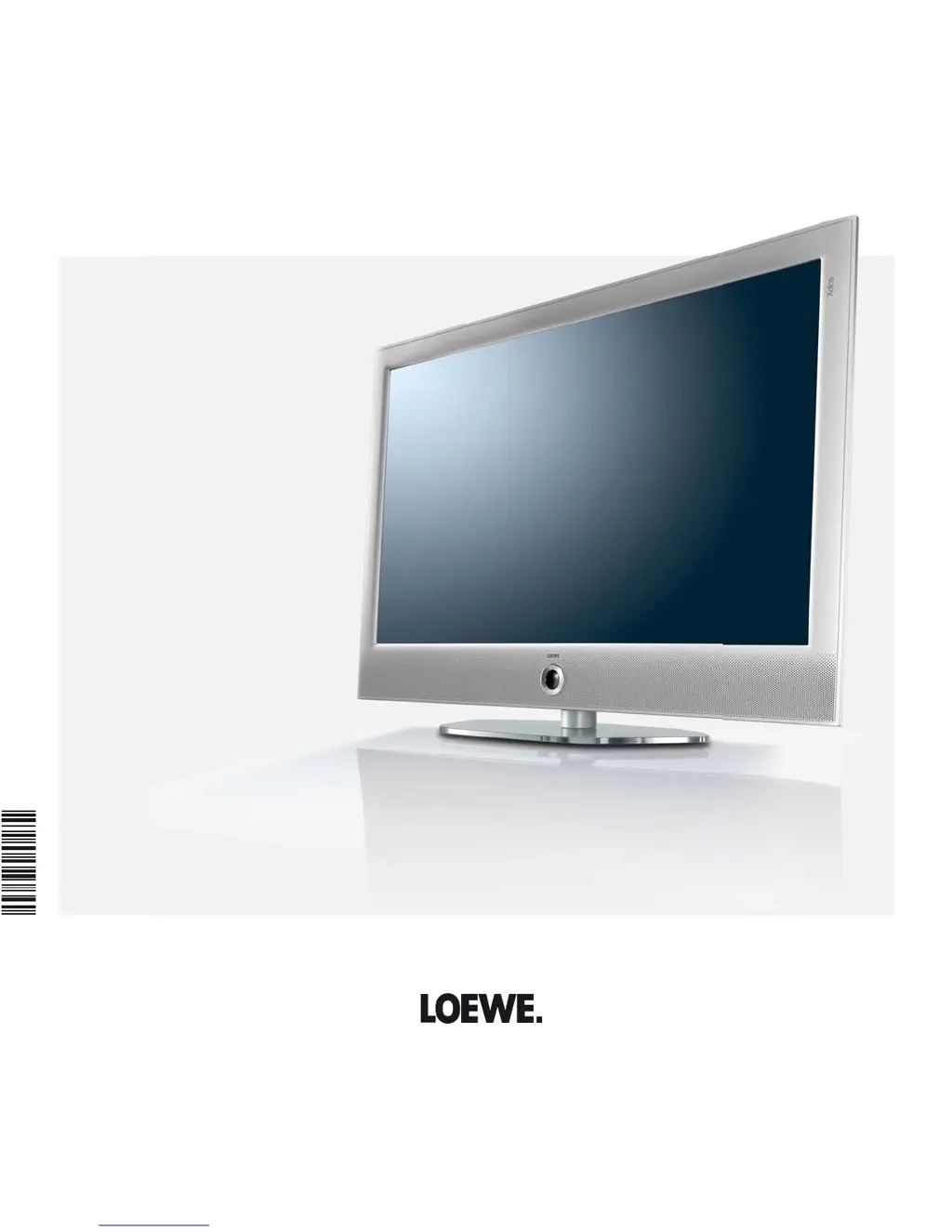
Loewe Xelos 40 Media - User Manual

Loewe Xelos 40 Media
148 pages
Print Icon
To Next Page IconTo Next Page
Loading...
Operating instructions
Xelos
TV
Xelos 40 Media,
Xelos 32 Media
233–35018.020

Table of Contents

Other manuals for Loewe Xelos 40 Media

Questions and Answers

  • A
    Ashley MontoyaAug 19, 2025
    How to change the menu language on my Loewe TV?
    • S
      Sheena BeckAug 20, 2025
      If all menus on your Loewe TV are displayed in the wrong language, set the menu language by pressing the MEDIA button in TV mode. In the MediaPortal, highlight the last menu item (Index) and call up with OK. Mark the first key word and call it with OK. Then select the language and confirm it with OK.
  • E
    Eric JacksonAug 22, 2025
    What to do if errors occur when running a CA module on my Loewe Xelos 40 Media?
    • D
      David JohnsonAug 22, 2025
      If you encounter errors while running a CA module on your Loewe TV, switch off the TV, remove the CA module, wait a few seconds, reinsert the module, and then switch the TV back on.
  • K
    Kimberly RiveraAug 25, 2025
    Why is there no sound via the external digital audio amplifier on my Loewe TV?
    • T
      Taylor SmithAug 25, 2025
      If there is no sound via the external digital audio amplifier connected to your Loewe TV: * Ensure the DVD player is set to PCM stereo in the sound selection. For DVB stations, switch to stereo in the Status display (INFO) – Language/sound (green button). * Connect the AUDIO DIGITAL OUT from the TV to a digital input on the amplifier and select the appropriate input.
  • C
    Charles DavisAug 27, 2025
    Why can't I hear sound when playing media files on my Loewe Xelos 40 Media?
    • E
      Elizabeth AndradeAug 27, 2025
      If you can't hear sound when playing video or music files on your Loewe TV: * Increase the volume using the V+ button on the remote, which will also cancel any mute settings. * Connect the audio device and switch it on. In the Sound components wizard change back to TV speakers.
  • S
    Steven HoganAug 28, 2025
    Why am I having problems connecting external devices via AV input on my Loewe Xelos 40 Media TV?
    • W
      William Morgan PhDAug 28, 2025
      If you are experiencing general problems when connecting external devices via an AV input on your Loewe TV: * Set the correct AV standard. * Set the correct signal type. If AV standard or AV signal is set to 'Automatic' then this can cause errors to be detected with signals that do not comply with standards. In this case standard and signal must be set according to the information in the operating manual of the external device.
  • O
    obrooksAug 30, 2025
    Why is Digital Link Plus not working on my Loewe TV?
    • L
      Lori MirandaAug 30, 2025
      If Digital Link Plus is not working on your Loewe TV: * Replace the EURO-AV cable. * Restore the recorder to the as-delivered state.
  • P
    Patrick BoltonSep 1, 2025
    What to do if the decoder connection is not working on my Loewe Xelos 40 Media TV?
    • B
      burchalexSep 1, 2025
      If the connection of a decoder does not function properly on your Loewe TV: * Select the right decoder stations in the menu (TV menu ? Connections ? Miscellaneous ? Decoder stations ? Select decoder station(s). * Select the right sound code (always, never, automatic) in the menu (TV menu ? Connections ? Miscellaneous ? Decoder stations ? Sound encoding).
  • T
    Tracey JamesSep 3, 2025
    What to do if my Loewe Xelos 40 Media doesn't find any wireless routers?
    • W
      wendy06Sep 3, 2025
      If no wireless routers are found when searching with your Loewe TV, check your wireless router and try to make the connection again a few minutes later.
  • D
    devonprestonSep 5, 2025
    Why is the external hard drive capacity smaller than expected on my Loewe Xelos 40 Media?
    • J
      jgloverSep 5, 2025
      If the free capacity of the external hard disk is smaller than expected on your Loewe TV, it might have been formatted on FAT32 on a PC with Microsoft Windows. Format the external hard disk again on the TV via TV menu ? Settings ? Miscellaneous ? Format external hard disk.
  • S
    Scott MarshallSep 7, 2025
    How to fix incorrect characters in Teletext on my Loewe Xelos 40 Media?
    • A
      alan72Sep 8, 2025
      If various characters are displayed incorrectly in Teletext on your Loewe TV, set the correct character set by selecting Teletext menu ? Settings ? Character set ? Standard or the appropriate character set.

Summary

Overview of the most important functions

Set operating mode

Configures the TV set for TV or Radio operation.

On;Off of the television set

Instructions for switching the TV on/off and entering standby mode.

Selecting stations

Steps for tuning into television and radio channels.

Sound

Volume control and basic sound adjustments.

Button functions

Explains the functions of various buttons on the remote control.

Remote Control and Device Layout

Remote control - TV functions

Explains the functions and layout of the TV remote control.

Control unit front side of the device

Explains the function of buttons on the TV's front panel.

Connections rear side of the device

Details all available input/output ports on the TV's rear panel.

Initial Installation and Setup

Installing the TV set

Notes on placement and stability requirements for the TV.

Connecting the TV set to the home network

Guide for wired and wireless network connections.

First installation wizard routine

Step-by-step setup process for language, region, and channels.

Setting options for DVB-T;C;S reception

Configuration settings for different digital TV reception types.

Daily Operation

Select station

Methods for choosing TV and radio channels.

Selecting Audio;Video Source

Switching between different input sources.

Adjusting the sound

Controls for volume, sound effects, and audio settings.

Adjusting the picture

Settings for picture quality like contrast, brightness, and sharpness.

Button functions

Explains colored button functions in TV mode.

Status display

Information shown on screen regarding current channel and program.

Managing stations

Search;update stations - Search wizard

Finding new or updating existing TV and radio channels.

Change, delete, move, rename, restore station

Operations for organizing channel lists.

Put together; change favourites lists

Creating and managing personalized favorite channel lists.

Advanced Viewing Features

Picture in Picture

How to use and configure the PIP feature.

Electronic Programme Guide - EPG

Using the EPG for program information and recording setup.

Teletext

Accessing and navigating the Teletext service.

Media and Radio Functions

Radio mode (DVB radio)

Using the TV for digital radio reception via DVB.

Radio mode (Internet radio)

Using the TV for internet radio reception.

Media+

Features for accessing media via USB and network.

MediaHome

Accessing and managing media from USB devices and home networks.

MediaNet

Accessing internet content, applications, and web browsing.

Video podcasts

Accessing video podcasts sorted by genre or location.

MediaMusic

Playing music files from different sources.

MediaVideo

Playing video files from different sources.

HbbTV; MediaText

Using Hybrid Broadcast Broadband Television and interactive Teletext.

Digital Recorder Functions

About the Digital Recorder system

Overview of the TV's recording capabilities with external storage.

Archive recording

Methods for recording programs directly to the archive.

TV viewing with time shift

Using the time shift feature while recording.

Archive playback

Playing back recorded content from the archive.

Descramble scrambled recording

Manually descrambling recorded content using a CA module.

DR+ Streaming

Network streaming of recordings between Loewe TVs.

External Devices and Connectivity

Connections menu

Accessing and configuring settings for external device connections.

Devices to the HDMI connections

Connecting and managing devices via HDMI ports.

Sound components wizard

Configuring audio output and connected speaker systems.

System Maintenance and Support

Software update

Process for updating the TV's software via USB.

Troubleshooting

Solutions for common problems and errors.

Technical data

Specifications and compatibility information for the TV set.

Accessories and Compliance

Accessories

List of available optional accessories for the TV set.

Environmental protection

Information on energy saving and proper disposal of the device.

Glossary

Definitions of technical terms used in the manual.

EC Declaration of Conformity

Regulatory compliance statement for the product.

Loewe Xelos 40 Media Specifications

General IconGeneral
Response time6 ms
Display diagonal40 \
Display brightness450 cd/m²
Native aspect ratio16:9
Native refresh rate100 Hz
LED backlighting typeEdge-LED
Contrast ratio (dynamic)5000000:1
Contrast ratio (typical)5000:1
Display diagonal (metric)101 cm
Screen format adjustments4:3, 16:9, Zoom
3DNo
Annual energy consumption118 kWh
Product colorBlack
Tuner typeAnalog & digital
Channels quantity6000 channels
Analog signal format systemNTSC, PAL, SECAM
Digital signal format systemDVB-C, DVB-S2, DVB-T
RMS rated power20 W
Number of speakers2
HDMI ports quantity3
DVI-D ports quantity0
SCART ports quantity1
USB 2.0 ports quantityUSB 2.0 ports have a data transmission speed of 480 Mbps, and are backwards compatible with USB 1.1 ports. You can connect all kinds of peripheral devices to them.
S-Video inputs quantity-
Video formats supportedMPEG, MPEG2, MPEG4
Number of OSD languages19
AC input voltage220 - 240 V
AC input frequency50 - 60 Hz
Power consumption (typical)85 W
Weight and Dimensions IconWeight and Dimensions
Depth (with stand)267 mm
Depth (without stand)66 mm
Width (without stand)984 mm
Height (without stand)689 mm

Related product manuals