463-0620-01 Rev A. June-201512
620 Operation and Troubleshooting Guide
plus
CAN
®
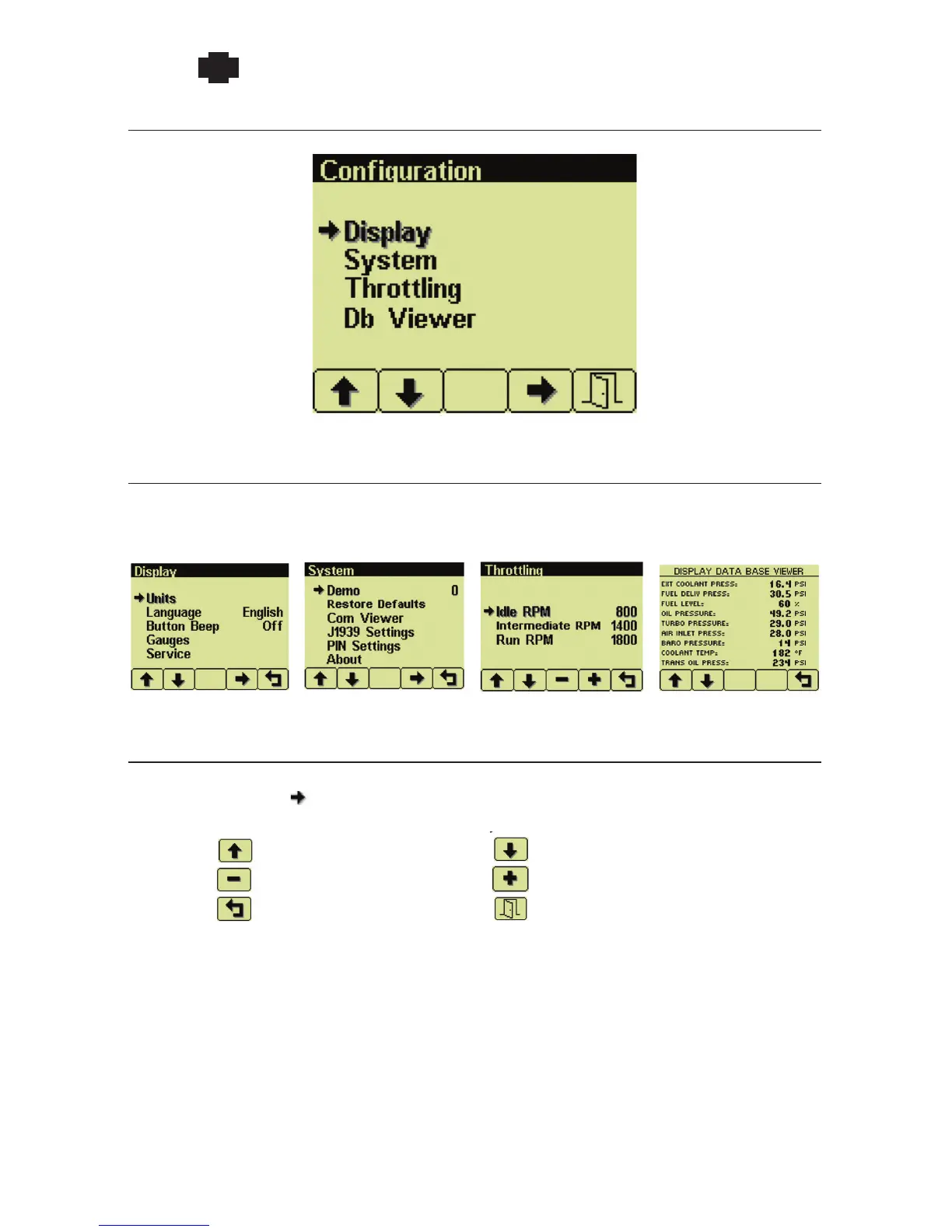
Configuration Menu
Configuration Menu
Select configuration submenus
The Configuration Menu has four submenus of different parameters and diagnostic information.
Display Menu System Menu Throttling Menu Db Viewer
Menu Navigation
The soft buttons use common functions for navigating all menus. The current selection is indicated by
bold font and the arrow icon.
Move selection up the menu
Decrease the selected value
Return to the previous menu
Move selection down the menu
Increase the selected value
Exit the configuration menu
Note: Configuration changes are saved when the menu is closed. Turning power off before
exiting a menu prevents saving changes.


 To Next Page