463-0620-01 Rev A. June-201520
620 Operation and Troubleshooting Guide
plus
CAN
®
Idle RPM
Set idle speed requested
Idle RPM (800 RPM default, 10 RPM increment) is the initial speed for Ramp Throttle and Digital Rotary
Encoder as well as the low speed for the Two State and Three State Throttle. Idle can be set to
compensate for parasitic loads such as hydraulic pumps or compressors.
Intermediate RPM
Set intermediate speed requested
Intermediate RPM (1400 RPM default, 10 RPM increment) is only used by the Three State Throttle.
Run RPM
Set run speed requested
Run RPM (1800 RPM default, 10 RPM increment) is used for the high speed of the Two State and
Three State Throttle.
Minimum RPM (optional)
Set minimum speed requested
Minimum RPM (800 RPM default, 10 RPM increment) is the lowest speed the panel will request and
limits the minimum configurable speed for Idle RPM, Intermediate RPM and Run RPM. This setting is
always available using the CANplus Configuration Kit but is optional for the display.
Note: Requesting a lower speed does not
override the ECU minimum engine speed.
Maximum RPM (optional)
Set maximum speed requested
Maximum RPM (3000 RPM default, 10 RPM increment) is the highest speed the panel will request and
limits the maximum configurable speed for Idle RPM, Intermediate RPM and Run RPM. This setting is
always available using the CANplus Configuration Kit but is optional for the display.
Note: Requesting a higher speed does not
override the ECU maximum engine speed.
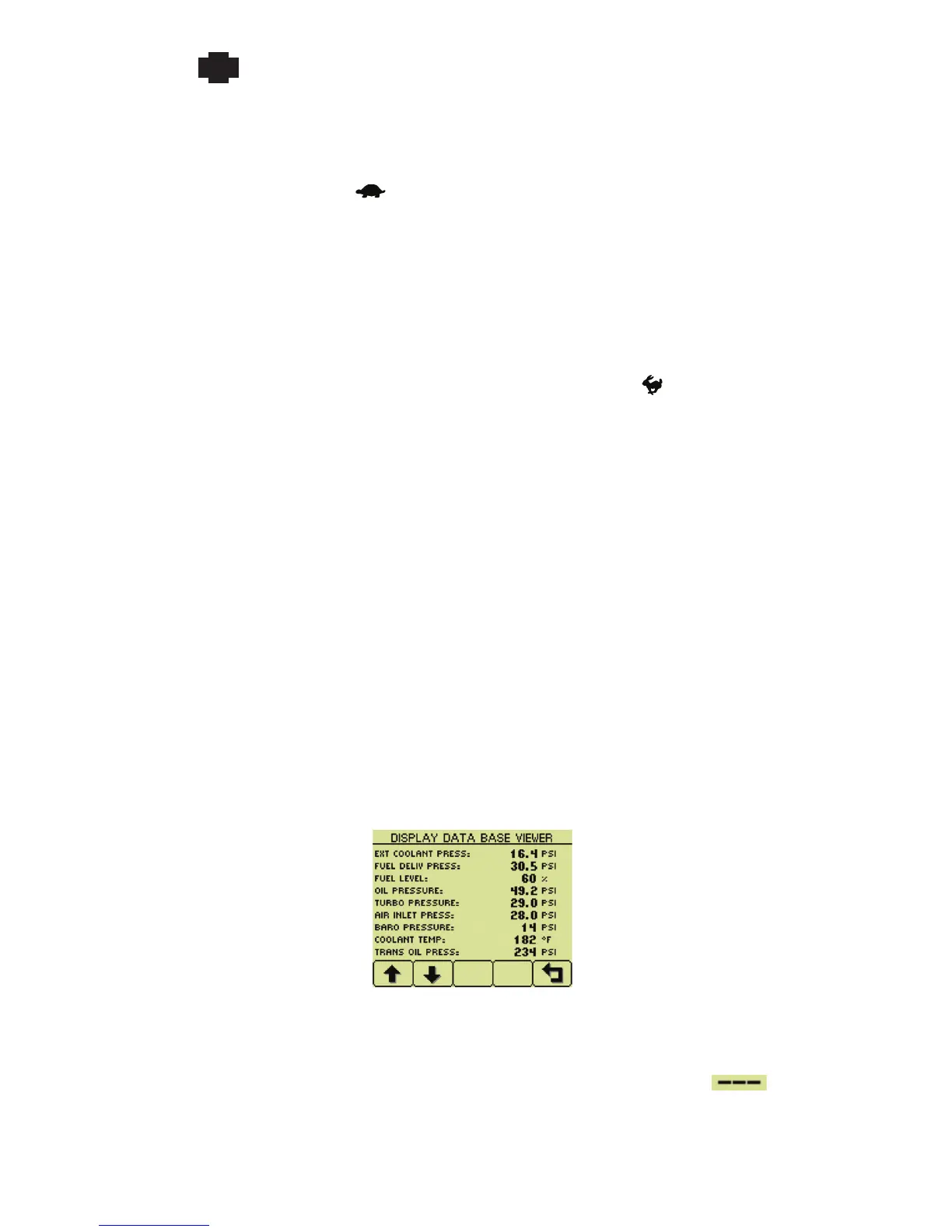
Db Viewer
View J1939 monitored data
This diagnostic tool allows viewing all data monitored including items not available on a gauge. All
values are displayed in the selected units and updated in real time. Values displayed as are
not available from the engine or other device.
Note: The Db Viewer is always displayed in English.


 To Next Page
 Loading...