463-0620-01 Rev A. June-201519
620 Operation and Troubleshooting Guide
plus
CAN
®
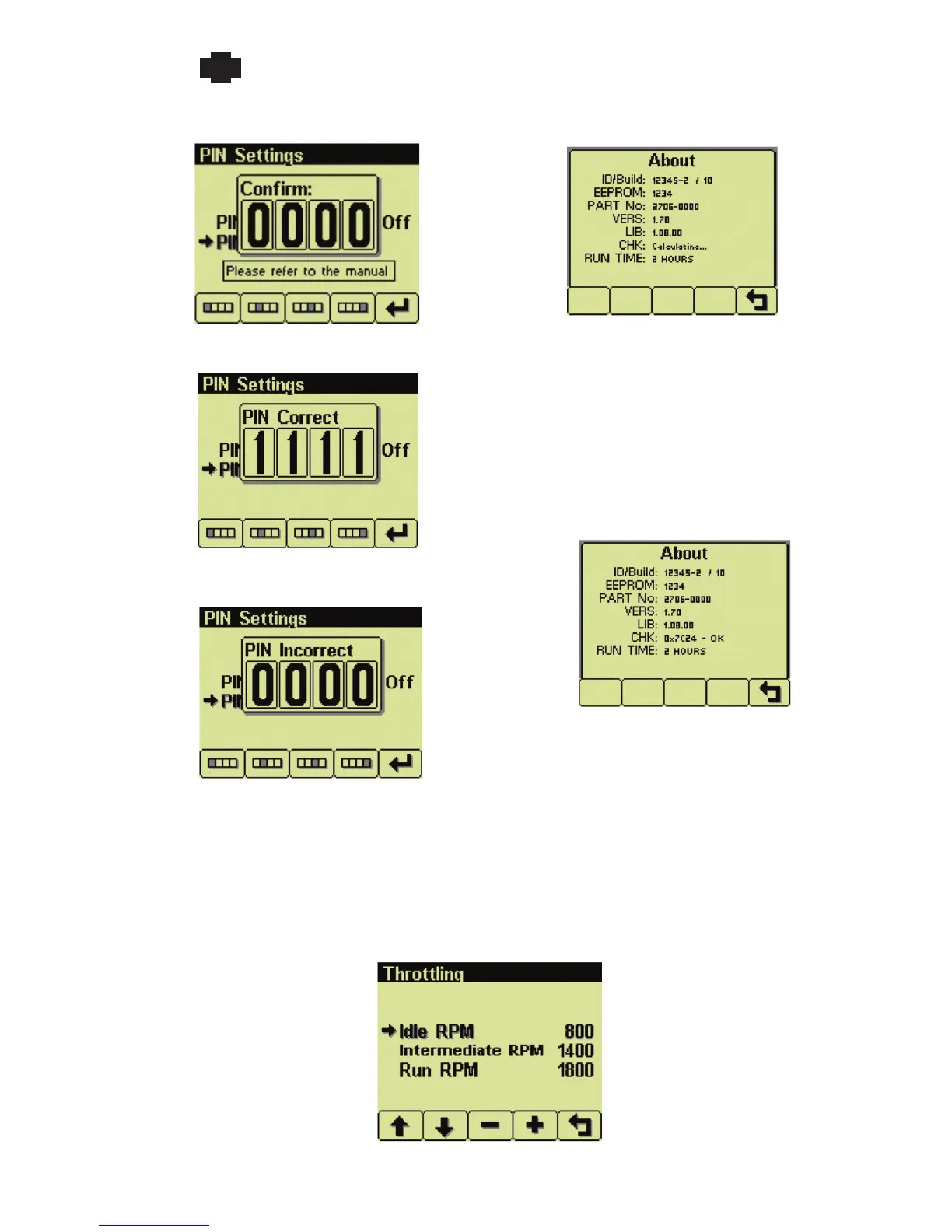
New PIN prompt
New PIN confirmation prompt
PIN confirmation (if PINs matched)
PIN incorrect (old PIN wrong or new PIN mismatch)
Note: A lost PIN can only be cleared using
the CANplus Configuration Kit or returning
the display to LOFA.
About
Display product information
ID/Build Serial number of the display
EEPROM Number of EEPROM writes
PART No Unit part number
VERS Software version number
CHK Flash memory checksum
RUN TIME Display power on time
The checksum is displayed when the
calculation completes
Note: The About screen will
not close until the checksum
calculation is complete.
Throttling Menu
Configure throttle control


 To Next Page