EasyManua.ls Logo

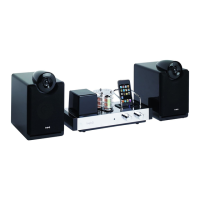
Logic3 i-Station TimeCurve - User Manual

Logic3 i-Station TimeCurve
36 pages
Print Icon
To Next Page IconTo Next Page
Loading...
EN
i-Station TimeCurve (WIS195) - User Manual
Thank you for purchasing the Logic3 i-Station TimeCurve. As with all Logic3 products it has been built to the
highest manufacturing standards and tested throughout its development, to ensure you get the best possible
product. Please read through and familiarize yourself with this manual before you use the i-Station
TimeCurve.
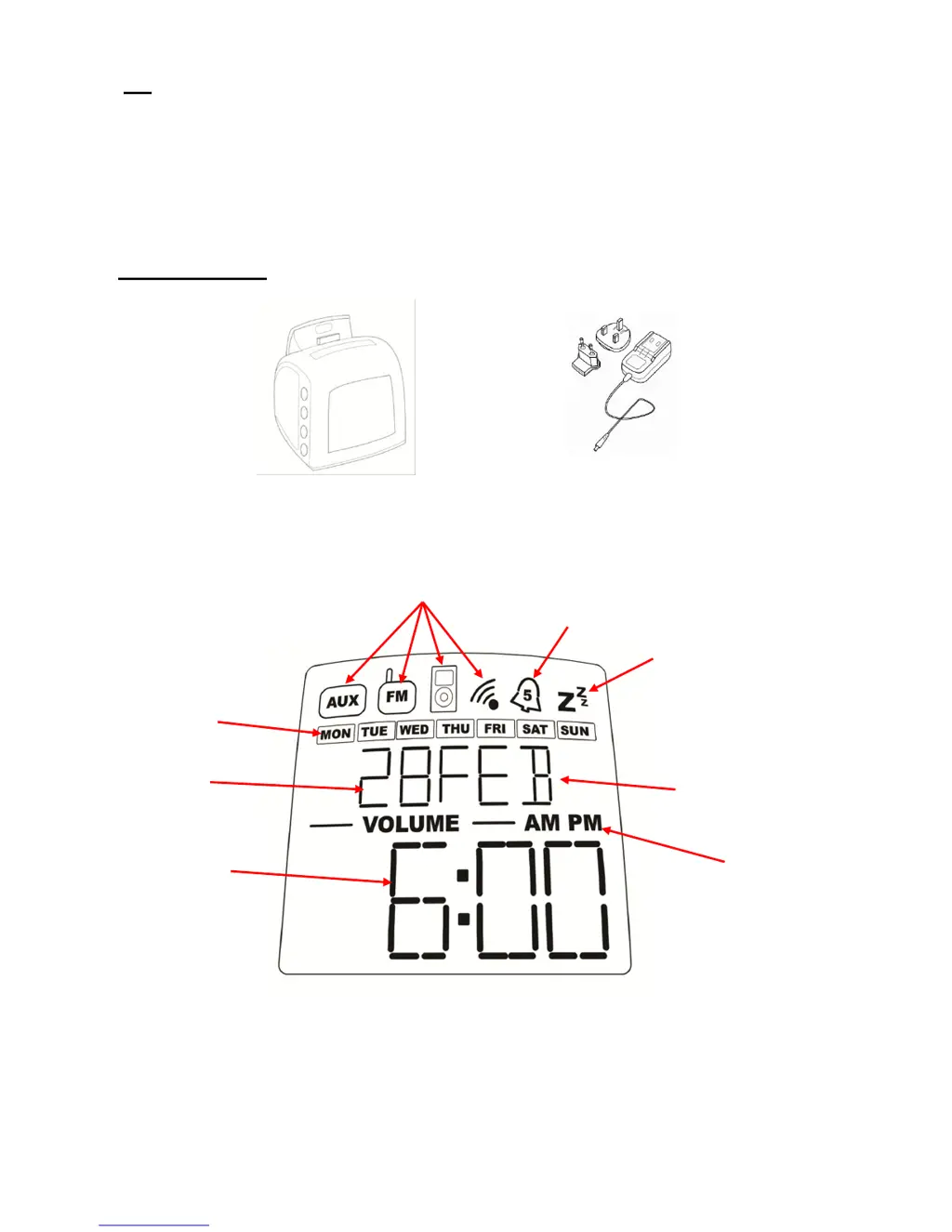
Product Overview
Source
Time / Radio /
Sleep Display
AM/PM
Date
Day
Alarm Status
Month
Sleep Status
AC Adapter with Interchangeable
Plugs (Euro 2pin and BS 3pin)
TimeCurve

Questions and Answers

  • J
    Jared WallaceAug 11, 2025
    What to do if my Logic3 Docking Station has no sound?
    • W
      wthompsonAug 11, 2025
      If your Logic3 Docking Station has no sound, first ensure that the line in cable is not plugged into the rear of the TimeCurve. Also, check the play status on your iPhone/iPod. You may also try updating the firmware for your iPhone/iPod using the latest iTunes available from www.apple.com/ipod/download.
  • M
    Matthew JonesAug 17, 2025
    How to fix FM radio if it is not clear on Logic3 Docking Station?
    • N
      Nicole HernandezAug 17, 2025
      To improve the FM radio clarity on your Logic3 Docking Station, re-position the antenna cable until the station sounds clearer.
  • J
    Joseph ThompsonAug 26, 2025
    What to do if iPod/iPhone is not waking up as alarm on Logic3 Docking Station?
    • T
      Thomas SingletonAug 26, 2025
      If your iPod/iPhone is not waking you up as the alarm on your Logic3 Docking Station, ensure that the alarm source is set to iPod/iPhone. Please, see 'Setting of Alarm' for more information.
  • S
    Shelia FigueroaSep 2, 2025
    Why is the alarm not ringing daily on my Logic3 i-Station TimeCurve?
    • J
      Jaime MartinezSep 2, 2025
      If the alarm on your Logic3 Docking Station is not ringing daily, ensure that the 7 or 5 day alarm setting is active. Please, see 'Setting of Alarm' for more information.

Summary

Product Overview

Set up of i-Station TimeCurve

Setting of Time;Date

Setting of Alarm

Setting of Sleep mode

Setting the Radio

To Recall a Preset Radio Station

Switching Off the Alarm;Snooze Function

Selecting a source (iPhone;iPod, Radio or AUX)

To adjust the Display dimmer level

Set Up of Line in

Hotel Mode

Trouble Shooting

General Warnings

Logic3 i-Station TimeCurve Specifications

General IconGeneral
BrandLogic3
Modeli-Station TimeCurve
CategoryDocking Station
LanguageEnglish

Related product manuals