11
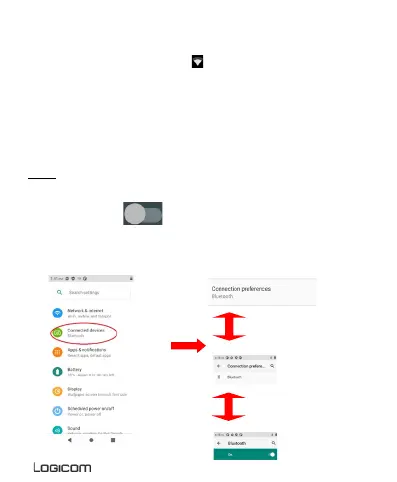
6. Enable / Disable Bluetooth connection
NOTE: To limit your exposure to electromagnetic fields we recommend
you disable Bluetooth when not in use.
In the settings, press to activate the Bluetooth. You can also
activate this function from the notifications panel.
Once the Wi- Fi enabled, the
icon appears in your
notification bar


 To Next Page