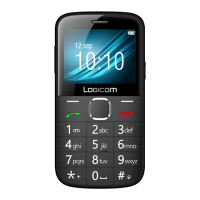
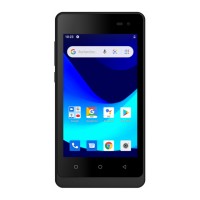
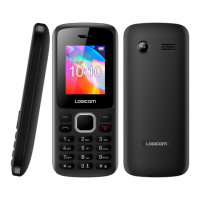
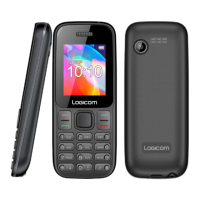
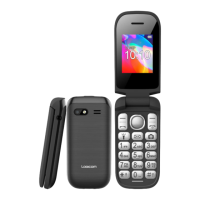
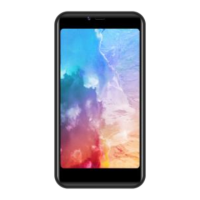
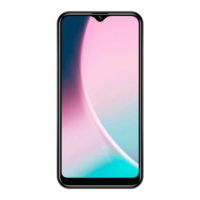
This document is a Quick Start Guide for the LOGICOM LUNAR Smartphone, a GPS/WIFI/BT/GSM/3G/4G-LTE enabled device. It provides essential information for setting up, using, and maintaining the smartphone, along with important safety and regulatory notices.
Function Description:
The LOGICOM LUNAR is a dual SIM mobile phone, allowing users to operate two phone lines simultaneously. It supports various connectivity options including GPS, Wi-Fi, Bluetooth, GSM, 3G, and 4G-LTE, making it suitable for navigation, internet access, wireless communication, and mobile network services. The device is designed for personal, non-commercial use, supporting video encoding and decoding based on AVC and MPEG4 standards. It features a front camera and a rear camera with flash for photography and video recording. The smartphone's internal memory can be expanded using a MicroSD card (up to 64GB, not supplied).
Important Technical Specifications:
- Model: LOGICOM LUNAR Smartphone
- Connectivity:
- GPS: Supported
- Wi-Fi: Wi-Fi CERTIFIED (WPA, WPA2, Wi-Fi Protected Setup)
- 2.4 GHz (2412MHz ~ 2472MHz)
- Transmit power: 802.11b: 54.32mW PIRE (e.i.r.p)17.35dBm; 802.11g: 30.34mW PIRE (e.i.r.p)14.82dBm; 802.11n20: 92.26mW PIRE (e.i.r.p)19.65dBm
- Bluetooth (BT):
- 2402MHz ~ 2480MHz
- Transmit power: GFSK: 1.89mW PIRE (e.i.r.p)2.77dBm; π/4 DQPSK: 4.10mW PIRE (e.i.r.p)6.13dBm; 8DQPSK: 4.10mW PIRE (e.i.r.p)6.13dBm
- GSM/3G/4G-LTE:
- GSM900: 2172.70mW PIRE (e.i.r.p) 33.37dBm
- DCS1800: 1066.60mW PIRE (e.i.r.p)30.28dBm
- 3G (WCDMA 900 - WCDMA 2100):
- WCDMA900: 198.61 mW PIRE (e.i.r.p)22.98 dBm
- WCDMA2100: 194.09mW PIRE (e.i.r.p)22.88dBm
- 4G LTE (Band 1/3/7/20/28):
- Band1: 238.78mW PIRE (e.i.r.p)23.78dBm
- Band3: 214.29mW PIRE (e.i.r.p)23.31dBm
- Band7: 200.91mW PIRE (e.i.r.p)23.03dBm
- Band20: 200.45mW PIRE (e.i.r.p)23.02dBm
- Band28: 248.89mW PIRE (e.i.r.p)23.96dBm
- SIM Card Type: Nano-SIM for both SIM 1 and SIM 2.
- Memory Expansion: MicroSD card slot, supporting up to 64GB (not supplied).
- Battery: Model 476391P (Li-ion – 3.85V – 5000mAh).
- Charging Port: USB-C.
- SAR Values (Specific Absorption Rate):
- Head: 1.800 W/kg
- Body (5mm separation distance): 1.800 W/kg
- Members (0mm separation distance): 3.600 W/kg
- French regulations prohibit SAR from exceeding 2 W/kg averaged over 10g of tissue.
- Operating Temperature: 0-45°C.
- Compliance: EN62368-1:2014, WEEE Directive 2012/19/EU, IEC 60417 - 5957.
Usage Features:
- Dual SIM Capability: Allows the use of two phone lines on a single device.
- Memory Expansion: Users can increase storage with a MicroSD card for additional photos, videos, and apps.
- USB-C Charging: Modern and reversible charging port.
- Multimedia: Equipped with front and rear cameras for capturing images and videos.
- Audio: Includes a speaker and microphone, and a jack for headphones.
- Physical Buttons: Volume and ON/OFF buttons for easy control.
- Protective Film: The screen comes with a protective film (under an antistatic film with a tab) to guard against scratches and provide optimal protection in case of a fall. Users are advised not to remove it.
- Android OS: The smartphone runs on Android, and support for usage questions can be found at https://support.google.com/android.
Maintenance Features:
- Battery Charging:
- Use only the supplied USB-C cable.
- Connect to a USB port on the smartphone and an AC adapter (not supplied) or a power outlet.
- The battery charge icon indicates charging status.
- Charging is not possible if the battery temperature exceeds 45°C.
- It is recommended to fully discharge the battery before the first charge.
- The first charge should be at least 5 to 8 hours.
- For prolonged storage, the battery may need several charge/discharge cycles for optimal performance.
- The device can be used while charging, though it may take longer to fully charge.
- Battery Replacement: Contact the dealer's service department for battery replacement. Only use the battery supplied with the smartphone.
- Cleaning: Clean only with a soft cloth (dry or slightly dampened). Do not use cleaning agents directly on the screen.
- Disassembly: Do not attempt to disassemble the appliance, as this will invalidate the warranty.
- Storage: Store the battery in a clean, dry place, away from direct sunlight. Do not expose the battery to temperatures below 0°C or above 60°C.
- Troubleshooting: In case of malfunction or data loss due to intense electromagnetic interference or electrostatic discharge, restart the smartphone or unplug/replug the USB cable.
- Recycling: The device and its battery should be disposed of in accordance with local recycling procedures, as indicated by the WEEE Directive 2012/19/EU symbol. Business users should contact their suppliers for disposal instructions.
- Warranty: The LOGICOM supplier warranty covers normal use as defined in the user manual. It does not cover damage from impact, falls, incorrect operation, non-compliant connections, lightning, overvoltage, insufficient protection against heat/moisture/frost, normal wear and tear (screens, batteries, camera), misuse, non-supplied accessories/software, battery damage, unauthorized disassembly/modification, or damage from moisture/extreme temperatures/corrosion/oxidation/liquids. The warranty extends only to Metropolitan France.
- User Manuals: The latest user manuals can be downloaded from http://www.logicom-europe.com in PDF format.

 Need help?
 General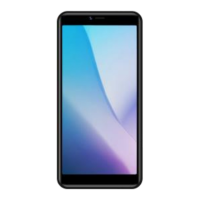

 To Next Page