12
7. Reset
If you want to reset your smartphone, you can do a reset of data from the
operating system Android™.
CAUTION: A reset data erase all your personal data, all contacts in your
phone and the applications you have installed. That is why we recommend
that you make a backup of your data before starting the procedure. However
the information stored on the external memory card will not be erased.
To do a reset of the data, you have two options:
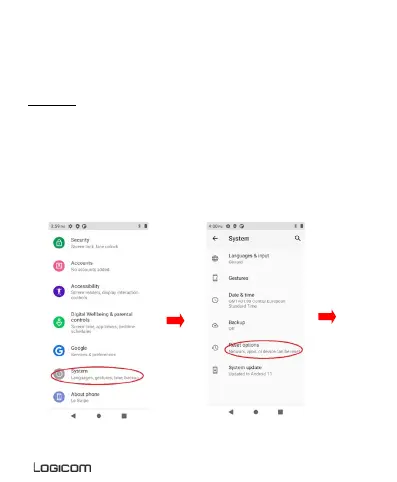
Reset the device by setting menu :
In Settings, click “Backup & reset”, then “Factory data reset”.
Click “Reset phone” and confirm “Erase everything”.
The smartphone will turn off and on rebooting the system will reset.


 To Next Page