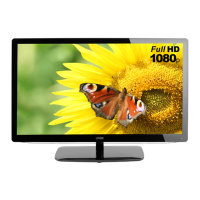
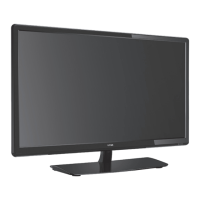
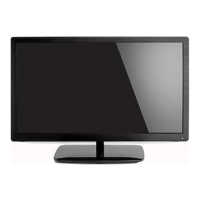
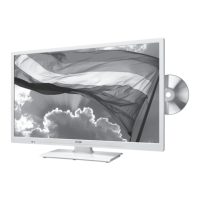
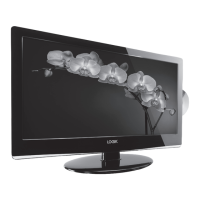
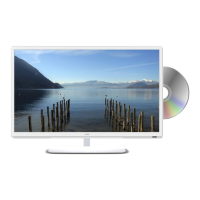
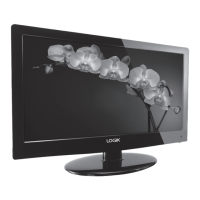
The Logik L20HE15 is a 20-inch LED TV designed for indoor, domestic use, offering a range of features for an enhanced viewing experience.
Function Description:
This LED TV serves as a primary display for various audio and video sources, including digital and analogue television broadcasts (DTV/ATV), external AV devices, computers, and USB storage devices. It supports High-Definition Multimedia Interface (HDMI) with HDCP protocol, allowing connection to HD-ready players like Blu-ray disc players, game consoles, and set-top boxes. The TV includes Freeview for access to digital channels and radio stations. It also features a Personal Video Recorder (PVR) function, enabling users to record DTV programmes onto a USB storage device and utilize time-shift capabilities. The Electronic Programme Guide (EPG) provides a 7-day schedule for DTV channels, facilitating programme selection and timer recording. Interactive services via the Red Button are supported for BBC TV and Radio channels, although these are gradually transitioning to internet-based services. The TV's Common Interface (CI) slot allows for the insertion of a Common Access Module (CAM) to view scrambled pay-to-view services.
Important Technical Specifications:
- Model: L20HE15
- Energy Efficiency Class: A
- Screen Size (measured diagonally): Approx. 51 cm (20 inch)
- Power Consumption (In HOME mode): 18.2 W
- Average Annual Energy Consumption: 27 kWh
- Standby Power Consumption: < 0.50 W
- Display Resolution: 1366 pixels (horizontal) x 768 pixels (vertical)
- Panel System: 20 inch LED Backlit LCD Panel
- Television System: PAL I / BG / DK SECAM L / BG / DK
- Brightness: 180 cd/m²
- Contrast Ratio: 3000:1
- Peak Luminance (On-Mode/Home Mode): ≥65%
- Power Source: 100-240V~50/60Hz
- Operating Temperature: 0°C ~ 40°C
- Operating Humidity: 10% - 80%
- Mercury Content (mg): <2.0 mg
- Presence of Lead: Yes
- Reference Period: 2010/1062 – 2014
- Speaker Power: 3 W + 3 W
- Dimensions (W x D x H) with base: 461 x 146 x 320 mm
- Weight (Net): 2.04 kg
- Inputs / Output:
- SCART: 1
- HDMI: 1
- PC IN: 1
- PC AUDIO: 1
- YPbPr: 1
- Common Interface: 1
- AV: 1
- USB: 1
- Digital Audio Output (Coaxial): 1
- Aerial: 1
- Headphone (3.5mm): 1
Usage Features:
- Initial Setup: Guides users through language selection, mode setting (Home or Store), country selection, and auto-tuning for DTV/ATV channels. Includes an option for Target Region Setting (UK Only) to select local news services.
- Input Source Selection: Allows switching between DTV, ATV, AV, SCART, YPbPr, HDMI, PC, and USB inputs via the INPUT button on the remote or TV.
- Channel Management:
- Channel Selection: Navigate channels using CH +/- buttons or direct number input.
- Channel Edit: Edit DTV and ATV channel information, including deleting, skipping, moving, and renaming channels.
- Favourite Manager: Create up to four lists of favourite channels.
- Auto Channel Update: Enable or disable automatic channel updates for DTV.
- Signal Information: View network name, channel, frequency, modulation, strength, and quality for DTV channels.
- Picture Settings: Adjust brightness, contrast, sharpness, colour, tint (NTSC only), backlight, colour temperature (Standard, Cool, Warm), and aspect ratio (Auto, 4:3, 16:9, Zoom, Subtitle, Smart Zoom). PC Setup and Screen Mode for HDMI are also available.
- Sound Settings: Select sound modes (Standard, Movie, Music, Personal), adjust treble, bass, balance, and enable/disable AVL (Auto Volume Limiting) and DTS TruSurround. Digital Audio Output can be set to PCM, Auto, or Off. Audio Description is available for visually impaired users.
- Lock System: Set up a password-protected lock system to prevent unauthorized access to channels or settings. Features include Channel Block, Parental Rating (4-18), Lock Keypad (to disable TV buttons), New Password creation, and Clear Lock to reset all lock settings.
- Setup Settings:
- OSD Language: Select the on-screen display language.
- Audio Languages (DTV Mode): Choose primary and secondary audio languages.
- Subtitle (DTV Mode): Select subtitle language or turn off subtitles.
- Teletext: Access digital teletext services.
- Blue Screen: Turn on/off blue screen display when no signal is present.
- Mode Setting: Switch between Home Mode (recommended) and Store Mode.
- Time Settings: Adjust OSD timer, sleep timer, auto standby, time zone, and manual/auto time settings.
- HDMI CEC Control: Manage HDMI CEC-compliant devices connected via HDMI.
- PVR Settings: Access file manager, format USB devices, and manage scheduled recordings.
- OAD (Over Air Download): Automatically or manually download firmware updates via DTV signal.
- Restore Factory Default: Reset all TV settings to factory defaults.
- Entertainment (USB Mode): Connect a USB storage device to view photos (JPG), listen to music (MP3), and watch movies (MPEG1/2).
- PVR (Personal Video Recorder):
- Time Shift Function: Pause and rewind live DTV broadcasts.
- Recording: Record DTV programmes onto a USB storage device, with options for direct recording and timer programming (Once, Daily, Weekly).
- Play Recorded Programme: Play back recorded content from the File Manager or USB storage device.
Maintenance Features:
- Cleaning: Unplug the TV from the mains socket before cleaning. Use a soft, dry cloth to wipe the dust. For stubborn dirt, use a cloth lightly dampened with a soapy water solution, then wipe dry. Avoid abrasive pads, cleaning solutions, or liquids directly on the unit.
- Battery Disposal: Dispose of used batteries correctly according to local regulations. Do not expose batteries to excessive heat.
- Safety Warnings: Emphasizes safe handling, proper placement (flat, stable surface, adequate ventilation), and avoiding exposure to extreme temperatures, moisture, or naked flames. Advises against opening fixed covers due to electric shock risk and recommends professional servicing.
- Screen Care: Recommends viewing in moderate light and from an appropriate distance. Warns about "screen burn" for static images on LCD screens and advises reducing contrast and brightness if viewing static content for long periods.
- Firmware Updates: The OAD (Over Air Download) feature allows for automatic or manual firmware upgrades to ensure the TV has the latest software. During download, it is crucial not to turn off or unplug the TV.

 Need help?

 To Next Page
 General