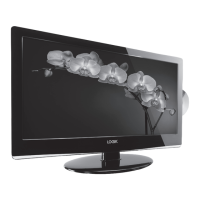
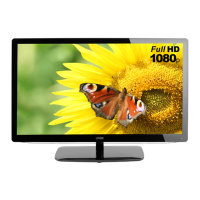
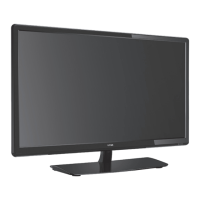
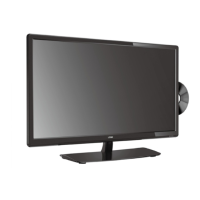
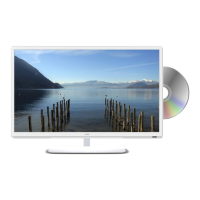
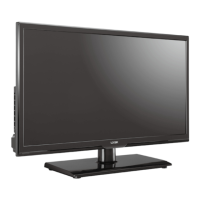
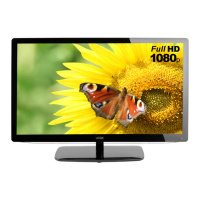
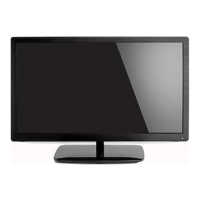
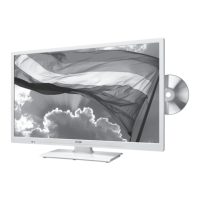
This document describes the Logik L22LDIB11 22" HD Ready 1080p Digital LED TV.
Function Description
The Logik L22LDIB11 is a 22-inch HD Ready 1080p Digital LED TV designed to provide an enhanced viewing experience with various features and the latest technology. It supports both DTV and ATV modes, allowing users to access a wide range of digital and analogue channels. The TV includes a built-in Freeview tuner for digital terrestrial television. It also functions as a Personal Video Recorder (PVR) when connected to a USB storage device, enabling users to record and time-shift DTV programs. The TV is equipped with HDMI, VGA, SCART, YPbPr, and Composite video inputs for connecting various AV devices and computers.
Important Technical Specifications
- Model: L22LDIB11
- Panel System: 22 inch LED Backlit LCD Panel
- Display Resolution: 1920 pixels (horizontal) x 1080 pixels (vertical)
- Television System: PAL I / BG / DK SECAM L / BG / DK
- Brightness: 250 cd/m²
- Contrast Ratio: 1000:1
- Power Source: DC 12V 3A
- Energy Efficiency Class: B
- Screen Size (measured diagonally): Approx. 54.6 cm (21.5 inch)
- Power Consumption (In HOME / STANDBY mode): 30 W
- Average Annual Energy Consumption: 43 kWh
- Standby Power Consumption: 0.4 W
- Operating Temperature: 0°C - 40°C
- Operating Humidity: 10% - 80%
- Mercury Content (mg): X (Not specified, likely zero)
- Presence of Lead: √ (Indicates presence)
- Reference Period: 2010/1062 - 2011
- Speaker Power: 3W + 3W
- Dimension (W x D x H) with base): 528 x 180 x 391 mm
- Weight (Net): 3.8 kg
- Inputs / Output:
- SCART: 1
- HDMI: 2
- VGA: 1
- PC AUDIO: 1
- YPbPr: 1
- Common Interface: 1
- AV: 1
- USB: 1
- Aerial: 1
- Supported USB File Formats (DMP mode):
- Photo: JPG
- Music: mp3 / wma
- Movie: MPEG1/2
- PVR USB Storage: Maximum supported storage space of 250 GB, FAT32 format only. Transfer rate for DTV program streaming must not be less than 5MB/s.
- Audio Enhancement: SRS TruSurround HD™ for immersive surround sound experience, optimized bass performance, dialogue clarity, and definition control.
Usage Features
Initial Setup:
The TV guides users through a first-time installation process, including selecting input source, channel selection (Auto Tuning, DTV Manual Tuning, ATV Manual Tuning), and display channel information. Volume adjustment is also available.
Channel Customization:
- Auto Tuning: Automatically finds and stores all available channels.
- Manual Tuning (DTV/ATV): Allows fine-tuning adjustments for channels.
- Channel Edit: Enables editing of TV programs in the Channel List (delete, rename, move, skip, favourite).
- Signal Information: Displays signal strength and quality for DTV channels.
- CI (Common Interface): Allows insertion of a Common Access Module for viewing scrambled (pay-to-view) services.
- Software Update: Supports Over Air Download (OAD) and USB updates for firmware.
Picture Setting:
- Picture Mode: Standard, Mild, User, Dynamic.
- Adjustments: Contrast, Brightness, Colour, Sharpness, Tint (for NTSC format).
- Colour Temperature: Medium, Cool, User, Warm (with Red, Green, Blue adjustments).
- Aspect Ratio: Auto, 4:3, 16:9, Zoom, Subtitle, Smart Zoom, Dot by Dot.
- Noise Reduction: Off, Low, Middle, High (ATV mode).
- Screen (PC mode only): Auto Adjust, Horizontal Pos., Vertical Pos., Size, Phase.
Sound Setting:
- Sound Mode: Standard, Music, Movie, Sports, User.
- Adjustments: Treble, Bass.
- Balance: Adjusts relative volume of speakers.
- Auto Volume: Automatically controls volume levels (e.g., for advertisements).
- SRS TruSurround HD™: On/Off for enhanced listening experience.
- AD Switch (Audio Description): On/Off for visually challenged persons (DTV mode).
- Stereo / Dual Sound Reception (ATV Mode): MONO, NICAM MONO, MONO/NICAM STEREO, NICAM DUAL I, NICAM DUAL II, NICAM DUAL I+II.
Time Settings:
- Clock: Set automatically by digital signal.
- Off Time/On Time: Schedule automatic TV power off/on.
- Sleep Timer: Automatically switches TV to standby after a preset time (OFF, 10, 20, ..., 180, 240 min).
- Auto Standby: Switches to standby mode after 4 hours of inactivity.
- Time Zone: Sets TV time based on time offset information.
Option Setting:
- OSD Language: Selects on-screen menu language.
- Audio Language (DTV Mode): Selects desired audio language.
- Subtitle Language (DTV Mode): Selects desired subtitle language or turns off subtitles.
- Hearing Impaired: Shows information for hearing-impaired in some programs.
- Country: Displays/changes the country for auto tuning.
- PVR File System (DTV Mode): Selects disk for recording, checks USB device suitability, formats disk (FAT32, HiSpeed FS), sets time shift size, and recording time limit (1-4 hours).
- CEC (Consumer Electronics Control): Commands and controls CEC-enabled devices connected via HDMI.
- Restore Factory Default: Restores all settings to factory defaults.
LOCK Setting:
- Lock System: Prevents accidental retuning and blocks unsuitable programs. Requires a 4-digit password (default: "6666", master password: "9527").
- Set Password: Changes the password.
- Block Channel: Blocks specific channels.
- Parental Guidance: Sets age ratings (Off, 4-18) for programs.
Teletext (ATV Mode):
- Accesses teletext services with features like page selection, Mix (superimposing text over TV), Double Height Text, Page Stop, Reveal Information, and Fasttext.
Digital Teletext (DTV Mode):
- Accesses digital teletext services. Requires turning off Subtitle Function.
EPG (Electronic Programme Guide) (DTV Mode):
- Displays program listings, start/end times, and detailed information for up to 7 days. Allows setting reminders.
USB Port Features (DMP Mode):
- My Photo: Views JPG images from a USB storage device with functions like pause, prev/next, stop, repeat, playlist, info, rotate, zoom, and move view.
- My Music: Plays mp3/wma audio files from a USB storage device with functions like pause, FB/FF, prev/next, stop, repeat, playlist, and goto time.
- My Movie: Plays MPEG1/2 video files from a USB storage device with functions like pause, FB/FF, prev/next, stop, repeat, playlist, info, and aspect ratio.
- My Text: Views text files from a USB storage device with functions like prev/next page, stop, music, playlist, and info.
PVR (Personal Video Recorder):
- Time Shift Function: Allows pausing and playing back live DTV broadcasts. Requires a USB storage device.
- Recording DTV Programme: Records current DTV programs to a USB storage device.
- Timer Programming: Schedules recordings of DTV programs.
- Play Recorded Programme: Plays back recorded programs from the USB storage device.
Maintenance Features
- Cleaning: Switch off and disconnect from mains. Use a soft dry cloth for dust. For dirtier surfaces, use a cloth dipped in weak soapy water, wrung almost dry. Avoid excess water. Do not use alcohol, benzine, paint-thinner, cleaning fluid, or compressed air.
- Troubleshooting: A comprehensive table of hints and tips is provided for common issues like TV not responding, no picture/sound, poor reception, and PC mode problems.
- Battery Disposal: Dispose of used batteries according to local regulations, keeping them away from young children.
- Software Updates: Information on where to find updates (knowhow.com) and contact details for customer technical services.

 Need help?

 To Next Page
 General