48
GB
Maintenance, Hints and Tips, Specication
Maintenance
Careful and regular cleaning can prolong the life of your TV.
Be sure to switch off the button on the side panel of the TV or on the
remote control and disconnect the mains adapter from the mains socket
before any cleaning.
Never use alcohol, benzine, paint-thinner, cleaning fluid or other chemicals.
Do not use compressed air to remove dust.
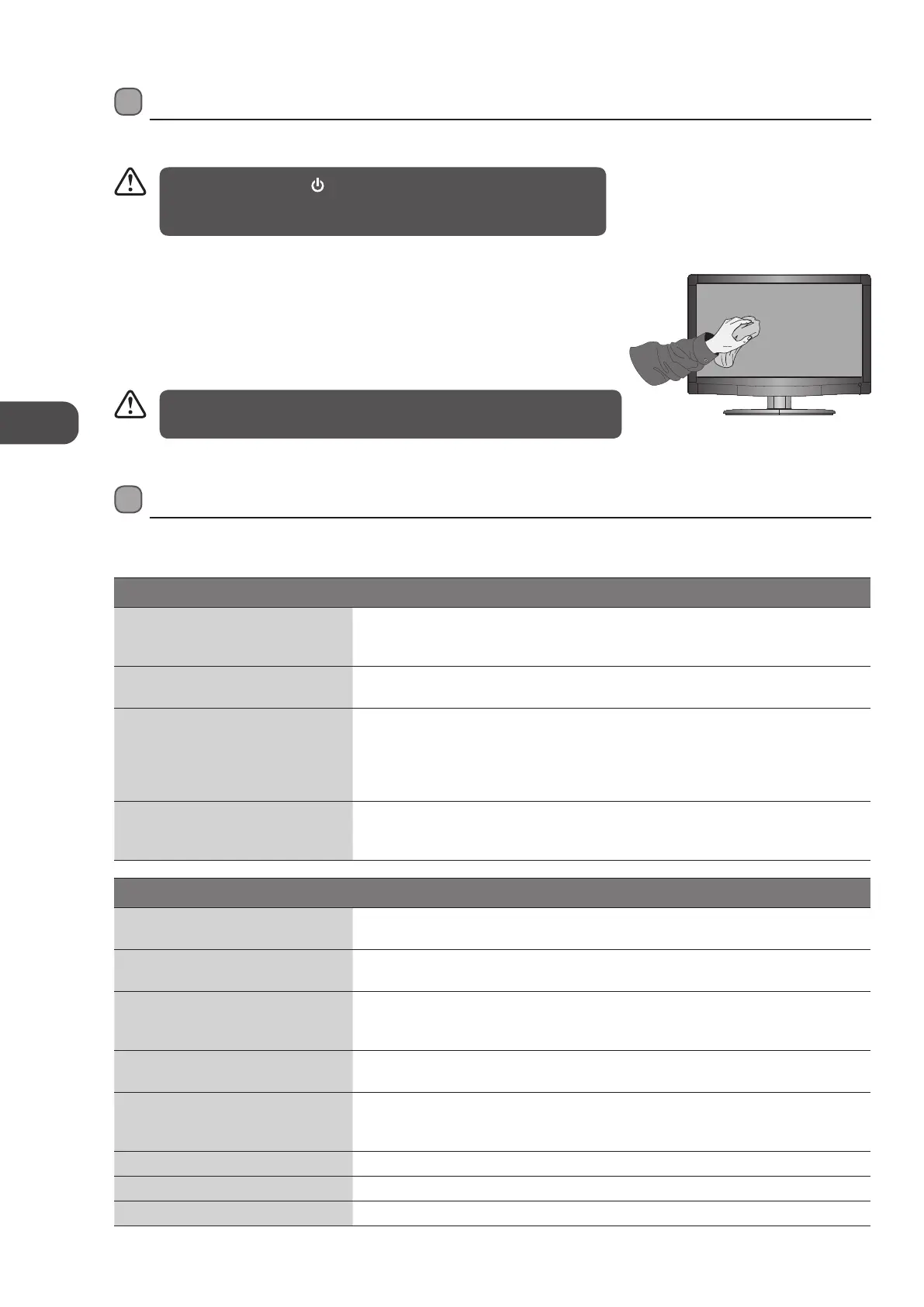
1. Use a soft dry cloth to wipe away the dust from the screen and surfaces.
2. If the surfaces are extremely dirty, clean the TV with a cloth which has been
dipped in a weak soapy water. Wring the cloth until it is almost dry, then use it to
wipe the TV.
3. Ensure there is no excess water on the screen. Allow any water or dampness to
evaporate before switching the TV on.
Maintenance
Hints and Tips
The following table contains various hints and tips to get the best performance from your TV. If you require additional assistance
please call our Customer Technical Services Centre. Tel: 0844 800 6020 (UK only)
The TV does not operate properly.
The TV does not respond when
pressing any buttons
The TV may freeze up during use. Disconnect the mains adapter from the mains
socket for a few minutes. Reconnect the mains adapter and try to operate it again as
usual.
TV cannot be switched on
Check that the TV is connected to the mains supply.
Make sure all connected AV devices are switched off before switching on your TV.
The remote control does not work
Check to see if there are any objects between the TV and the remote control
causing an obstruction. Ensure that you are pointing the remote control directly at
the TV.
Ensure that the batteries are installed with the correct polarity (+ to +, - to -).
Install new batteries.
Power is suddenly turned off
Check the power of the TV. The mains supply maybe interrupted.
Check if the sleep timer is set.
Check whether the Auto Standby is activated.
The video function does not work.
No Picture & No Sound
Check whether the TV is switched on.
Try another channel. The problem may be caused by the broadcaster.
Picture appears slowly after
switching on
This is normal, the image is muted during the TV startup process. Please contact
your service centre, if the picture has not appeared after five minutes.
No or poor colour or poor picture
Adjust the settings in the PICTURE menu.
Try another channel. The problem may be caused by the broadcaster.
Check if the video cables are connected properly.
Horizontal / Vertical bar or picture
shaking
Check for local interference such as an electrical appliance or power tool.
Poor reception on some channels
Station or cable channel may be experiencing problems, tune to another station.
Station signal is weak, reposition the aerial for better reception.
Check for sources of possible interference.
Lines or streaks in pictures Check aerial (Change the position of the aerial.)
No pictures when connecting HDMI Check if the input source is HDMI1 / HDMI2.
Picture appears in wrong ratio Adjust the Aspect Ratio settings in the PICTURE menu.
L22LDIB11_IB_Running Change120222_Annie.indd 48 12年2月22日 下午3:49


 To Next Page