7
5.0 Environment Setting
Connect by using the NetTool utility: available for Windows and Mac OS X
Connect through the web browser -- available for Windows, Mac OS X, and Linux
5.1 NetTool Setting:
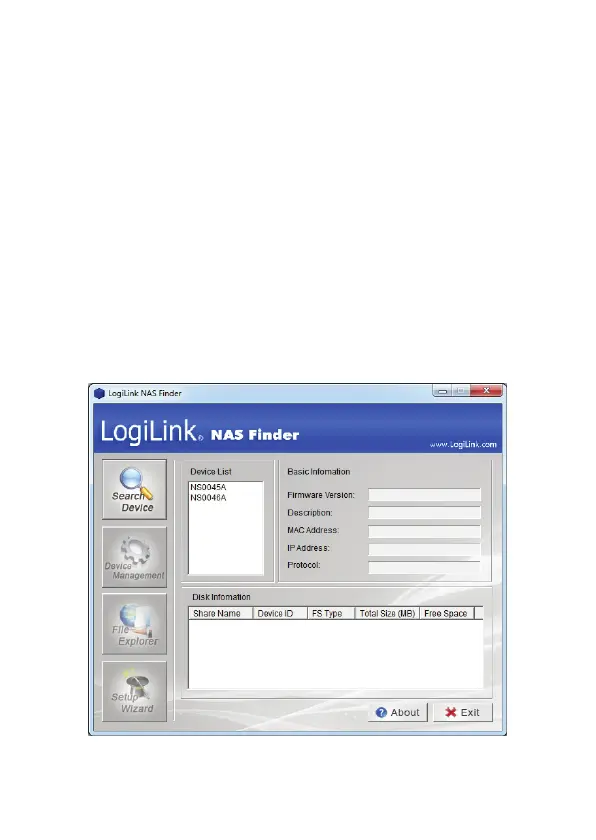
The Logilink Gigabit NAS NS0045A or NS0046A provides user-friend NetTool Utility for
quick NAS finder and setting. The NetTool utility is used to detect devices on the local
network (same subnet)
1. Insert the provided CD into your CD drive.
2. Windows users may get an AutoPlay prompt as follows. Select Run NetTool.exe to
continue the process.
3. If devices are not automatically found, click “Search Device” to scan NAS.



 To Next Page