6 English
TYPE-S — Thin and light protective keyboard case — For Samsung GALAXY Tab S 10.5
Connecting to another tablet
1. Make sure the keyboard is turned on.
2. Make sure your tablet’s Bluetooth
feature is on.
From a Home screen, touch Apps
Settings Network connections
section, and turn on the Bluetooth switch.
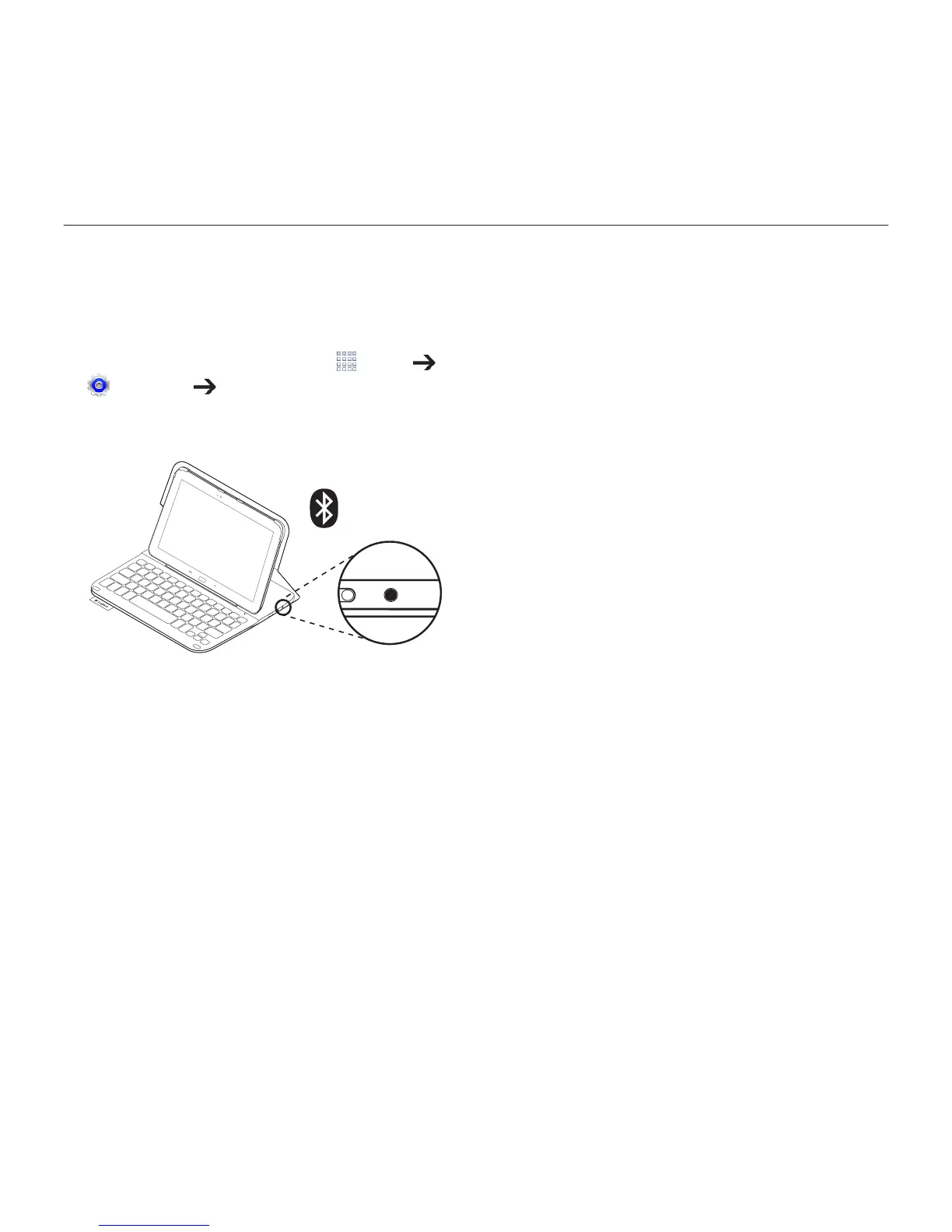
3. Press the Bluetooth Connect button:
®
The status light blinks blue (fast blink)
to indicate that the keyboard is
discoverable, ready for pairing with
your tablet. The keyboard is discoverable
for 3 minutes.
4. Pair the keyboard case with your tablet.
(i) In your tablet’s Bluetooth settings
page, select “TYPE-S” in the list of
Available devices.
(ii) When prompted, enter the PIN
displayed using the case keyboard.
When successful connection is made,
the status light turns solid blue for
a short time, and then turns o.



 To Next Page