4. The mouse will now be in Automatic Game Detection mode and all of the customizations
you make in LGS will be active when the corresponding game or application is launched
or running on your computer.
+Surface tuning your gaming mouse
You can use Logitech Gaming Software (LGS) version 8.87 or later to tune your gaming mouse
for maximum tracking accuracy on a variety of surfaces. If you don’t have Logitech Gaming
Software, you can get the latest version from your product’s Download page.
1. If your mouse is wireless, make sure it’s connected to your computer using the supplied
USB cable or the wireless USB receiver.
2. Open LGS and select your gaming mouse.
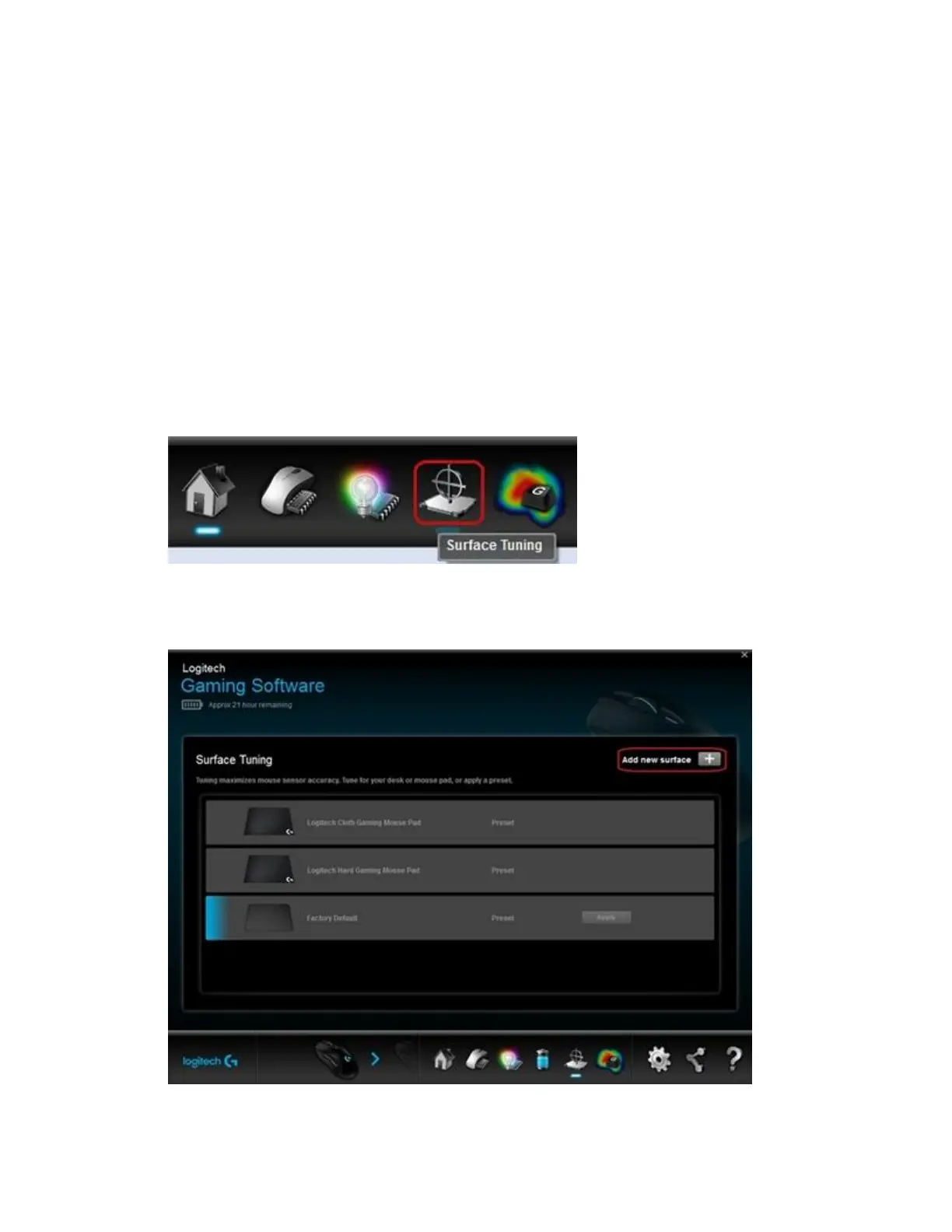
3. Click the Surface Tuning icon.
4. In the Surface Tuning window, click on one of the listed presets that matches your usage
environment. If you’d like to create a custom surface tuning, click Add new surface.














 To Next Page