3 ENGLISH
1
2
3
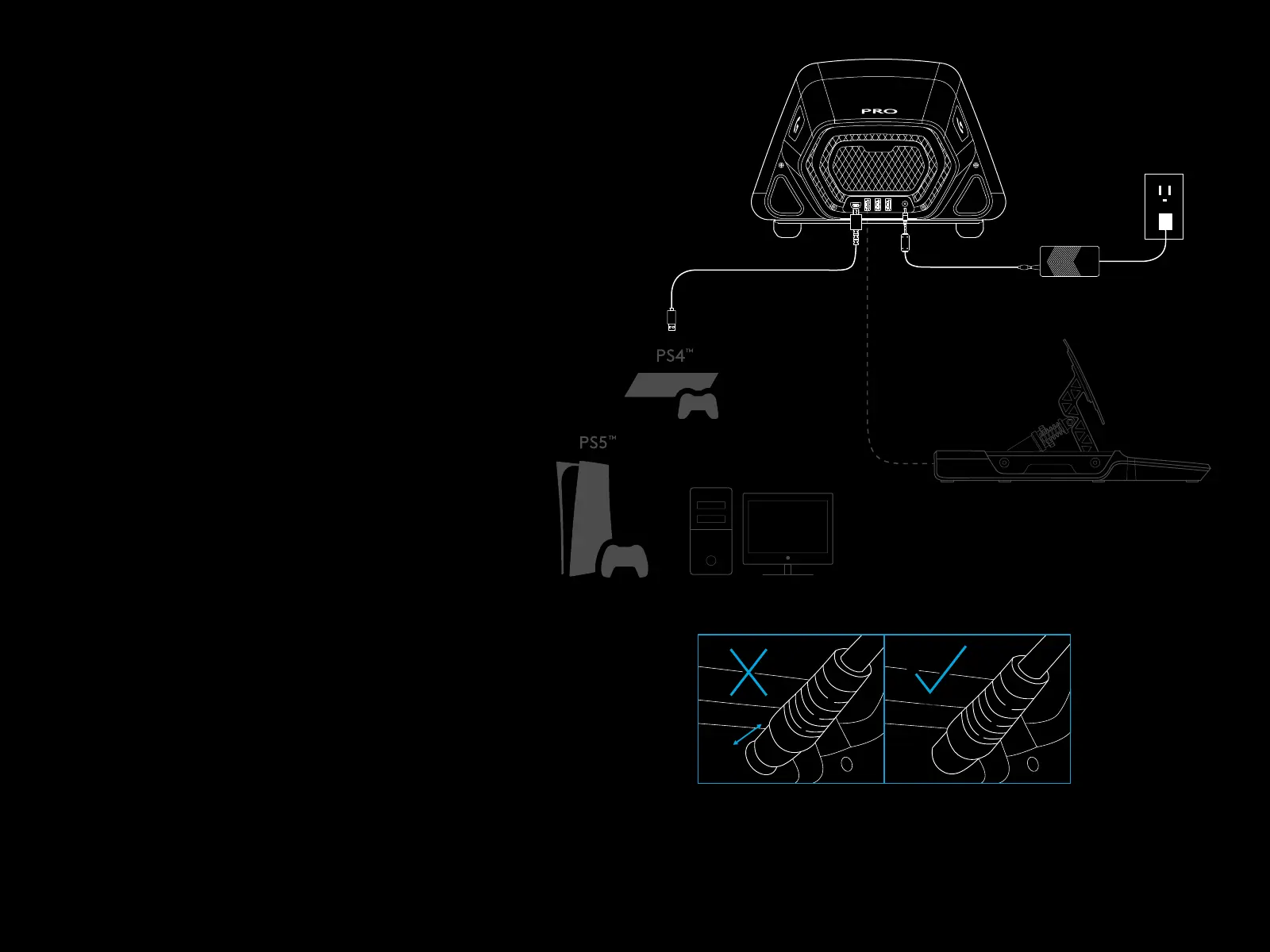
CONNECTIVITY
1 USB connection to PC / console
2 Peripheral ports*
3 Power connector
* NOTE:
– Not a standard USB connection. Only Logitech
racing peripherals will function in these ports.
Other USB peripherals will not function and should
not be connected.
Please ensure that the power connector is fully
inserted; otherwise, your PRO Wheel may not
function correctly. As you insert the connector,
you might feel a small click, but you can push past
this until the connector is fully inserted. Do not use
excessive force to insert the connector.


 To Next Page