6 English
Gettingstartedwith
3
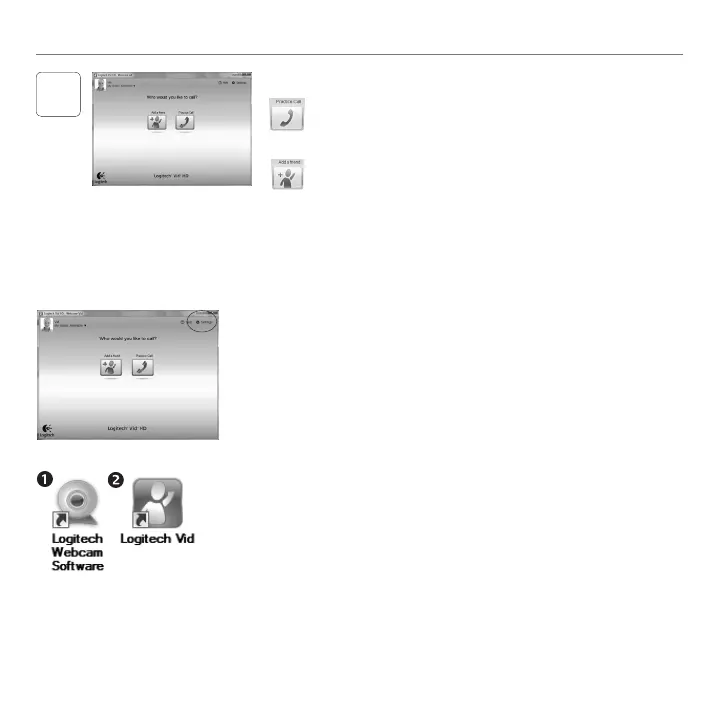
ClickonthePracticeCalltiletotestyoursettings.
Tip: ThePracticeCalltileisalwaysavailableonyourContactList
soyoucantestyoursettings.
Toaddafriend,clickontheAddaFriendtileandenter
yourfriend’se-mailwhenprompted.
Afteryourfriendhasacceptedyourinvitation,clickon
yourfriend’spicturetomakeacall.
Add a friend or make a practice call
Accessing account settings and starting applications
Logitechautomaticallydetectsandadjuststhebestsettingsforyourwebcam.
Ifyouwouldliketore-takeyourprolepictureorupdateanyofyoursettings,
clicktheSettingsicon.
Double-clicktheiconstolaunchyourapplications.
LogitechWebcamSoftware1.
LogitechVidHD2.
Tip: TheLogitechVidHDiconisonlypresentifyouchosetoinstallLogitech
VidHD.Tolearnaboutthird-partyvideocalling,pleasevisit:
www.logitech.com/webcam_howto



 To Next Page