The Logitech G Flight Rudder Pedals are a professional-grade flight simulation controller designed to enhance realism and immersion in PC flight simulation games. These pedals are a key component of Logitech's modular and interchangeable flight simulation system, allowing users to build a comprehensive virtual cockpit.
Function Description:
The primary function of the Flight Rudder Pedals is to provide precise foot control over the rudder and toe brake functions in flight simulators. This 3-axis control system allows for realistic yaw control of the aircraft, essential for coordinated turns, taxiing, and crosswind landings. The toe brakes, simulated by pressing the top part of each pedal, offer independent left and right wheel braking, crucial for ground maneuvering and stopping. By enabling foot control, the pedals free up the user's hands for other cockpit controls, mirroring the experience of flying a real aircraft. The pedals are designed to work seamlessly with other Logitech G Flight products, integrating into a larger, cohesive simulation setup.
Usage Features:
- Realistic 3-Axis Control: The pedals offer three axes of control: left/right rudder (yaw) and independent left/right toe brakes. This allows for nuanced and realistic control over aircraft movement, particularly during takeoff, landing, and taxiing.
- Adjustable Pedals: The pedal length can be adjusted in three stages, accommodating different foot sizes and preferred ergonomic positions. This customization ensures comfort and optimal control for a wide range of users.
- Removable Foot Rests: The footrests are removable, providing flexibility for users who may prefer a different foot placement or want to customize their setup further. This feature also aids in cleaning and maintenance.
- Adjustable Tension: The resistance of the pedals can be adjusted to suit any aircraft type or personal preference. This allows users to fine-tune the feel of the pedals, making them lighter for smaller aircraft or heavier for larger, more demanding simulations, thereby enhancing the sense of realism and control.
- USB Connectivity: The pedals connect to a PC via a standard USB cable, ensuring broad compatibility and easy setup.
- Driver and Software Support: Logitech provides dedicated drivers and software for Windows 10, 8.1, and 7, ensuring optimal performance and customization options. The software installation process is guided, with on-screen instructions to help users set up the device and test its controls.
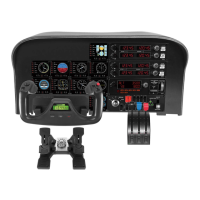
- Modular System Integration: As part of the Logitech G Flight system, these rudder pedals are designed to integrate with other flight simulation components such as the Yoke System, Instrument Panel, Multi Panel, Radio Panel, and Switch Panel. This modularity allows users to expand their cockpit setup over time, creating a highly personalized and immersive flight experience. The "Build your whole cockpit with our modular, interchangeable system" tagline emphasizes this key feature, promoting a scalable and customizable simulation environment.
- Profile Editor: After installation, users have the option to run a Profile Editor, which provides a programming environment for advanced customization of the pedal functions. This allows users to assign specific actions or macros to the pedal inputs, tailoring the controls to their specific needs and preferred flight simulation titles.
- Compatibility: The Flight Rudder Pedals are compatible with any Logitech G Flight products, ensuring a cohesive and integrated simulation experience when combined with other Logitech G peripherals.
Maintenance Features:
- Software Updates: Users are encouraged to visit the Logitech support website (logitech.com/support/rudder-pedals) to download the latest drivers and software for their operating system. Keeping the software updated ensures optimal performance, compatibility with new flight simulators, and access to any new features or bug fixes.
- Online Support: Logitech offers online technical support via support.logitech.com, providing resources and assistance for any issues or questions users may have regarding the Flight Rudder Pedals. This ensures that users can find solutions to common problems and get help with more complex technical challenges.
- Removable Components for Cleaning: The removable footrests can facilitate easier cleaning of the pedal surfaces, helping to maintain hygiene and prolong the lifespan of the device. Regular cleaning of the pedals and surrounding areas can prevent dust and debris from affecting the smooth operation of the moving parts.
- Durable Construction: The description highlights that the pedals are "solid" and "designed to maximize realism," implying a robust and durable construction that can withstand regular use in a flight simulation environment. While specific materials are not detailed, the emphasis on solidity suggests a design intended for longevity.
- Guided Installation Process: The detailed driver installation instructions, including prompts for connecting the device and testing controls, help users ensure correct setup from the start, minimizing potential issues that might arise from improper installation. This proactive approach to user guidance contributes to the overall maintainability and reliable operation of the device.

 Need help?
 General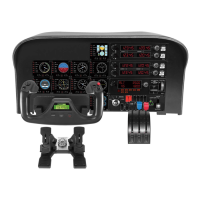


 To Next Page