18 ENGLISH
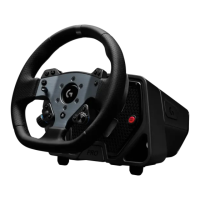
1 In the game title that you want to use, start a practice or time trial
session in the car of your choice.
2 Navigate to the D Clutch Bite setting on the Settings display
ofyourPRO Wheel.
3 Fully press the le Dual Clutch Paddle, select 1st gear using
thegearpaddle and engage full gas / throttle.
4 Whilst keeping the Dual Clutch Paddle fully pressed, use the right
adjustment dial on the wheel to adjust the value on the display
untilyou see the car beginning to move onscreen.
5 Now experiment with standing starts using the directions below
and adjust the value until you’re happy with the traction that
you’regetting in-game.
SETTING THE DUAL CLUTCH
Using a dual clutch system from a grid start in a race enables you
toachieve maximum traction without the need to nd the bite point
of your clutch pedal - this can give you a signicant advantage at
thestart of a race. To use the dual clutch system in-game:
1 At race start, fully depress both of the Dual Clutch Paddles.
2 Select rst gear using the Gear Up Paddle and fully depress the gas
pedal.
3 As soon as you get the green light for race start, immediately
release the right Dual Clutch Paddle. The car should start moving
asthe bite point of the clutch is engaged.
4 Smoothly release the le Dual Clutch Paddle in order to achieve
maximum traction.
It’s worth practicing this last step and modifying the bite point
settingseveral times to nd a method that works for you.
Onceyouhave it perfected, this feature can help make up several
places on the grid.
NOTE:
Support for the dual clutch function is not possible in some games.
Alist of games that support the dual clutch feature can be found at
logitechG.com/support/pro-wheel-ps
USING THE DUAL CLUTCH





 To Next Page