EasyManua.ls Logo

Logitech G105 - User Manual

Logitech G105
68 pages
Print Icon
To Next Page IconTo Next Page
Loading...
Getting started with
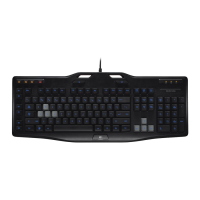
Logitech® Gaming Keyboard G105

Other manuals for Logitech G105

Question and Answer IconNeed help?

Do you have a question about the Logitech G105 and is the answer not in the manual?

Summary

Connecting Your Keyboard

Customizing Your Keyboard

Product Features

Keyboard Layout Overview

Diagram illustrating the layout and key functions of the Logitech G105 keyboard.

G-keys and M-keys Functionality

Explanation of programmable G-keys for profiles and M-keys for configuration switching.

Macro Recording and Media Controls

How to record macros and use Fn key combinations for media playback and volume.

Game;Desktop Mode and Backlight

Switch for disabling Windows keys and controlling backlight intensity.

Support and Contact Information

Summary

Connecting Your Keyboard

Customizing Your Keyboard

Product Features

Keyboard Layout Overview

Diagram illustrating the layout and key functions of the Logitech G105 keyboard.

G-keys and M-keys Functionality

Explanation of programmable G-keys for profiles and M-keys for configuration switching.

Macro Recording and Media Controls

How to record macros and use Fn key combinations for media playback and volume.

Game;Desktop Mode and Backlight

Switch for disabling Windows keys and controlling backlight intensity.

Support and Contact Information

Logitech G105 Specifications

General IconGeneral
Device interfaceUSB
Recommended usageGaming
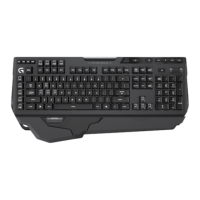
Keyboard form factorFull-size (100%)
Programmable hot keysYes
Connectivity technologyWired
Game editionCall of Duty
Product colorBlack
Keyboard styleStraight
Backlight colorGreen
Mouse includedNo
Minimum storage drive space80 MB
Compatible operating systemsWindows XP Windows Vista Windows 7

Related product manuals