Need help?
Do you have a question about the Logitech MeetUp and is the answer not in the manual?
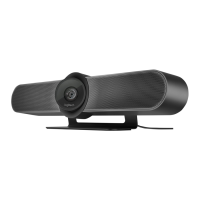
Diagram and labels for the MeetUp camera and speakerphone unit, identifying key components.
Diagram and labels for the remote control, detailing its buttons and functions.
Detailed list of the functions for each button on the remote control.
Instructions and diagrams for mounting the camera on a table, shelf, or wall.
Steps and diagrams for connecting the MeetUp camera to power, computer, and TV.
Ensuring MeetUp is selected as the default camera, speaker, and microphone in applications.
Instructions for pairing MeetUp with a Bluetooth device for audio calls.
Steps to re-pair the remote control with the camera if needed.
Information on where to find FAQs, software, and replacement parts.
Links to Logitech compliance information and product pages.
List of other Logitech product user guides and manuals.

 To Next Page


 General