English
19
User
’
s Guide
Troubleshooting
Keyboardandmousearenotworking
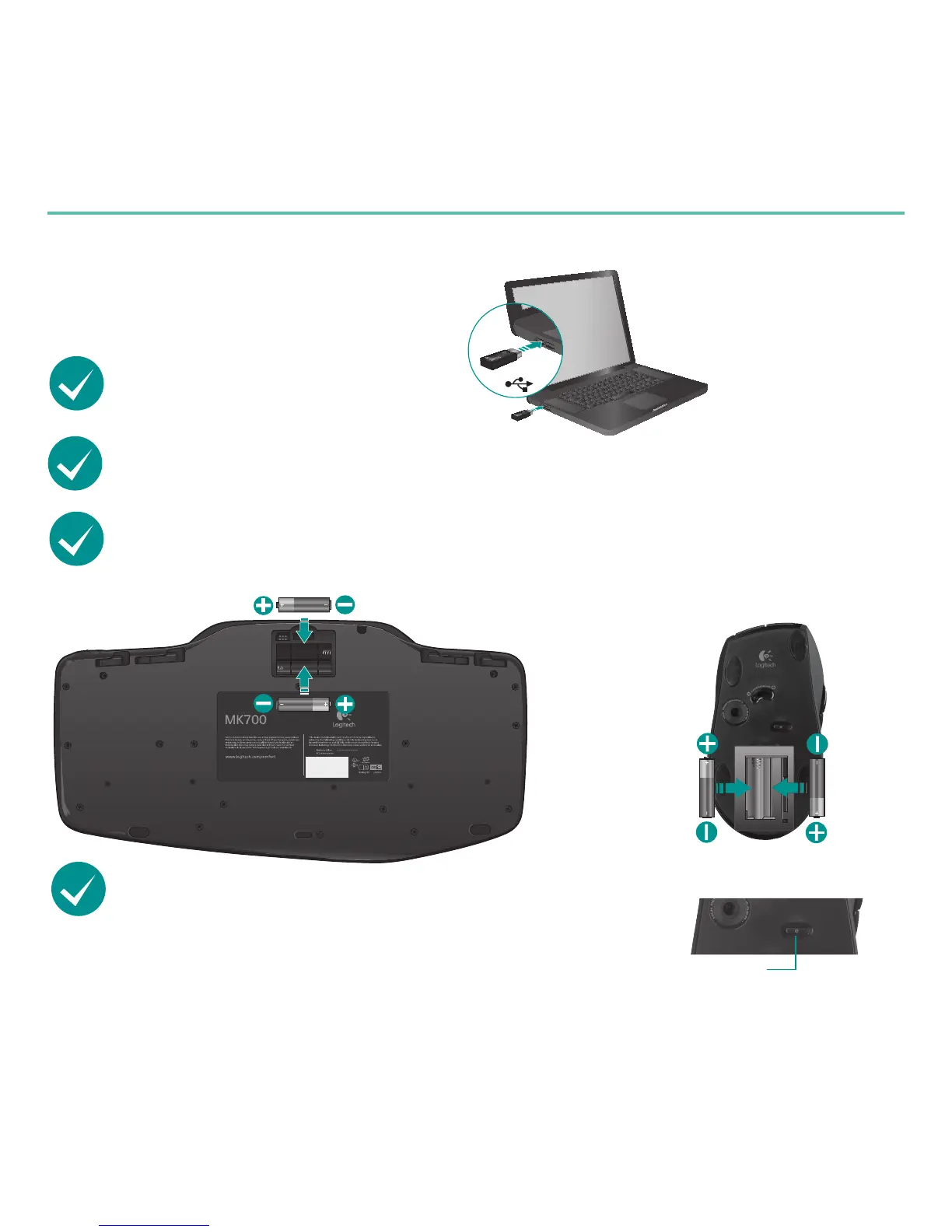
ChecktheUSBconnection.
Also, try changing USB ports.
Movecloser?Try moving the keyboard or mouse closer to the receiver.
Checkbatteryinstallation.Also check the battery power of each device. (See
Batterymanagementfor more information.)
Isthemouseturnedon?On the mouse bottom, push
the Power button to turn on the mouse. The Battery LED
on the mouse top case should light green for 10 seconds.
(See Batterymanagement for more information.)
Mouse bottom
Power
button








 To Next Page