
 Need help?
Do you have a question about the Logitech ZONE WIRED EARBUDS and is the answer not in the manual?
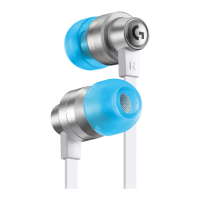
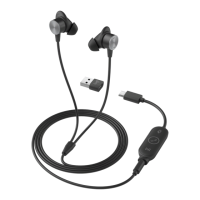
Identifies key parts of the earbuds like magnetic snap, eargels, and connectors.
Details the components and functions of the in-line controller, including buttons and adapters.
Instructions on how to connect the earbuds using the 3.5mm audio jack.
Guide for connecting the earbuds to a computer via USB-C.
Steps to connect the earbuds using the USB-A adapter.
Explains the 'L'/'R' markings and how to position earbuds for a secure fit.
Provides guidance on changing eargel sizes for comfort and fit.
Describes how to adjust the cable length using the Y-joint slider.
 General
| Microphone | Yes |
|---|---|
| Frequency Response | 20 Hz - 16 kHz |
| Impedance | 32 Ohms |
| Microphone Frequency Response | 100 Hz - 8 kHz |
| Microphone Sensitivity | -38 dBV/Pa |
| Cable Length | 1.5 m |

 To Next Page