EasyManua.ls Logo

Lojer Scandia SC330 User Manual

Lojer Scandia SC330
32 pages
To Next Page IconTo Next Page
Page #1 background imageLoading...
Page #1 background image
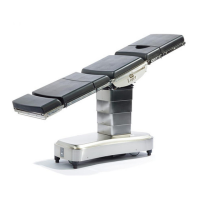
Lojer Scandia SC330- operating table
Instructions of use
12.05.2014

Questions and Answers:

Lojer Scandia SC330 Specifications

General IconGeneral
BrandLojer
ModelScandia SC330
CategoryMedical Equipment
LanguageEnglish

Summary

1 Lojer Scandia SC330 Operating table

1.1 Content of the package

Details the items included in the operating table package, such as controls, cables, and accessories.

1.2 Description of parts

Identifies and labels the key components and sections of the Lojer Scandia SC330 operating table.

1.3 Controls

Explains the operation and functions of the hand controls and foot controls for the operating table.

1.4 Options and accessories

Lists available optional features and accessories that can be added to the Lojer Scandia SC330 operating table.

1.5 Markings and signs

Describes the various symbols, labels, and safety signs found on the operating table and in the documentation.

2 Introduction

2.1 Inspection upon delivery

Provides instructions for checking the operating table upon delivery to ensure it is undamaged and complete.

2.2 Before use

Outlines essential steps and checks to perform before operating the Lojer Scandia SC330 for the first time.

3 Using the device

3.1 Indicator LEDs (hand control) and audible signals

Defines the meaning of indicator LEDs and audible signals on the hand control for status and errors.

3.2 ON/StandBy (Power ON/StandBy)

Details how to turn the operating table on, put it in standby mode, and turn it off completely.

3.3 Working position (Floor locks down)/Transport position (floor locks up)

Explains how to switch between working and transport modes using the floor locks.

3.4 Patient orientation

Describes how to set and change the patient's orientation on the operating table.

3.5 Adjustments

Covers the various adjustment functions of the operating table, including height, back, leg, and tilt.

3.6 Attaching/removing the table top sections

Provides instructions for safely attaching and detaching the different sections of the operating table top.

3.7 Head section adjustment

Details how to adjust the angle of the head section of the operating table.

3.8 Charging the batteries

Explains the procedure for charging the operating table's internal batteries.

4 Table top configurations

4.1 Standard configuration

Illustrates the standard setup of the operating table with its typical configuration.

4.2 Safe working load (SWL) 350 kg

Specifies the maximum safe working load for the operating table under specific configurations.

4.3 Lithotomy configuration, step 1

Demonstrates the first step in setting up the operating table for a lithotomy position.

4.4 Lithotomy configuration, step 2

Shows the second step in configuring the operating table for a lithotomy position.

4.5 Cardiovascular configuration

Illustrates the setup of the operating table for cardiovascular procedures.

4.6 TUR configuration

Describes the configuration of the operating table for Transurethral Resection (TUR) procedures.

4.7 Prohibited configurations

Warns against and illustrates unsafe or prohibited configurations of the operating table.

5 Movement limitations

6 Cleaning and disinfecting

7 Service and maintenance

7.1 Monthly maintenance

Details the checks and tasks required for monthly preventative maintenance of the operating table.

7.2 Annual service

Outlines the requirements for annual servicing and inspection of the operating table.

7.3 Troubleshooting

Provides solutions for common problems and error messages encountered with the operating table.

7.4 Electrical safety

Covers the electrical safety standards, testing procedures, and precautions for the operating table.

8 Technical information

8.1 Standards

Lists the standards and directives that the operating table complies with, including CE marking.

8.2 Recycling

Provides guidance on the proper disposal and recycling of the operating table and its components.

9 Limited international warranty

10 Contact information

Related product manuals