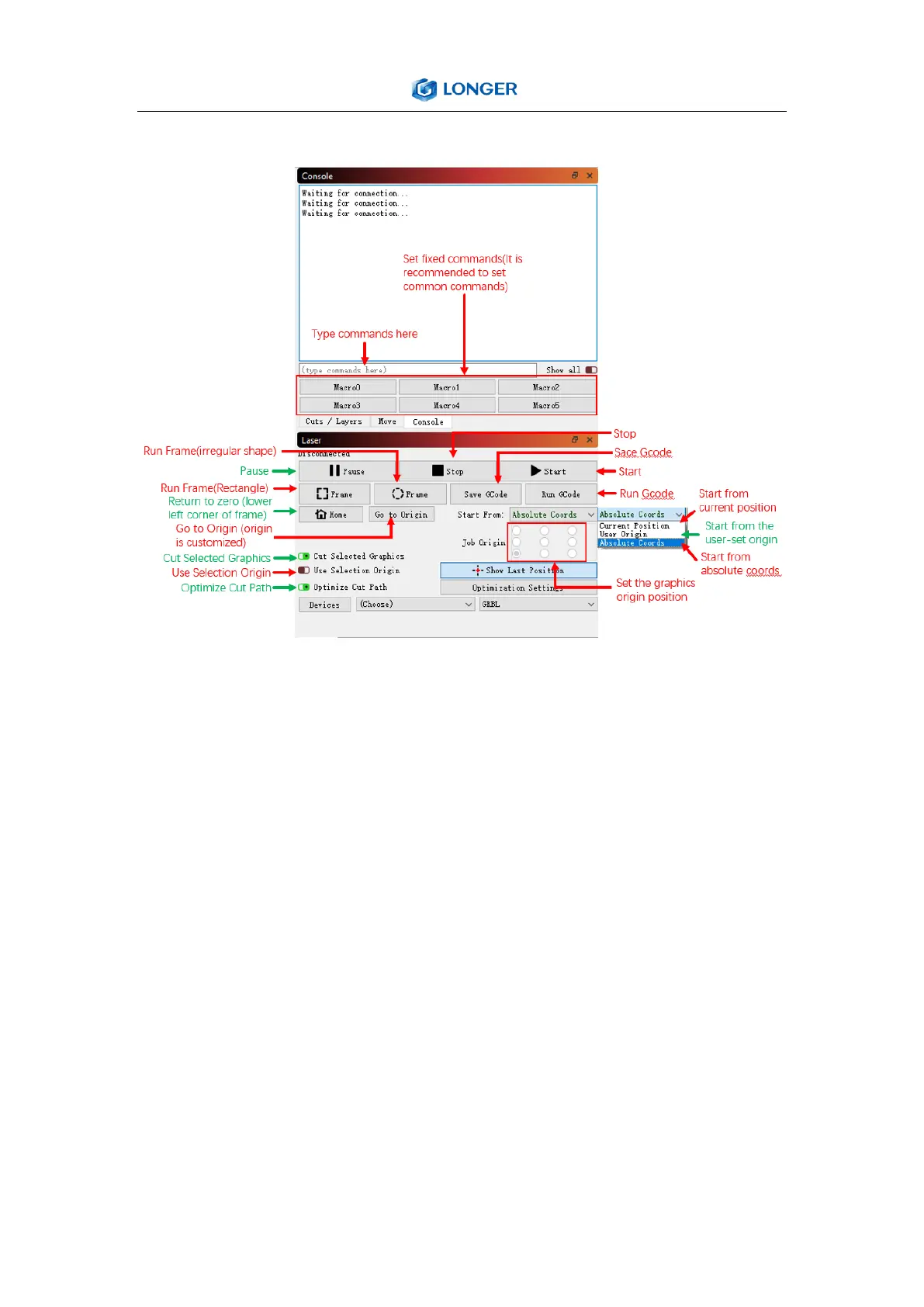
Console and Laser
(4) Firmware Upgrading
The Firmware of LASER B1 is continuously updated for fixing bugs
and add new features. The firmware upgrade operations are
different for different systems. The detailed tutorial about firmware
upgrading is contained in the firmware package.
Install the MKSLaserTool_setup V1.1.2.exe file, click MKS ESP32
Download Tool, select the right port and .bin update firmware, and
click Start, it will prompt firmware successfully flashed after the
update is completed.



 To Next Page