Home
LONGER
Engraver
LASER B1
Page 38
LONGER LASER B1 - Page 38
55 pages
Manual
Save Page as PDF
To Next Page
To Next Page
To Previous Page
To Previous Page
Loading...
www
.longer3d.com
inf
o@longer3d.com
35
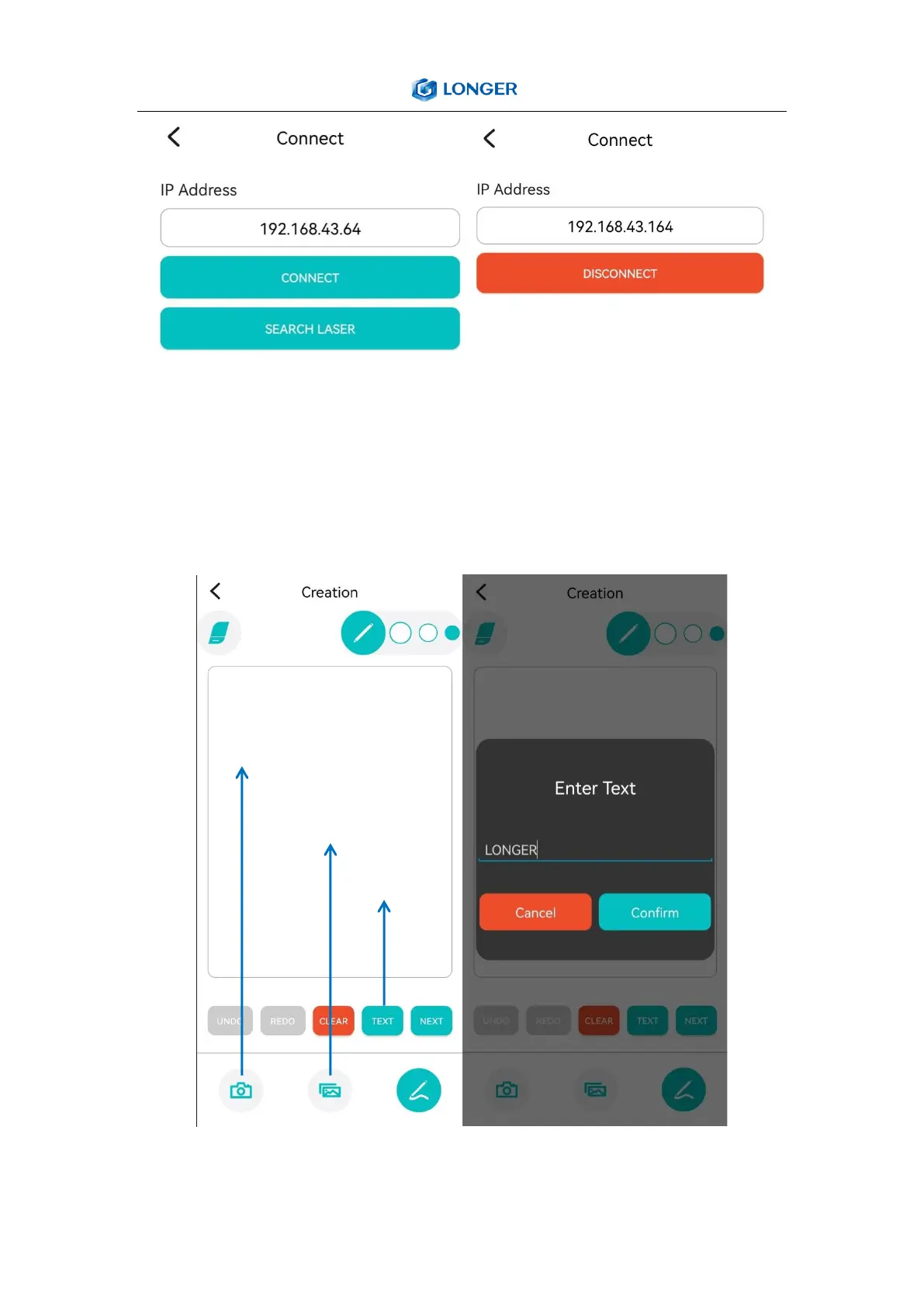
When
the
LASER
B1
engr
av
er
is
connected
to
wifi,
we
will
get
an
IP
address, click
the
connect button in
the u
pper
left corner
of
the
APP
,
enter the I
P add
ress
, and click
CONNE
CT
.
d) Enter t
ext or t
ak
e a photo to engr
av
e
T
ak
e
a photo
Select photo
from album
Enter a t
ext
37
39
Related product manuals
LONGER RAY5
47 pages
LONGER RAY5 20W
42 pages
LONGER Nano
72 pages



 To Next Page