LRF-3000S Ultrasonic Transit-time Flow meter
- 8 -
will be carried out as usual, no matter in which display window.
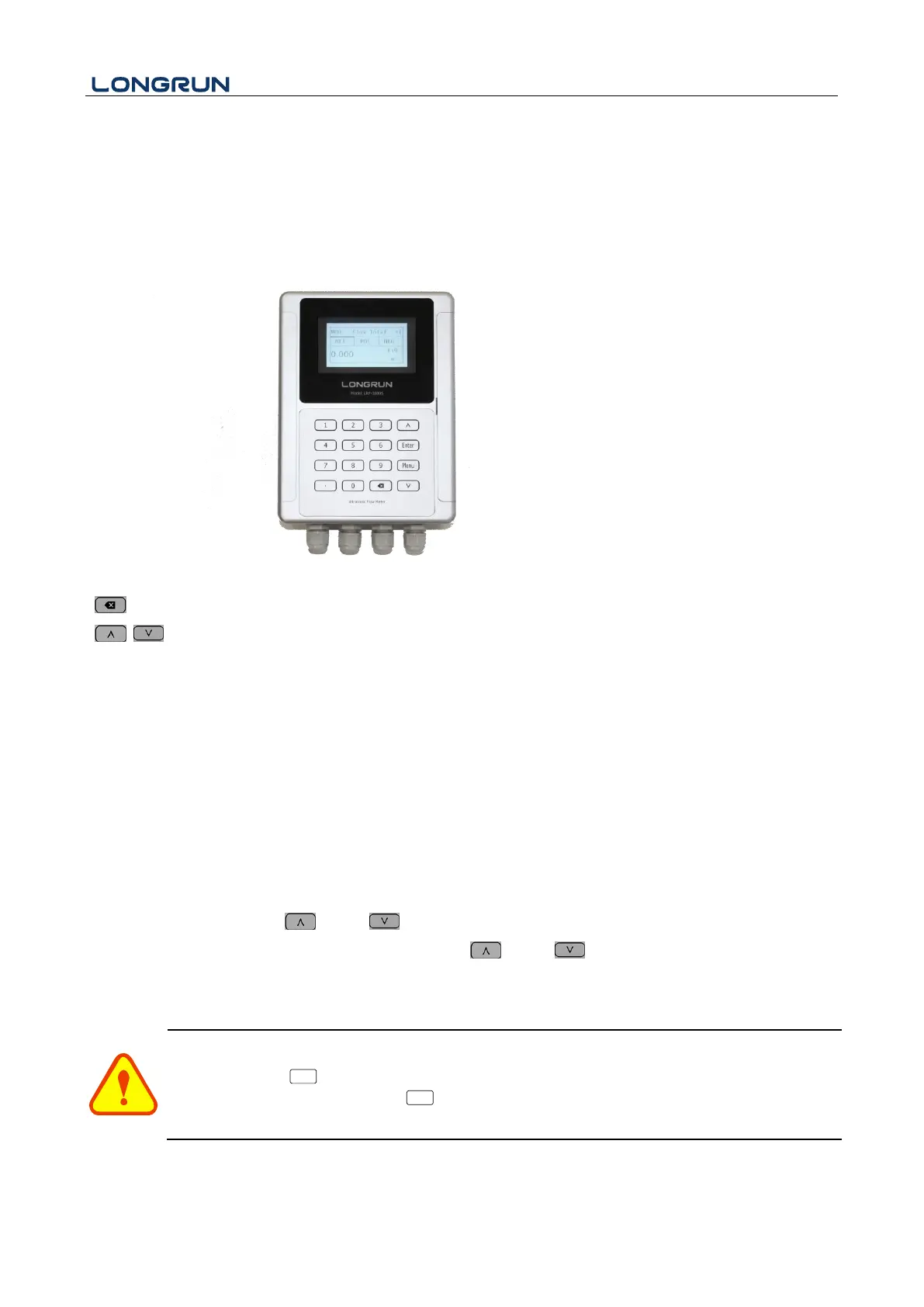
2.3. Keypad Functions
Numbers “0~9” and “.” Input Numbers or Menu Code
“ ”Backspace or delete characters to the left or back to the previous menu.
“ ”Return to the last menu or open the next menu. Acts as "+" and "-" are used to enter numbers.
“ Menu”Select a menu. Press this key first, then input two menu numbers to display the selected menu.
2.4. Keypad Operation
The flow meter adopts the window software design to consolidate or subdivide all of the parameters entered, the
instrument setup and measurement result displays into independent windows. The operator can input parameters,
modify settings or display measurement results by "visiting" a specific menu window. Each window serial number,
or so-called window ID code, has a defined meaning. For example, Window M10 indicates the parameter input for
pipe outside diameter, while Window M14 indicates the mounting spacing between the transducers, etc. (Refer –
Windows Display Explanations).
The keypad shortcut to visit a specific window is to press the “ Menu” key at any time, then input the 2-digit
window ID code. For example, to input or check the pipe outside diameter, just press the “ Menu” “1” “0” keys
for window ID code 10. Use “ ”and “ ” to switch.
Another method to visit a particular window is to press “ ”and “ ” to scroll the screen.
You can check the corresponding parameters by visiting the Data Type Windows. If you want to modify the
parameters, press “ Enter ” first, input the digits then press “ Enter ” again to confirm.


 To Next Page