4Sharing/Streaming/Status Lights/Modes
RECORD & CAPTURE WITH THE MOBILE APP
When your Looxcie 3 is connected to the Looxcie mobile app on
your smartphone , the app controls all camera functions, and
you cannot use the manual buttons.
Record video:
• Tap the Video button in the app to start and stop recording.
Take a photo:
• You cannot take a photo from the app. Use the Record/Photo
button on the camera.
Sharing Recordings and Photos
You can use the Looxcie mobile app to preview your Looxcie
3 recorded videos from your camera and those stored on the
Looxcie cloud. You can share videos stored on the Looxcie server
with your friends using the Share function. From the video on
the Looxcie server, swipe right, select friends from your list and
tap OK.
To view and share your photos, connect the Looxcie 3 to your
computer via USB or use the Looxcie mobile app.
For detailed instructions on using the Looxcie mobile app to
view videos and photos and share them, see the Looxcie Mobile
App User’s Guide.
Streaming Live Video
You can stream live video from your Looxcie 3 to your friends
and the Looxcie community with the Looxcie mobile app.
Stream live video from your camera to your friends:
1. Make sure your smartphone is connected to a wireless
network.
2. Connect your camera and phone and start the Looxcie mobile app. For
more information, see “Connect” on page 3.
3. Tap the Stream button in the app and tap Public Stream to start Public
live video streaming. (To create a Private stream, swipe from right to left
to expose Private stream settings.) The Loop/Stream icon on camera will
turn red.
4. Invite friends to a public broadcast or share a public feed on a Looxcie
community channel or Facebook.
For detailed instructions on using the Looxcie mobile app to stream live
video, see the Looxcie Mobile App User’s Guide.
You can also stream live video from the front or back camera on your
smartphone.
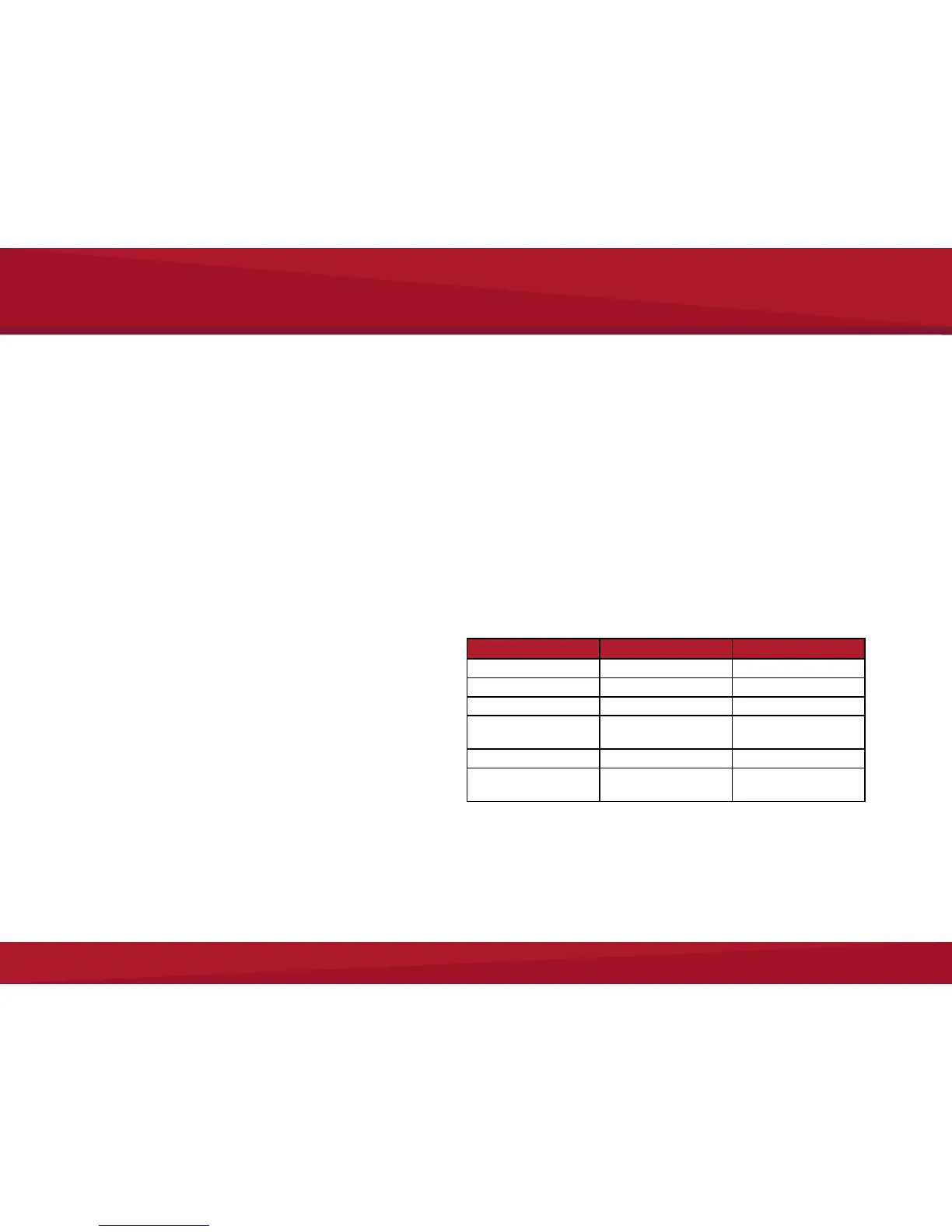
Camera Status Lights & Sounds
Light Indicator Audio Alert Meaning
Solid red Two tones Recording
Blinking orange — Charging
Solid orange Two beeps Fully charged
4 icons on camera
back blinking orange
Five beeps
(Automatic shutdown)
Low battery
Slow blinking red Three beeps SD card missing or full
Fast blinking orange
wireless icon
— Wireless connecting
Looxcie 3 Mounting Accessories
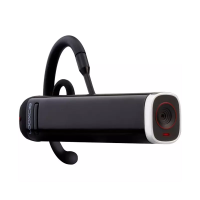
Looxcie 3 is wearable and mountable and can use any Looxcie HD mounts.
See http://www.looxcie.com/accessories for a complete list of mounts.


 To Next Page
 Loading...