EasyManua.ls Logo

Lord MicroStrain G-Link-200 - User Manual

Lord MicroStrain G-Link-200
60 pages
Print Icon
To Next Page IconTo Next Page
Loading...
G-Link
®
-200
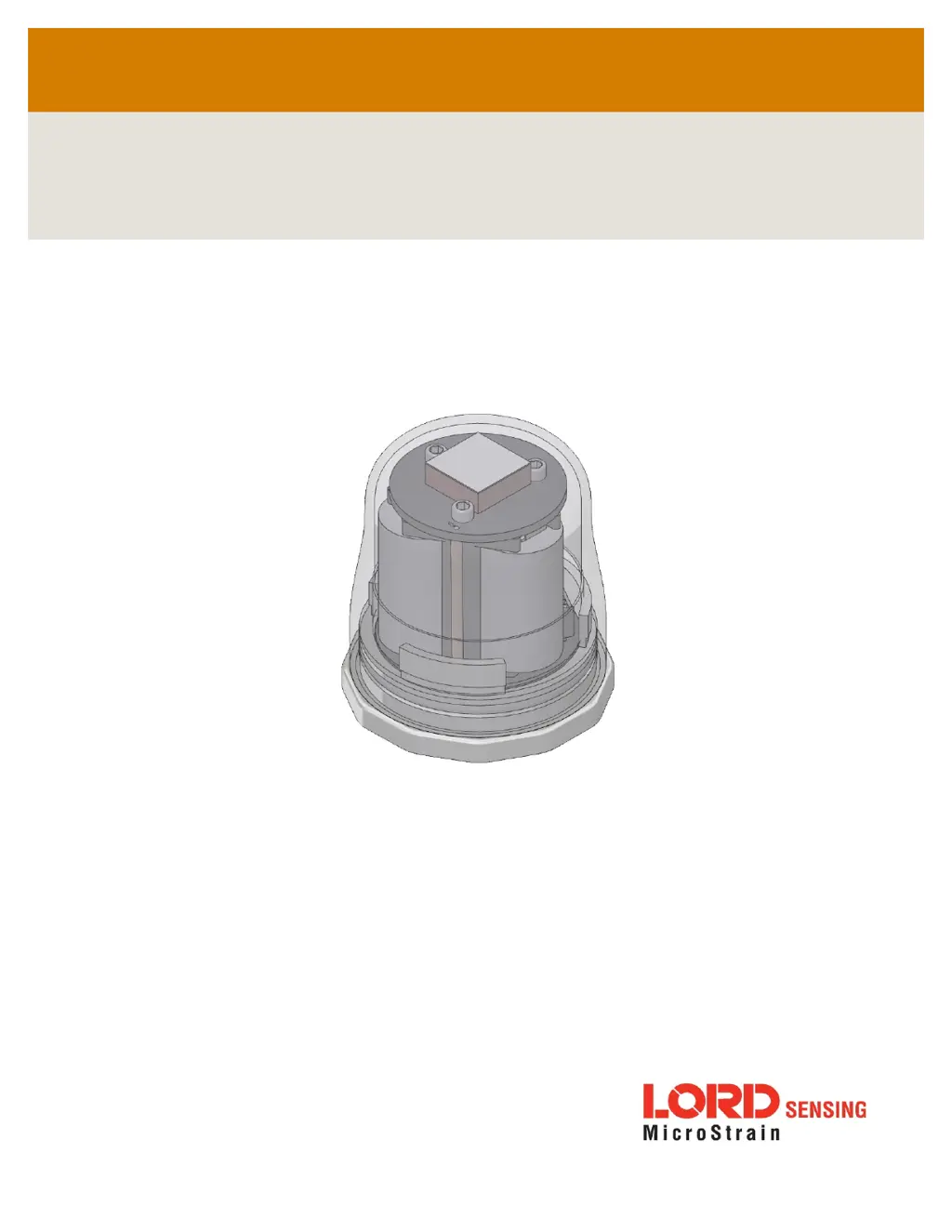
Wireless Accelerometer Node
LORD
USER MANUAL

Table of Contents

Questions and Answers

Summary

1.0 Wireless Sensor Network Overview

2.0 Node Overview

2.1 Components List

Lists the standard components included with the G-Link-200 sensor node.

2.2 Interface and Indicators

Describes the node's LEDs and their behavior indicating operational modes.

2.3 Node Operational Modes

Explains the three operational modes: Active, Sleep, and Idle.

2.4 System Operation

Details the gateway's role and available software for data acquisition.

3.0 Software Installation

3.1 Gateway USB Communication

Guides on connecting USB gateways via SensorConnect software.

3.2 Connect to Nodes

Methods for establishing communication with sensor nodes.

3.2.1 Add A Node Via Node Discovery

Adds nodes by automatically discovering them on the same frequency.

3.2.2 Add A Node Manually

Adds nodes by manually entering the node address and frequency.

3.2.3 Move Node To Base Station Frequency

Moves nodes on different channels to the base station's frequency.

4.0 Wireless Sensor Configuration

4.1 Hardware Configuration

Configures hardware settings like input range, low-pass filter, and high-pass filter.

4.2 Calibration Configuration

Details how nodes are calibrated and how calibration coefficients are applied.

4.3 Sampling Configuration

Configures sampling options like Lost Beacon Timeout, Diagnostic Info Interval, and Storage Limit Mode.

4.4 Power

Sets power options including Default Operation Mode, User Inactivity Timeout, and Transmit Power.

5.0 Wireless Sensor Sampling Configuration

5.1 Start Collecting Data

Guides on how to begin collecting data from single nodes or networks.

5.2 Network Options

Explains network settings like LXRS and LXRS+ protocols, and synchronized sampling.

5.2.1 Synchronized Enabled

Details requirements for synchronized sampling using gateway beacons.

5.2.2 Synchronized Disabled

Describes synchronized sampling with low latency but less accurate timestamping.

5.2.3 Lossless Enabled

Enables data retransmission for lossless performance in challenging environments.

5.2.4 Lossless Disabled

Disables retransmissions for consistent latency or tolerance of lost data.

5.3 Raw Waveform Channels

Provides waveform data directly from the sensor.

5.4 Derived Output Channels

Details four derived data channels for vibration analysis and data reduction.

5.4.1 Windows

Defines windows for derived calculations and provides timestamping logic.

5.4.2 Chunks

Explains how nodes chunk data for derived calculations and defines chunk size.

5.4.3 Under-sampling

Addresses situations with insufficient samples for accurate derived channel calculations.

5.4.4 Incoherence

Explains how window/signal incoherence affects derived channel accuracy.

5.5 Sampling Operations Options

Covers sampling operations like Continuous, Limited, Periodic Burst, and Event Triggered.

5.6 Data Type

Discusses data types (Float, Int24, Int16) for reporting measurements.

5.7 Output Operation

Details options for managing acquired data: transmit, log, or both.

6.0 Viewing Data

6.1 SensorCloud

Describes SensorCloud as a cloud-based platform for data collection and analysis.

6.1.1 Connect to SensorCloud

Guides on logging in or registering as a new user on the SensorCloud website.

6.1.2 Navigating Menus

Explains the SensorCloud interface views: Device, Account, CSV Uploader, Data, Settings, MathEngine.

6.2 SensorConnect

Details viewing data via dashboards and widgets for organizing sensor information.

6.2.1 Using Dashboards and Widgets

Details viewing data via dashboards and widgets for organizing sensor information.

6.2.2 Navigating Graphs

Explains mouse and key combinations for adjusting data views in graphs.

6.2.3 Widgets Options

Describes widget configuration menus for sensor/channel selection and settings.

6.2.4 Time Series Widget Menu

Highlights features for optimizing data collection for CSV export.

6.2.5 Exporting Data Files

Provides steps to export data from a Time Series widget to a CSV file.

7.0 Installation

7.1 Mounting Recommendations

Provides guidance on mounting the G-Link-200 for optimal performance and protection.

7.2 Optimizing the Radio Link

Offers guidelines for maximizing wireless communication range and performance.

7.2.1 Range Test

Details how to use the range test feature in SensorConnect to monitor signal strength.

8.0 Troubleshooting

1. Power Issues

Troubleshooting steps for when the gateway or node does not turn on.

2. Communication Issues

Troubleshooting steps for no communication to the gateway or node.

3. Data Acquisition Issues

Troubleshooting steps for missing or incorrect sensor data.

4. Error Indicator Issues

Troubleshooting steps for a red LED present on start-up.

8.2 Updating Node Firmware

8.3 Repair and Calibration

8.3.1 General Instructions

Instructions for returning LORD Sensing products for repair or calibration.

8.3.2 Warranty Repairs

Details the warranty terms for MicroStrain products.

8.3.3 Non-Warranty Repairs

Explains the process and charges for non-warranty repairs.

9.0 Parts and Configurations

9.1 Node Accessories

Lists available accessories for the G-Link-200, including batteries and mounting hardware.

9.2 Wireless System Equipment

Lists available system parts like gateways, software, and cables for the G-Link-200.

10.0 Specifications

10.1 Physical Specifications

Details physical dimensions, mounting, weight, and environmental rating.

10.2 Operating Specifications

Details operating parameters like measurement range, noise density, sampling, and communication.

10.3 Mechanical Shock Limits

Explains the limits for mechanical shock and vibration acceleration.

10.4 ASTM F2137-19 Compliance: G-Link-200-R

Lists specifications for the G-Link-200-R, including input range and low-pass filter.

10.4.1 Overview

Introduces the G-Link-200-R's compliance with ASTM F2137 for amusement ride testing.

10.4.2 Specification

Lists specifications for the G-Link-200-R, including input range and low-pass filter.

10.4.3 Setup

Guides on setting up the low-pass filter and sample rate for the G-Link-200-R.

10.4.4 Calibration

Presents example calibration results for the G-Link-200-R, showing linearity and frequency response.

11.0 Safety Information

11.1 Powering the Node

Provides information on powering the node and battery life dependency.

11.2 Replacing Batteries

Step-by-step instructions for replacing the node's batteries.

11.3 Battery Hazards

Highlights hazards associated with lithium batteries and disposal.

11.4 Disposal and Recycling

Provides guidance on the proper disposal and recycling of the device and its components.

11.5 Radio Specifications

Details the 2.4GHz IEEE 802.15.4 compliant radio transceiver specifications.

11.6 Frequency Setting

Explains automatic and manual frequency settings for gateways and nodes.

12.0 References

12.1 Technical Support

Lists resources for product support, including contact information and website links.

12.2 Product Ordering

Provides information on ordering products directly from the LORD Sensing website.

12.3 Related Documents

Lists references to related documents and where to find them on the LORD Sensing website.

Lord MicroStrain G-Link-200 Specifications

General IconGeneral
ModelG-Link-200
CategoryWireless Sensor Node
Wireless StandardIEEE 802.15.4
Frequency Band2.4 GHz
Data Rate250 kbps
Power Supply3.6 V Lithium Battery
Sampling RateUp to 4 kHz
Operating Temperature-40°C to +85°C
Enclosure RatingIP67
Data LoggingYes

Related product manuals