WSDA
®
-200-USB User Manual
4.1.3 Widgets Options
The widget configuration menu is different for each type of widget but typically includes sensor or
channel selections and widget settings such as titles and legends.
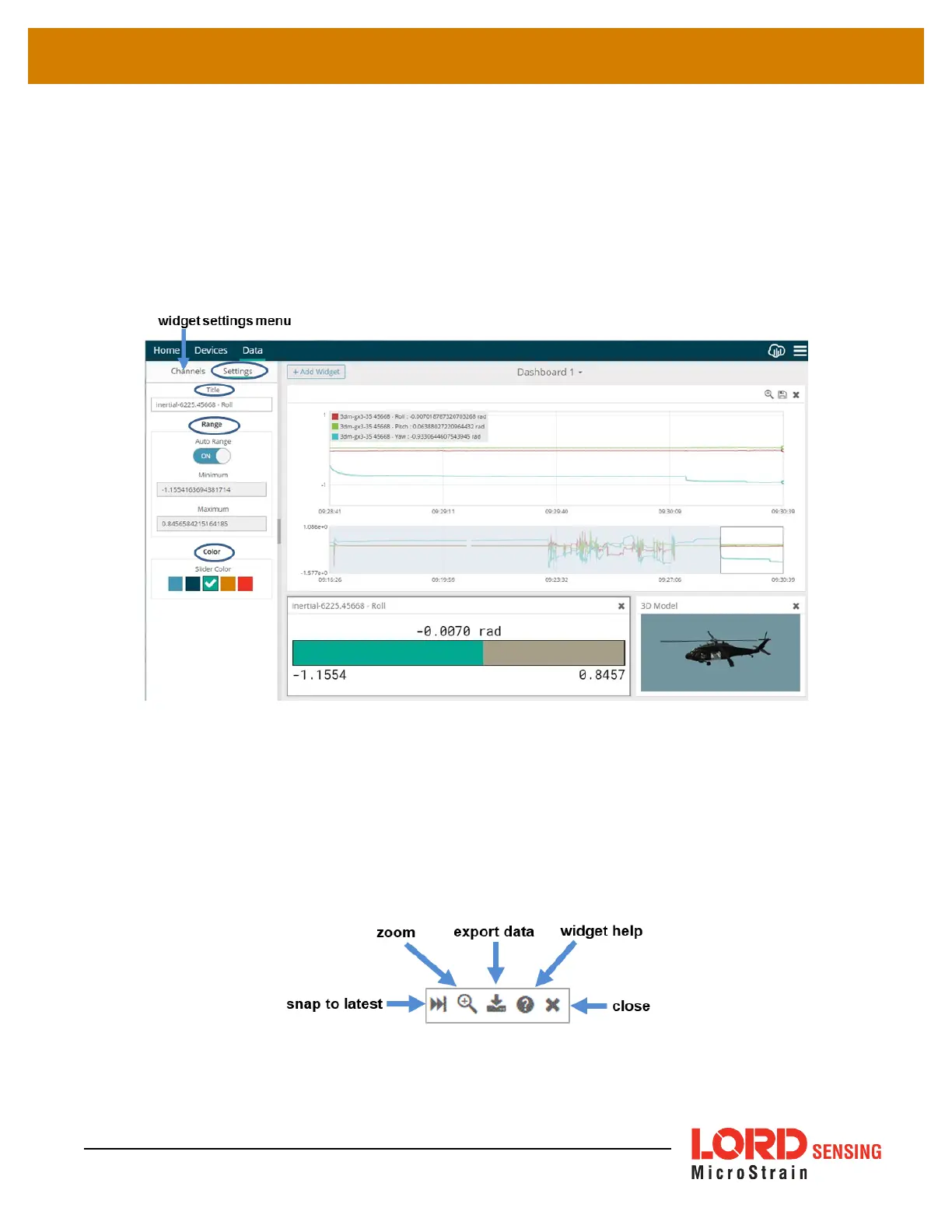
After adding a widget, left click to select and configure it in the Channels and Settings left sidebar
menu. Under Channels, the channel(s) for the widget can be enabled and disabled.
Figure 19 - Widget Settings Menu
4.1.4 Time Series Widget Menu
The Time Series Widget menu has two features to help optimize sensor data collection for export to
a .csv file.
Snap to Latest
captures the most recent data and
Zoom
isolates specific events from a
larger data sample (
see Exporting Data Files on page 23
. )
Figure 20 - Time Series Widget Menu
22


 To Next Page