WSDA
®
-200-USB User Manual
1.2 GatewayInterface
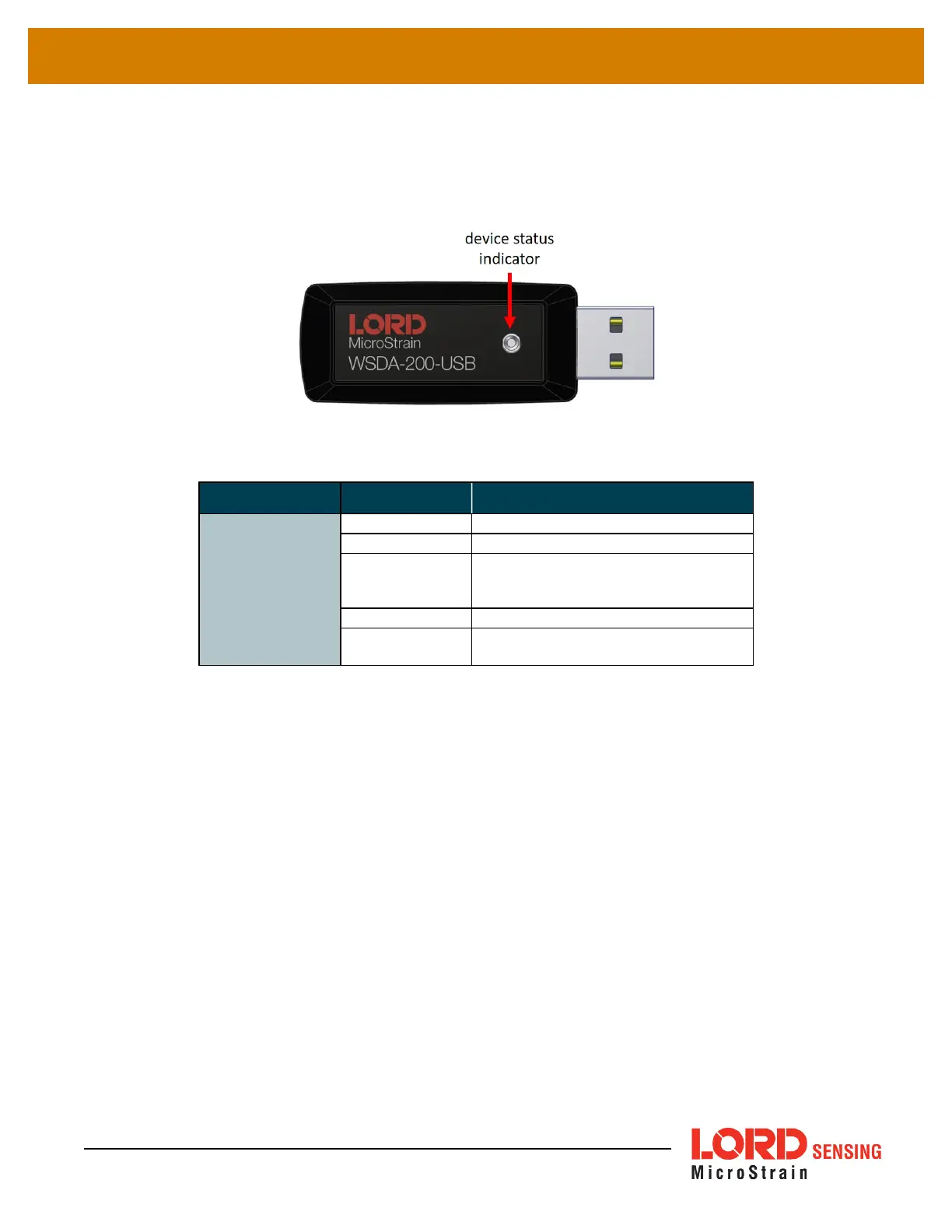
There is one device status indicator on the top of theWSDA-200-USB. The following table describes
indicator behavior.
Figure 2 - Status Indicator
Behavior Node Status
Device Status
Indicator
OFF Gateway is off
ON green Gateway is powered & idle
Flashing blue
Sync sampling beacon enabled or
incoming data from other sampling
modes
Pulsing green Stop node
Flashing red
WARNING: another gateway beacon is
detected on the same frequency
Figure 3 - Basic Indicator Behaviors
7


 To Next Page