WSDA
®
-200-USB User Manual
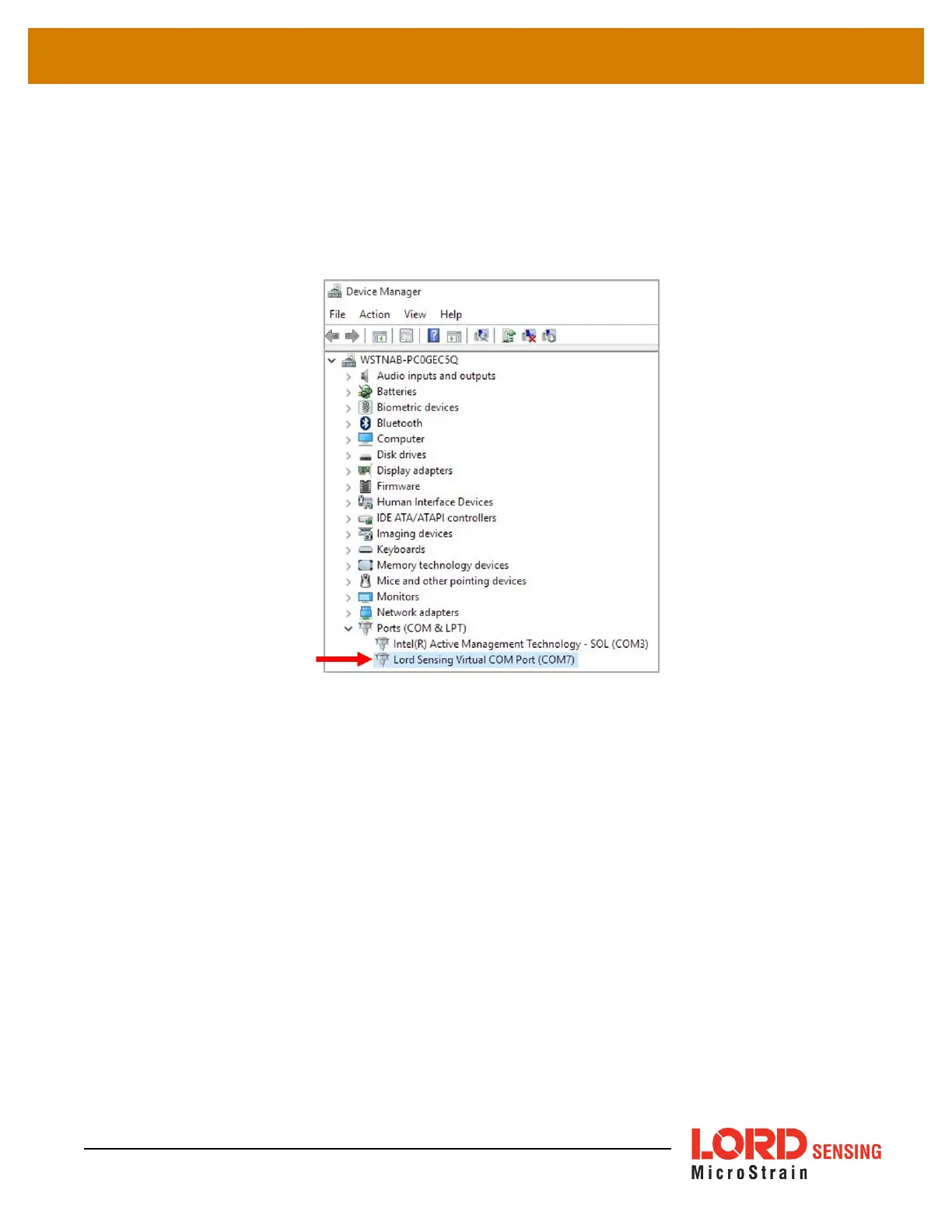
3. In Device Manager, expand the view for Ports (COM and LPT). Active COM ports will appear
on this list with the COM port number. The WSDA- 200- USB [[[Undefined variable
Variables.ProductName3]]] will be displayed as LORD Sensing Virtual COM Port (COM 7). If
no port is listed, the port is not recognized by the computer, and no gateway communication
can be established.
Figure 26 - Windows
®
Device Manger Menu
32


 To Next Page