4
USING YOUR DISHWASHER
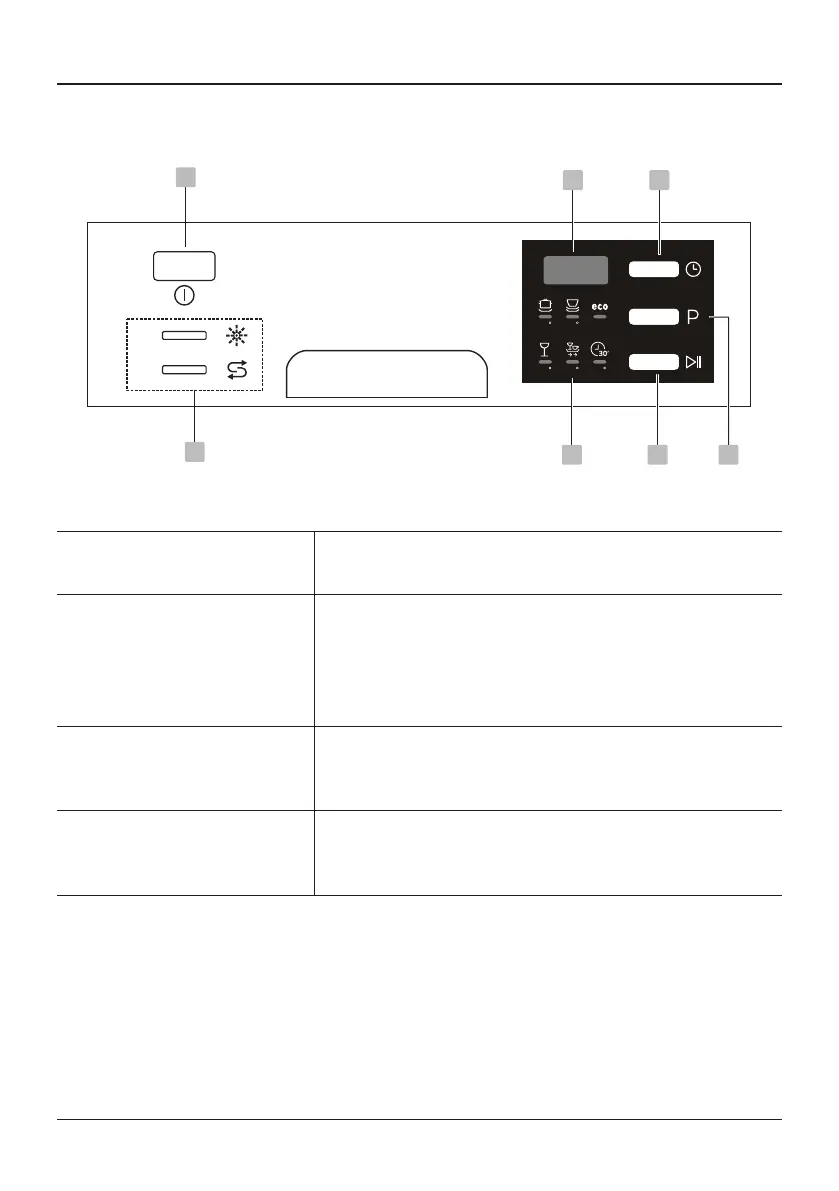
Control Panel
5
1
70 60
45 65 40
7 4 3
26
45°
Operation (Button)
1
Power Pressthisbuttontoturnonyourdishwasher.
2
Delay
Pressthisbuttontosetthedelayedhoursforwashing.
Youcandelaythestartofwashingupto24hours.
Onepressonthisbuttondelaysthestartofwashing
byonehour.
3
Program
Pressthisbuttontoselecttheappropriatewashing
program,theselectedprogramindicatorwillbelit.
4
Start / Pause
Tostarttheselectedwashingprogramorpauseit
whenthedishwasherisworking.


 To Next Page