4
• Close the cover.
Alternatively the camera can run on external (6V/2A)DC power supply
(optional, user provided). When both external power and batteries are
connected, the camera will be powered by the external power works.
2.3Insert SD Card
The Loreda camera does not come with internal memory,so it does not
work without a SD(SecureDigital)memory card or
SDHC(HighCapacity)card.Before inserting the SD card into the
cardslots,please make sure the write-protect switch on the side of the
SD card“off”(NOT in the“Lock”position).The supported memory
capacity is up to 32GB.
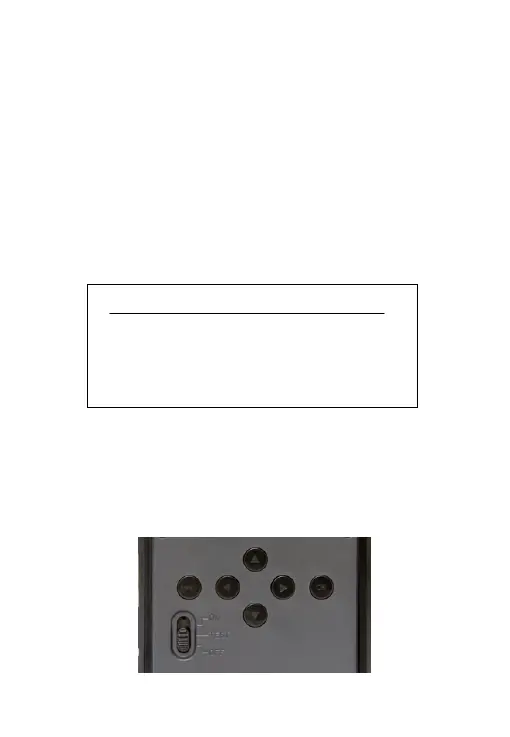
2.4 Powering on and Test Mode
Switch to the TEST position to enter the test mode. In this mode you
can take pictures or videos like a regular digital camera, or enter the
Menu to set up parameters. On the keypad there are four “shortcut”
function keys working as below:
!!
WARNING
!!
Please switch the Camera to OFF
mode before you insert/take out the
batteries or the SD-card


 To Next Page