Channel No.
Group No.
Press and hold Up
& Down
button then press and hold LIMIT for
5 seconds. Group number will display
for Multi-Group.
02
BATTERY SPECIFICATION: Li-ion battery, 2000mAH, 7.4V.
MOTOR TORQUE/SPEED: 1.1Nm/25rpm
LCD SCREEN ILLUSTRATION
SINGLE GROUP SETTING
To select Number of Channels (if less than 14)
SWITCHING BETWEEN SINGLE GROUP AND MULTI-GROUP
1.
Press and hold both Up and
Down
buttons for 3 seconds
until 00 Channel displays.
Release the buttons and the 00
will start to ash.
2.
Press the Up or Down button
to select the required number of
channels between (1-14).
3.
Press and hold or at
the same time for 3 seconds
to conrm selection.
Channel No.
Remote is for use for up to 14 blinds
Setting button (Red)
Charge port
Antenna
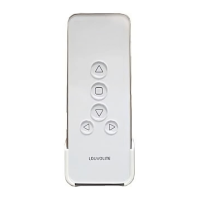
Remote Transmitter Conrm Limit
LCD Screen
Up
Stop
Down
Channel
- Channel +
SET-UP AND OPERATION
R1722 14 CHANNEL REMOTE CONTROL
FOR USE WITH R1710 MOTOR
technical data
programming instuctions

 Need help?
 General

 To Next Page