Need help?
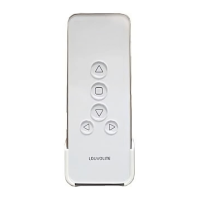
Do you have a question about the Louvolite R1723 and is the answer not in the manual?
Activate Auto mode on the remote for programming.
Press Limit and ✔ to initiate blind programming.
Select the blind channel number; display will flash.
Use Up/Down buttons to navigate between blind channels.
Use Stop to add channels or Up/Down to select channels for more blinds.
Press button to confirm programmed movement(s).
Select and confirm the day for the programmed schedule.
Set the programmed hour time; it will flash on display.
Set the programmed minute time; it will flash on display.
Select blind direction (Up, Down, Mid) and confirm.
 General
| Brand | Louvolite |
|---|---|
| Model | R1723 |
| Category | Remote Control |
| Language | English |


 To Next Page