I604 GB I 09 19 31100442
2
I
NTRODUCTION
T
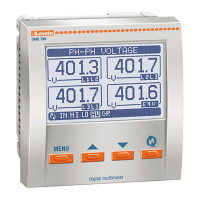
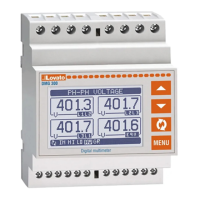
he DMG5... multimeters have been designed to combine the maximum possible easiness of operation together with a wide choice of advanced functions. The flush-mount 96x96mm housing joins the modern design
o
f the front panel with the tool-less mounting of the device body. The backlighted LCD display offers a user-friendly interface. DMG510 is also provided with a isolated RS485 interface with Modbus protocol to
consent remote supervision.
F
RONT KEYBOARD
M
ENU key – Used to enter or exit from visualization and setting menus.
s
and
t
keys – Used to scroll display pages, to select among possible choices and to modify settings (increment-decrement).
key – Used to rotate through sub-pages, to confirm a choice, to switch between visualization modes.
H
ARMONIC ANALYSIS INDICATION
–
The DMG510 features harmonic analysis up to the 15th order for the following measurements:
• phase-to-phase voltages.
• phase-to-neutral voltages.
• currents.
–
To activate harmonic analysis, set P02.12 = THD+HAR.
– With P02.12 = THD, only the THD of the above measurements is displayed.
MAIN MENU
To access the main menu:
– Press the MENU button. The main menu is displayed (see figure) with the following possible choices:
• SET - Access to the Setup menu settings.
• CMD - Access to the command menu.
• PAS - Entering the Password.
–
The selected choiche flashes. In the alphanumeric disp lay scrolls a written description.
–
If you must enter the password, the menu opens with the voice PAS already selected.
–
Press
s
t
t
o select the desired item and then press to confirm your choice.
–
If you want to return to the measurement display, press MENU again.
PARAMETER SETTING (SETUP) FROM FRONT PANEL
– From the normal measurement display, press MENU to call up the main menu, then select SET and press to access the settings menu.
– The display shows the first menu level P.01 in the display in the lower left, with selection 01 flashing.
– Select the desired menu (P.01, P.02, P.03 ...) using the
st
buttons. As you select, the alphanumeric display provides a brief scrolling description of the currently selected menu.
– If you want to exit and return to the measurement display, press MENU.
Code MENU DESCRIPTION
P01 GENERAL Detailed data of the installation
P02 UTILITY Language, backlight, display
P03 PASSWORD Access codes enabling
P04 INTEGRATION Readings integration time
P05 HOUR COUNTER Hour counter enabling
P07 (DMG510 only) COMMUNICATION (COMn) Communication ports
P08 LIMIT THRESHOLDS (LIMn) Limit thresholds on readings
P09 ALARMS (ALAn) Alarm messages
– The following table lists the available menus:
– Press to enter the selected menu.
– At this point you can select the submenu (if any) and then the sequential number of the parameter, always with the function keys as follows:
Backward Increment/decrement Forward
Setup: menu selection
NOTE: For the other menus, refer to the complete instructions manual available on the website.


 To Next Page